

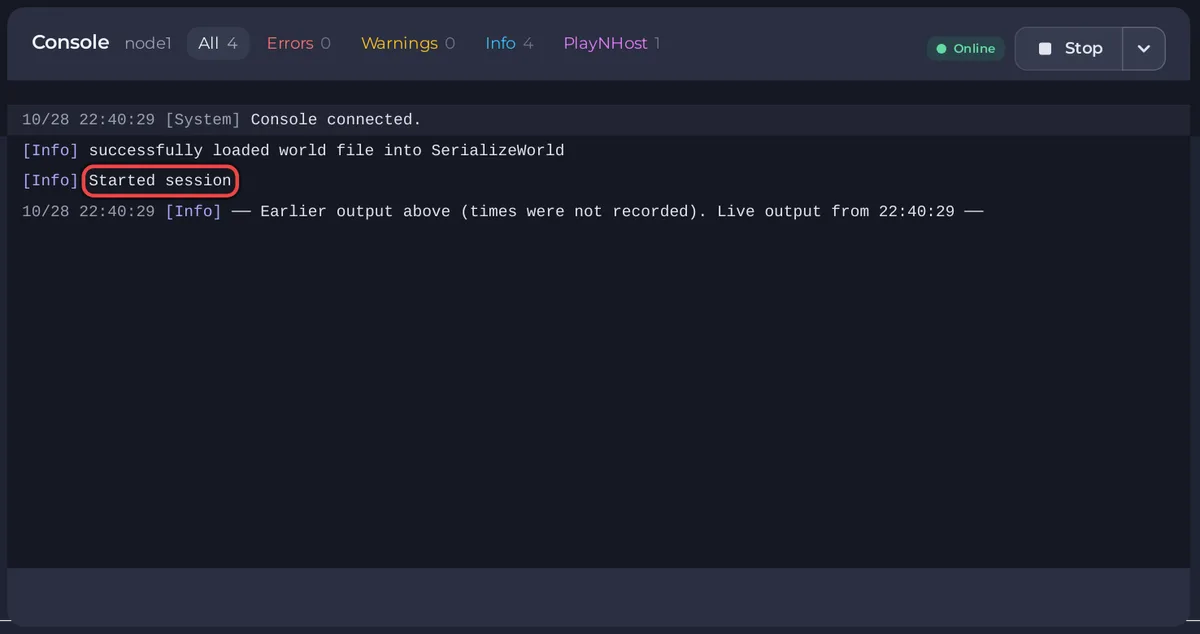
A Core Keeper server that builds a new world stays on Starting for 3 to 5 minutes, so wait for Started session in the Console before you do anything. If the PlayNHost panel shows Starting much longer, or the server stops by itself, a mod, memory or a damaged world file is the usual cause.
What should I check first?
- Open the Console tab of your server in the panel.
- Wait 5 minutes without restarting. A restart only starts the wait again.
- Look for a line with
Started session. When it appears, the badge turns Online. - If the server stopped instead, click Errors in the Console to show only error lines.
- Read the last lines before the server stopped, and check the causes below.
When does Core Keeper build a new world?
On the server's very first start, every time World Index points at an empty slot, and after the worlds were reset. A start that also downloads a game update takes longer too: How to update your Core Keeper server.
Why does the server stop again by itself?
Could a mod stop it?
Yes. A mod that is missing a dependency, or that is not yet updated for the game, can stop the start. Remove the newest mod and try again: Your Core Keeper server stops after you add a mod.
Could memory stop it?
If Overview shows This server ran out of memory, the system stopped the server because it needed more memory than the plan gives. See How much RAM does a Core Keeper server need?
Could an uploaded world stop it?
If the trouble started after you uploaded a world, upload it again unchanged, or set World Index back to your old slot and restart. Restoring a backup also works: How to back up and restore your Core Keeper world.
What should I send support?
Click Share log or Download log in the console's menu and open a ticket with it. Say what you changed last. See How to open a support ticket and How to fix a server that will not start.


