

On a Core Keeper server, World Seed, Hard mode and World Name are used when a world is created, so a world that already exists keeps what it was built with. To play with new values on your PlayNHost server, start a new world in an unused World Index slot; your current world stays.
How do I get a world with the new values?
- Open your server in the panel and click the Settings tab.
- Click Game Settings.
- Set the World Seed, Hard mode and World Name you want.
- Set World Index to a slot you have not used, for example
1. - Click Restart now. The new world takes 3 to 5 minutes to build.
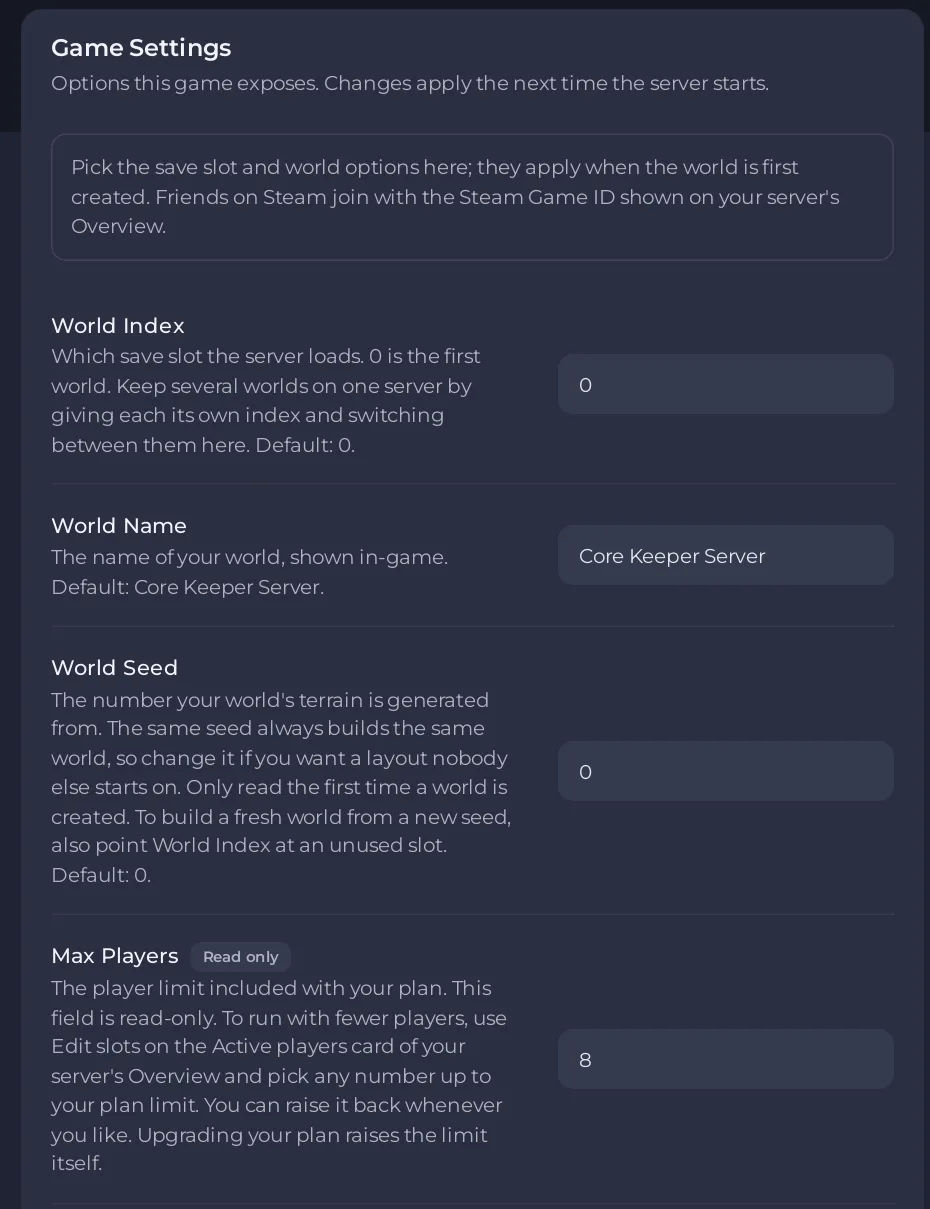
To go back to the old world, set World Index to its number and restart. See How to run several worlds on your Core Keeper server.
Do other settings need a restart?
Yes. Every setting on Game Settings applies the next time the server starts. After a save, the panel says Saved. The server must restart before these take effect. Click Restart now.
Why was my change refused?
If a value is not allowed, the panel shows why and puts the old value back:
- World Name: 3 to 100 characters, no
"or\. - World Seed and World Index: whole numbers, 0 or more.
- Game ID: 15 to 28 letters and numbers, without
O,Y,yorx.
All settings: Core Keeper server settings: every option explained. World options in detail: How to set the world name, seed and Hard mode on your Core Keeper server.


