

When a Core Keeper server stops starting after you added a mod, remove the mod you added last and start the server again. If it starts, that mod is the cause: it may need another mod, not be updated for the current game version, or sit one folder too deep.
How do I remove the newest mod?
- Open your server in the panel and stop it if it is not stopped already.
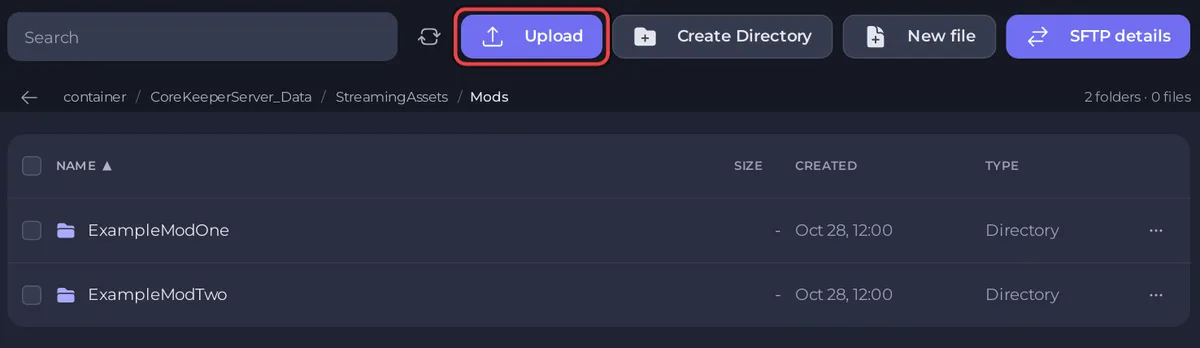
- Click the Files tab and open
CoreKeeperServer_Data/StreamingAssets/Mods. - Open the menu of the newest mod's folder and choose Delete folder. Keep the mod's
.zipon your PC. - Start the server and wait for
Started sessionin the Console.
Still failing? Remove the next mod, one at a time, until it starts.
Why would a mod stop the Core Keeper server?
- It needs another mod. Pugstorm's modding documentation notes that some mods depend on others, listed in the mod's description. Install that one as well: nothing is added for you.
- It is not updated for the game. The same documentation asks you to use the right version filter so you do not install outdated mods. After a Core Keeper update, wait for the mod's author.
- Its files are one folder too deep. The mod's files must sit directly in its own folder in
Mods. - It is not meant for servers. If the mod's page says it only changes a player's own game, leave it off the server.
How do I add mods back safely?
- Take a backup: How to back up and restore your Core Keeper world.
- Add one mod at a time.
- Start the server after each mod and check for
Started session.
Steps: How to add mods to your Core Keeper server.
What if the server still does not start?
Open a ticket with the mod names and the last 50 to 100 lines of the Console: How to open a support ticket. For start problems that are not about mods: Your Core Keeper server is stuck on starting.


