

On a Core Keeper server, kicking and banning are done in the game by an admin: an admin bans a player from the pause menu, and admins can also kick players from the world. The PlayNHost panel has no kick or ban buttons for Core Keeper, and bans stay after a restart.
How do I ban a player?
- Make sure you are admin on the server: How to become admin on your Core Keeper server.
- Join the server while the player is online.
- Open the pause menu.
- Choose the player and ban them.
Pugstorm added this in patch 0.3.12 (May 2022): "Players can be banned by admins from the pause menu." The ban is saved in the server's ban list, so it stays after a restart.
Can I kick a player instead of banning them?
Yes. When Pugstorm launched dedicated servers, it added "a new admin functionality that will give players the option to kick people from their worlds across both dedicated servers and player-hosted games" (announcement, May 2022). A kick removes the player from the world. A ban keeps them out.
Where is the ban list?
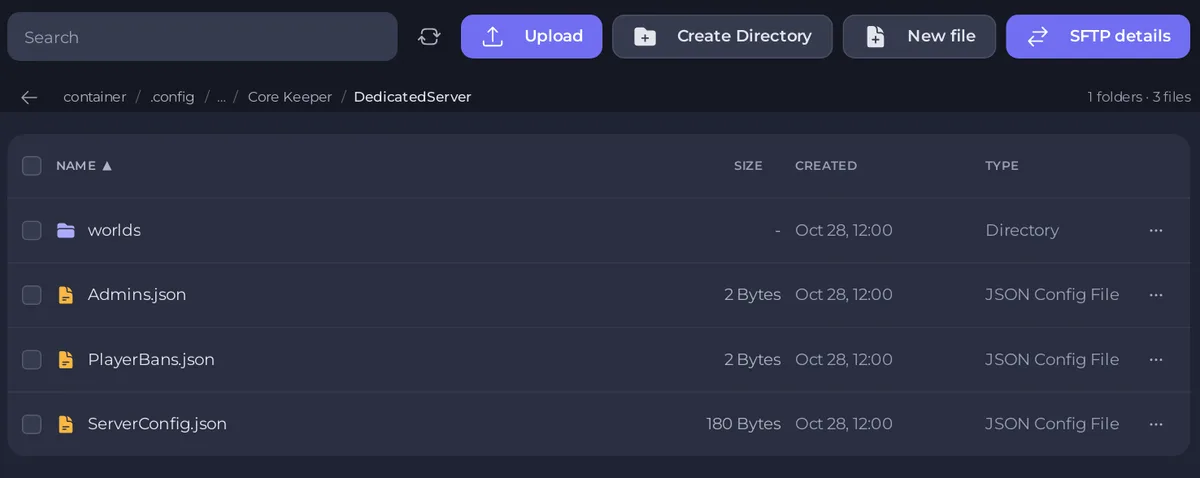
The ban list is PlayerBans.json in .config/unity3d/Pugstorm/Core Keeper/DedicatedServer, in Files. It sits outside the worlds folder, so World Reset and new worlds keep it. Every backup of the server includes it.
How do I lift a ban?
Open a support ticket with the player's Steam name and our team helps you remove it from the ban list.
How else can I keep people out?
- Players need your Game ID to join. If too many people have it, give the server a new one: How to change the Game ID of your Core Keeper server.
- Fewer slots keep a group small: How to change player slots on your Core Keeper server.
- The panel's Console has no command box for Core Keeper, so there are no commands to type there: How to use the Console on your Core Keeper server.


