

To change the player slots of a Core Keeper server on PlayNHost, click Edit slots on the Active players card on the server's Overview page, choose a number and click Update. The server restarts so the game uses the new limit, and everyone on it is disconnected.
How do I change the slots?
- Open your server in the panel. You land on Overview.
- On the Active players card, click Edit slots. You can also click the pencil on the Slots row of the server card on the same page. If you see neither, your role lacks the Rename server permission.
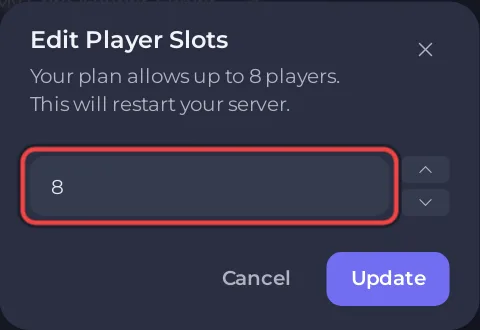
- In the Edit Player Slots window, choose the number. The window says how many players your plan allows.
- Click Update. The server restarts with the new limit.
The restart disconnects everyone on the server. Do it when nobody is playing.
How many players does Core Keeper support?
Pugstorm sells Core Keeper as a game for 1 to 8 players in online co-op (Steam store page). The full answer: How many players can play on a Core Keeper server?
Why is Max Players read only?
Max Players on Settings, Game Settings shows the limit your server runs with, and it is marked Read only. Its help text points to Edit slots on the Active players card of Overview. The panel passes the number to the game at every start.
Who can change the slots?
Changing slots needs the Rename server permission under Settings, whichever button you use. Edit slots shows only to people who have it. See How to let a friend help run your Core Keeper server.
General help: How to rename your server and change player slots.


