

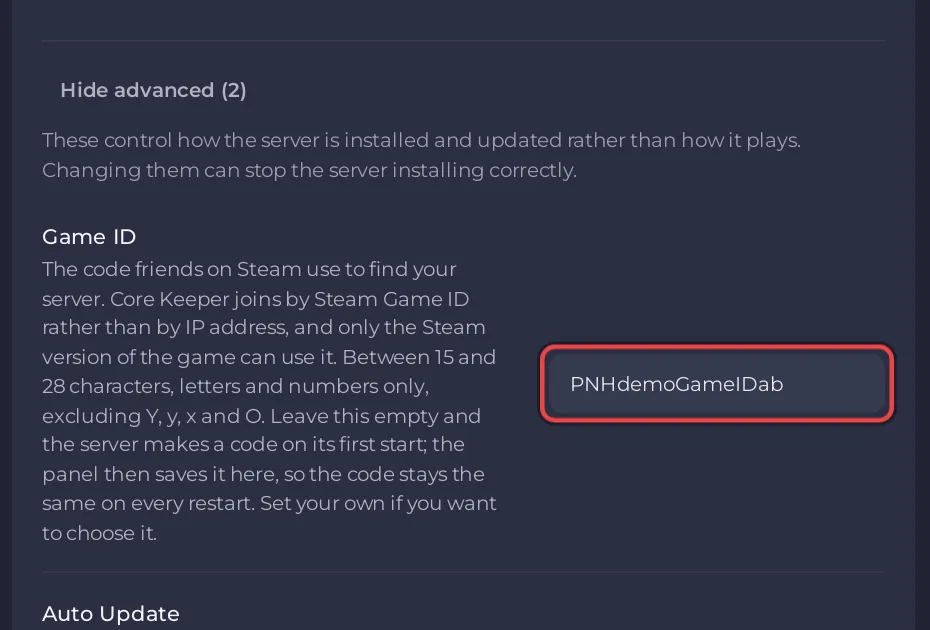
To change the Game ID of a Core Keeper server on PlayNHost, open Settings, Game Settings, click Show advanced (2) and type your code in Game ID, then restart. Your friends join with the new code from then on, and the old one stops working.
How do I set my own Game ID?
- Open your server in the panel and click the Settings tab.
- Click Game Settings, then Show advanced (2) at the bottom of the list.
- Click in the Game ID field, delete the old code and type yours.
- Click outside the field or press Enter to save it. The panel says Saved. The server must restart before these take effect.
- Click Restart now, or restart the server later.
- Check the Steam Game ID row on Overview once the server is Online: it shows your new code.
Send the new code to your friends: How to invite friends to your Core Keeper server.
What codes does the Game ID field accept?
- 15 to 28 characters.
- Letters and numbers only.
- Not allowed:
O(capital o),Y,yandx. Zero (0) is allowed.
The panel refuses a code that breaks these rules, shows the reason and puts the old value back.
How do I keep the same Game ID?
You do not have to do anything. Leave Game ID empty and the server makes a code on its first start. The panel then saves it in Game ID within about 5 minutes, without anyone opening Overview, so it stays the same on every restart. If your code changed anyway, see Your Core Keeper Game ID changed after a restart.
How do I get a brand new Game ID?
Use this when people you no longer want on the server know your code.
- Open the Game ID field under Settings, Game Settings, Show advanced (2).
- Type a new code, or empty the field to let the server make one.
- Save and restart.
- If you emptied the field, open Overview once the server is Online: the new code appears in the Steam Game ID row, and the panel saves it in Game ID within about 5 minutes.
Anyone who saved the old code can no longer join with it. To keep one person out for good, ban them as well: How to kick and ban players on your Core Keeper server.
Does changing the Game ID touch my world?
No. Your worlds, the admin list and the ban list stay as they are. Changing the Game ID needs the Change startup permission.


