

To kick a player from a Vintage Story server on PlayNHost, type /kick PlayerName reason in the Console while the server is Online. Use /ban PlayerName reason to keep them out for good, and /unban PlayerName to let them back. The same commands work in the in-game chat for admins and moderators.
How do I kick or ban a player?
- Open your server in the panel and click the Console tab. The badge must say Online.
- Type
/list clientsand press Enter to see who is connected, with their exact names. - Type
/kick PlayerName reasonto remove the player. They can join again straight away. - Or type
/ban PlayerName reasonto remove the player and stop them joining again. - Read the game's answer in the Console to check it worked.
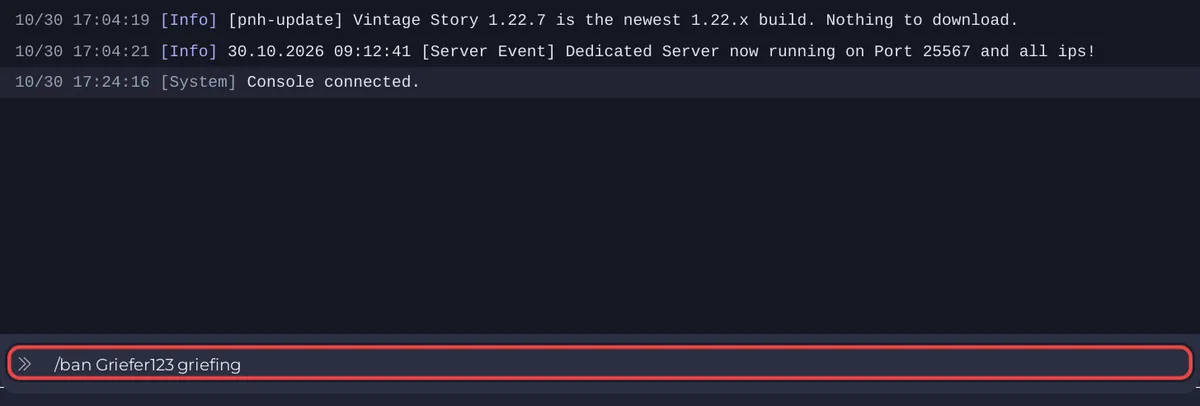
These commands come from the official list of server commands.
How do I lift a ban?
Type /unban PlayerName in the Console and press Enter. The player can join again.
Can my moderators kick and ban too?
Yes, in the game's chat, once they have a moderator role: /player TheirName role sumod for a survival server. The admin and moderator roles can kick and ban; normal players cannot. See How to set player roles on your Vintage Story server.
Is there a player list in the panel?
No. The panel does not show a list of online players for Vintage Story. Use /list clients in the Console.
How else can I keep someone out?
Turn on the whitelist, so only names you add can join: How to turn the whitelist on or off on your Vintage Story server. Or change the join password and give the new one only to the players you want.


