

To turn on the whitelist of a Vintage Story server on PlayNHost, open Settings, click serverconfig.json under Config files, set Whitelist to 2 and click Save & restart. Then add each player in the Console with /player NAME whitelist on. Set it to 1 to turn the whitelist off. A new PlayNHost server starts with it off.
How do I turn the whitelist on?
- Open your server in the panel and click the Settings tab.
- Under Config files on the left, click serverconfig.json.
- In Whitelist, type
2. - Click Save & restart.
- When the badge says Online, click the Console tab and add yourself and every friend, one line each, with their exact player name:
/player NAME whitelist on. Each player's name is at the bottom left of the game's main menu. No restart is needed after adding a player.
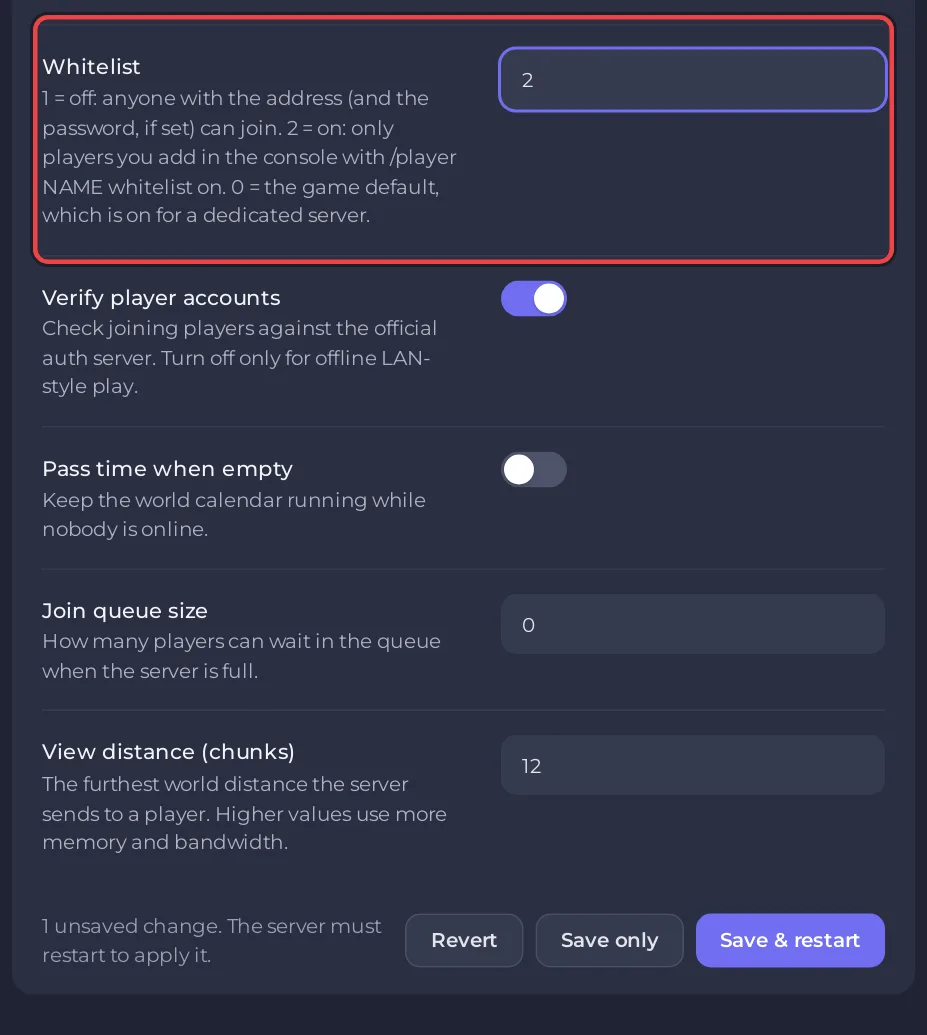
Add yourself too: with the whitelist on, a player who is not on it cannot join, the server's owner included.
What do the Whitelist numbers mean?
| Value | What happens |
|---|---|
1 | Off. Anyone with the address, and the password if you set one, can join. A new PlayNHost server starts here. |
2 | On. Only players added with /player NAME whitelist on can join. |
0 | The game's own default. For a dedicated server that means on. |
The values come from the official Vintage Story server config. Since game version 1.20 a dedicated server uses the whitelist by default (dedicated server guide). That is why PlayNHost switches it to 1 once, on a new server's first start: the Console then shows New server: whitelist off, so anyone with the address can join. After that the setting is yours and is never changed again.
Can I do it from the Console instead?
Yes. With the server Online, type one of these in the Console box:
/serverconfig WhitelistMode on
/serverconfig WhitelistMode off
The old setting called OnlyWhitelisted no longer controls anything since version 1.20, so ignore it if you see it in the file.
How do I check whether a player is on the whitelist?
Type /player NAME whitelist in the Console. The game answers with that player's whitelist status.
How do I keep a player out who is already on the whitelist?
Ban them: /ban NAME reason. A ban works whether the whitelist is on or off: How to kick, ban and unban players on your Vintage Story server.
Why can nobody join after I turned it on?
Nobody is on the list yet, or a name was typed differently from the player's real name. Add the players again with their exact names. More causes: Players cannot join your Vintage Story server.


