%7B.s%7Banimation%3Ab%201.5s%20ease-out%20both%7D.d%7Banimation-delay%3A.16s%7D%7D%40keyframes%20b%7B0%25%7Bfill%3A%23F4F6FA%7D18%25%7Bfill%3A%23FFE08A%7D34%25%2C70%25%7Bfill%3A%23FF8A1F%7D80%25%7Bfill%3A%23FFE08A%7D100%25%7Bfill%3A%23FF8A1F%7D%7D%3C%2Fstyle%3E%3Cg%20transform%3D%22translate(143%20428.93)%20scale(3.885906)%22%3E%3Cg%20transform%3D%22translate(0%202)%22%20fill%3D%22%23706EF0%22%3E%3Cpath%20d%3D%22M0%200%20H48%20A40%2040%200%200%201%2048%2080%20V100%20H0%20Z%22%2F%3E%3Cpath%20transform%3D%22translate(91.75%200)%22%20d%3D%22M0%200%20L48%200%20L48%2050%20L76%2050%20L76%20100%20L0%20100%20Z%22%2F%3E%3Cpath%20transform%3D%22translate(173%200)%22%20d%3D%22M0%20100%20L58%20-4%20L116%20100%20Z%22%2F%3E%3Cpath%20transform%3D%22translate(264.25%200)%22%20d%3D%22M0%200%20L104%200%20L76%2050%20L76%20100%20L28%20100%20L28%2050%20Z%22%2F%3E%3Cg%20transform%3D%22translate(375%200)%22%3E%3Cpath%20d%3D%22M0%200%20L50%2038%20L50%200%20L100%200%20L100%20100%20L0%20100%20Z%22%20fill%3D%22%23F4F6FA%22%2F%3E%3Crect%20class%3D%22s%22%20x%3D%2247%22%20y%3D%2263%22%20width%3D%2219%22%20height%3D%2230%22%2F%3E%3Crect%20class%3D%22s%20d%22%20x%3D%2274%22%20y%3D%2263%22%20width%3D%2219%22%20height%3D%2230%22%2F%3E%3C%2Fg%3E%3Cpath%20transform%3D%22translate(484.75%200)%22%20d%3D%22M0%200%20L48%200%20L48%2037%20L52%2037%20L52%200%20L100%200%20L100%20100%20L52%20100%20L52%2063%20L48%2063%20L48%20100%20L0%20100%20Z%22%2F%3E%3Cpath%20transform%3D%22translate(588.5%200)%22%20d%3D%22M0%2050%20A53%2053%200%201%200%20106%2050%20A53%2053%200%201%200%200%2050%20Z%22%2F%3E%3Cpath%20transform%3D%22translate(698.25%200)%22%20d%3D%22M25%200%20H102%20V50%20H77%20A25%2025%200%200%201%2077%20100%20H0%20V50%20H25%20A25%2025%200%200%201%2025%200%20Z%22%2F%3E%3Cpath%20transform%3D%22translate(804%200)%22%20d%3D%22M0%200%20L90%200%20L90%2050%20L69%2050%20L69%20100%20L21%20100%20L21%2050%20L0%2050%20Z%22%2F%3E%3C%2Fg%3E%3C%2Fg%3E%3C%2Fsvg%3E)


A Vintage Story world is made once, the first time the server starts, and its shape is fixed from then on. The panel lets you choose that shape first, with the same choices as the game's own create-world screen, so you do not have to edit serverconfig.json. You set them under Settings, then Game Settings, before the world exists.
They only apply to a new world. Once a world exists, changing these settings does nothing to it, and a running world is never changed. If you change them on a server that already has a world, the console prints a line saying they were not applied. To get a different world, see Start a fresh world below.
Set the options
- Open your server in the panel and click the Settings tab, then Game Settings.
- Choose the options below.
- Start the server. If no world exists yet, it is created with your choices. A new world takes a little while to generate on first start.
The options
| Option | Choices and what they do |
|---|---|
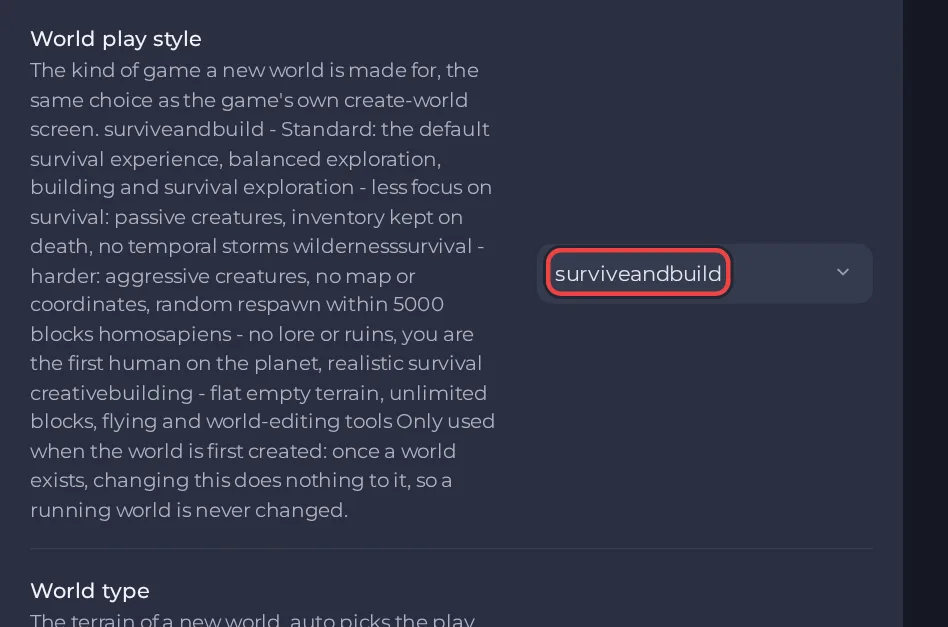
| World play style | surviveandbuild: standard survival, balanced exploration, building and survival (the default). exploration: less focus on survival, passive creatures, inventory kept on death, no temporal storms. wildernesssurvival: harder, aggressive creatures, no map or coordinates, random respawn within 5000 blocks. homosapiens: no lore or ruins, you are the first human on the planet, realistic survival. creativebuilding: flat empty terrain, unlimited blocks, flying and world-editing tools. |
| World type | auto picks the play style's own: superflat for creativebuilding and standard for every other style. standard: mountains, oceans, caves and rivers. superflat: flat and empty, for building. |
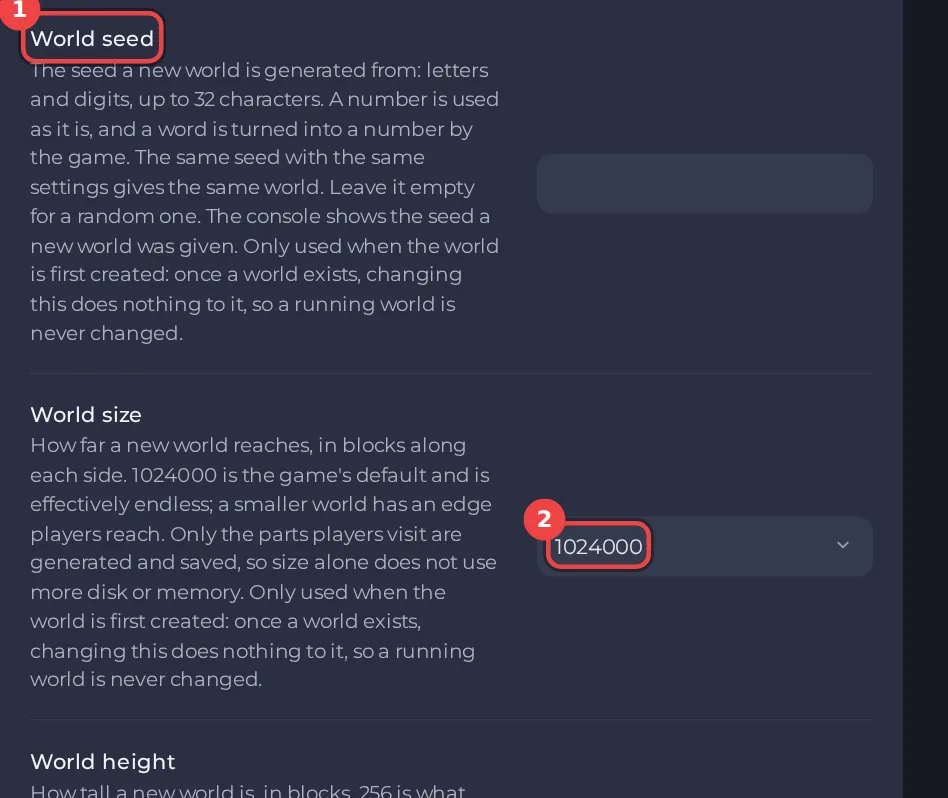
| World seed | Letters and digits, up to 32 characters. A number is used as it is and a word is turned into a number by the game. The same seed with the same settings gives the same world. Leave it empty for a random one. The console shows the seed a new world was given. |
| World size | How far a new world reaches, in blocks along each side, from 1,024 up to 8,192,000. The default, 1,024,000, is the game's own and is effectively endless. A smaller world has an edge players reach. Only the parts players visit are generated and saved, so size alone does not use more disk or memory. |
| World height | How tall a new world is, in blocks: 128, 192, 256, 320, 384, 448 or 512. 256 is what survival play is made for. Lower can cut the survival experience short, and higher slows chunk loading and uses more memory and disk. |
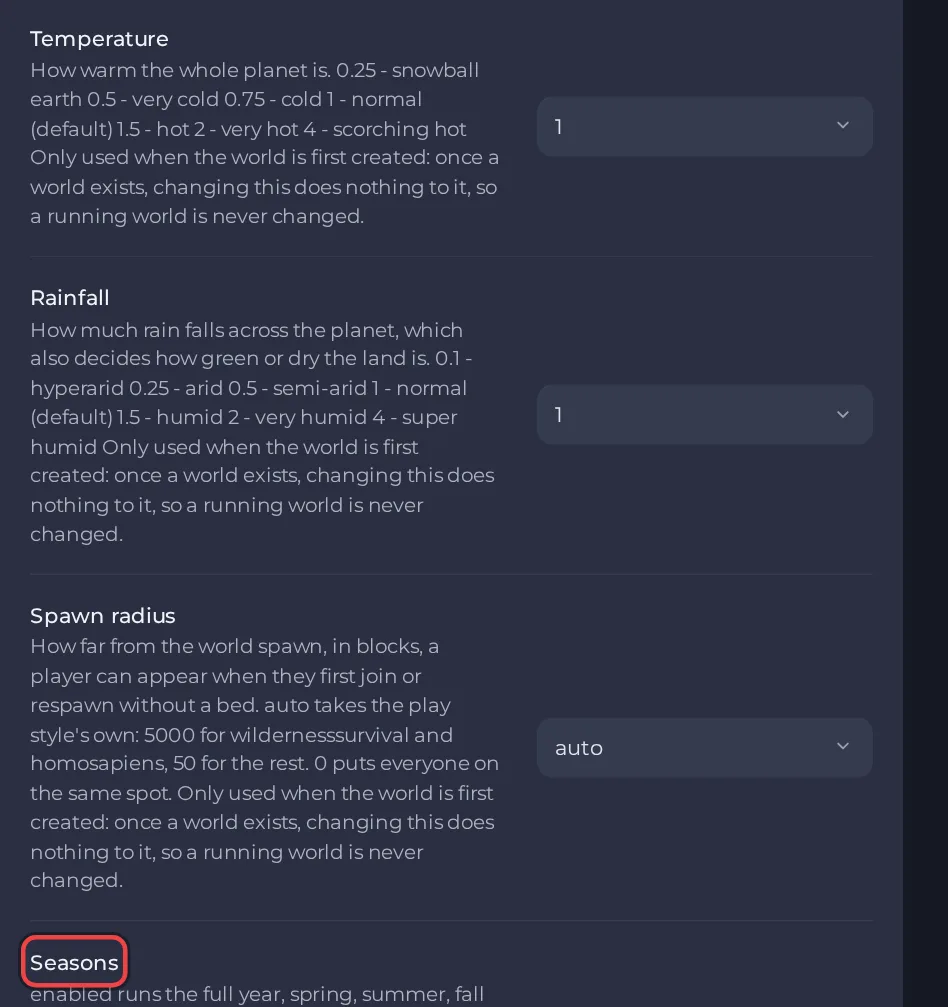
| Temperature | How warm the whole planet is: 0.25 snowball earth, 0.5 very cold, 0.75 cold, 1 normal (the default), 1.5 hot, 2 very hot, 4 scorching hot. |
| Rainfall | How much rain falls, which also decides how green or dry the land is: 0.1 hyperarid, 0.25 arid, 0.5 semi-arid, 1 normal (the default), 1.5 humid, 2 very humid, 4 super humid. |
| Spawn radius | How far from the world spawn, in blocks, a player can appear when they first join or respawn without a bed. auto uses the play style's own: 5000 for wildernesssurvival and homosapiens, 50 for the rest. 0 puts everyone on the same spot. |
| Seasons | enabled runs the full year, spring, summer, fall and winter in turn. spring, summer, fall or winter holds the world in that one season for good. |
Start a fresh world
If your server already has a world and you want these settings to apply, you have to start a new one. This removes the current world, so back it up first. The steps are in How to upload your own Vintage Story world, under Start a fresh world. Set your new options first, then follow those steps, and the new world is created with your choices.
To keep the old world, make a backup and download it first: How to back up and restore your Vintage Story world.
Check what you got
- Read the Console at the first start: it prints the seed the new world was given. Note it down if you want to make the same world again.
- Join and look around. Play style, climate and spawn radius are all visible in the first minutes.
Other settings that matter
Mods, versions and the player limit are separate options on the same page. See How to set up your Vintage Story server: key settings, Vintage Story server settings: every option explained and How to add mods to your Vintage Story server.
Ready to build your world? See Vintage Story server hosting.





