

Most of what you want to change on a Vintage Story server is on one page of the panel.
Open Game Settings
- Open your server in the panel and click the Settings tab.
- Click Game Settings.
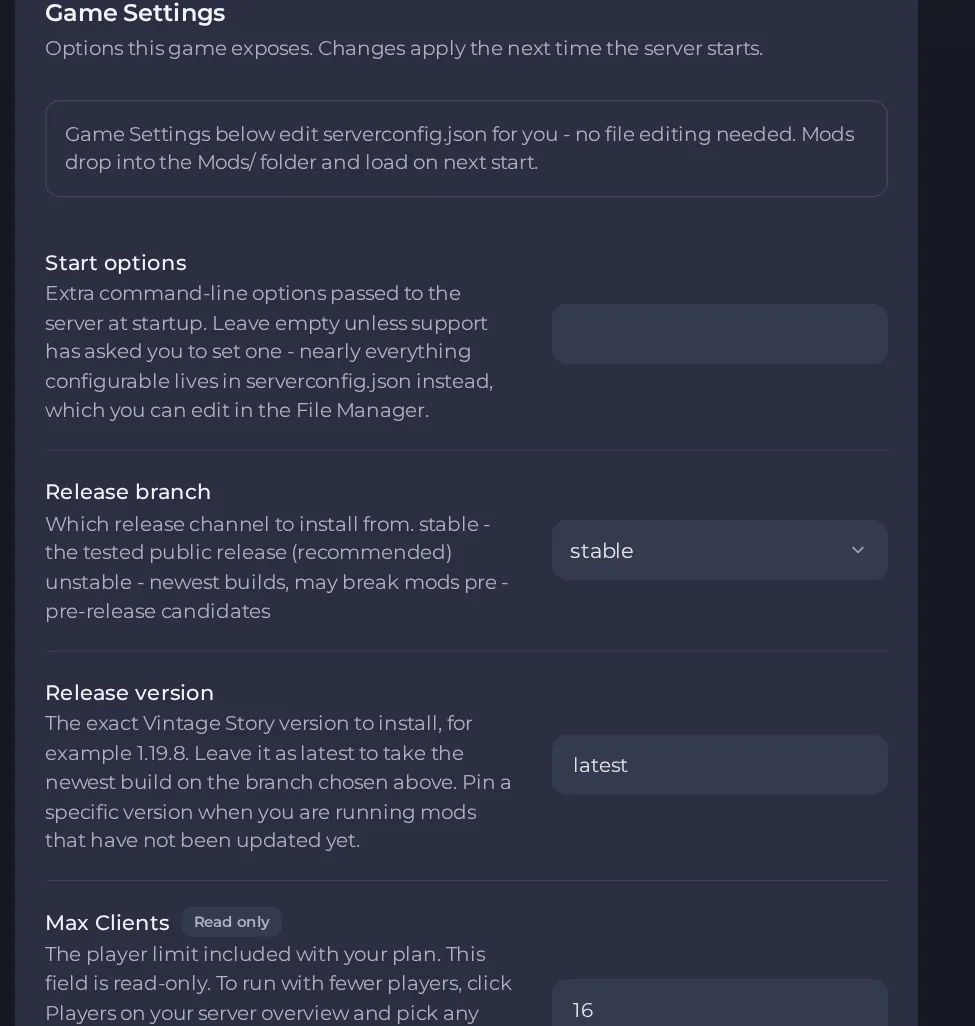
- Change a value and click outside the field, or press Enter. The panel saves it. Switches save as soon as you flip them.
- Restart the server so the change takes effect. See How to start, stop, restart and force-stop your server.
Options most owners change first
- Release branch. Choose stable (recommended), unstable (newest builds, may break mods) or pre (release candidates). Moving an existing world to unstable or pre can make it impossible to load, so ask support to change the branch for you after you make a panel backup.
- Release version. Leave it as latest for the newest build on your branch, or enter an exact version such as 1.19.8 to stay on a version your mods support. Changing the version can make an existing world impossible to load, so make a panel backup first and ask support to change it for you.
- Auto-update server. Checks for a newer patch release on each start; it never moves to a new minor version, and your world and Mods folder are not touched. To move to a new minor version, ask support to do it after you make a panel backup.
- Max Clients. This is your plan's player limit and is read-only here. To run with fewer players, use Players on the server Overview page (this restarts your server).
- ModDB mods. Comma-separated mod names from mods.vintagestory.at, for example primitivesurvival, shapeprojector. Each is picked to fit the server's game version.
- Start options. Extra start options. Leave this empty unless support asks you to set something, since almost everything is in the server config file.
Release branch, Release version and Auto-update server are read when the server starts or is installed. Changes to Release branch, Release version or ModDB mods may only apply when the server is installed again, which is done by support: do not use Edit Server Type for this, because it deletes the server's files, including the world, by default. Other settings such as server name, join password, PvP, whitelist mode and the default role for new players are in data/serverconfig.json in Files. Stop the server before editing that file and start it again afterwards so the changes are picked up. The player limit and port in that file are managed for you.
Every option is listed in Vintage Story server settings: every option explained.





