

Your players join your Vintage Story server with its Server Address, shown on the server's Overview page in the panel. Vintage Story is a wilderness survival sandbox with temporal storms and a deep crafting progression, and a hosted server gives you and your friends a persistent shared world that stays online without anyone's PC running.
Join in a few steps
- Open your server in the panel. If the status badge says Offline, click Start and wait until it says Online. See How to start, stop, restart and force-stop your server.
- On the Overview page, click the copy icon next to Server Address. It looks like
address:port.
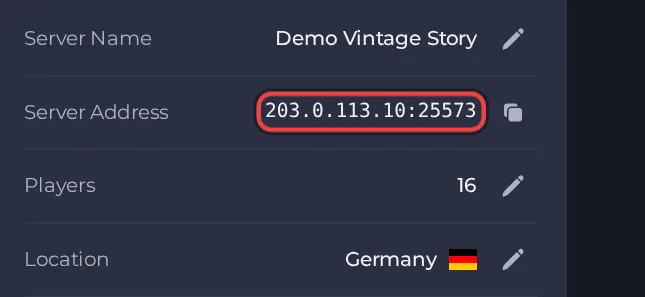
- Launch Vintage Story and make sure your game version matches the version your server runs.
- From the main menu, choose Multiplayer.
- Click Add new server.
- Enter any name you like, then paste the Server Address into the address field. Include the port after a colon, for example address:port.
- If the server has a join password, enter it in the password field. There is no panel setting for it: it is set in data/serverconfig.json in Files, or by an administrator with the /serverconfig command.
- Click Create to save the entry, then select the server in the list and join.
- If the server runs mods, the game offers to download them when you connect. Accept and wait for the download to finish.
Ports
Players connect with the single port shown in the Server Address. Do not use any other port.
Game version
Your game version must match the version your server runs. The server can take small patch updates by itself on start (for example 1.22.6 to 1.22.7) but never jumps to a new minor version such as 1.22 to 1.23, so your mods keep working. If your game updates ahead of the server, either install the matching older version on your PC or ask support to move the server to the new version. Make a panel backup first, because a world can become impossible to load after a version change.
If you cannot join
- The server must be Online. Check the badge at the top of the page.
- Copy the address again from the panel. A missing or mistyped port is the most common cause.
- Make sure every player runs a compatible game version.
- More checks: How to join your server and Vintage Story server problems and fixes.





