

To update a The Bus server on PlayNHost, restart it. Auto Update is on by default, so every start first asks Steam for the newest The Bus Dedicated Server build and downloads it before the game starts. After a The Bus patch on Steam, one restart brings your server up to date.
How do I update after a The Bus patch?
- Open your server in the panel.
- Click the arrow next to Stop and choose Restart.
- Click the Console tab. With an update waiting, you see the download from Steam first, then the game starting.
- Wait for the badge to say Online. Your server now runs the newest build.
The developer posts every update on the Steam news page for The Bus. The most recent at the time of writing were Update 1.2 on 26 August 2026 and a hotfix on 28 October 2026.
To restart at a fixed time every day, so updates are picked up without you: How to restart your The Bus server on a schedule.
Where is the Auto Update setting?
Under Settings, Game Settings, click Show advanced (3). Auto Update is the switch described as "Auto Update the server on startup". Leave it on. If you turn it off, the server keeps the build it has until you turn it back on and restart.
How do I switch to the beta branch?
- Under Settings, Game Settings, click Show advanced (3).
- Type
betain Beta ID and press Enter. Leave Beta Password empty. - Click Restart now. With Auto Update on, the server downloads the beta build as it starts.
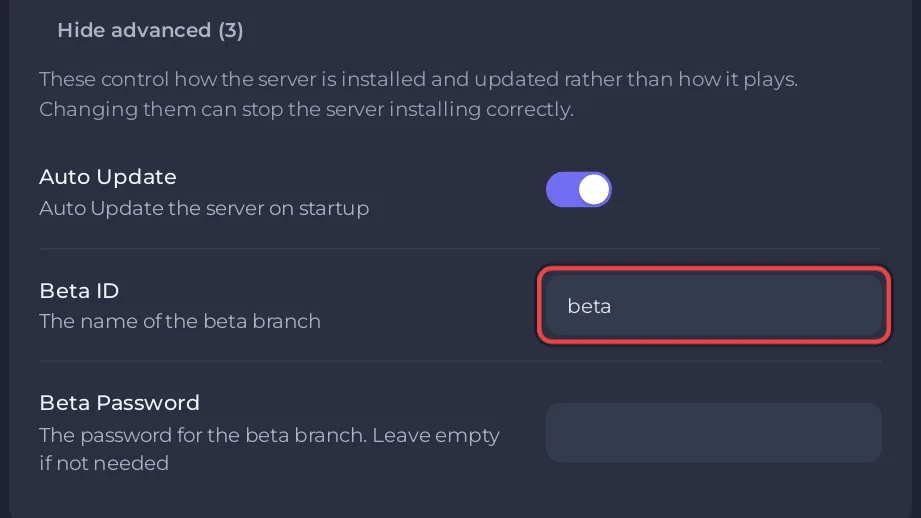
The developer's dedicated server guide names the branch: "To Install the beta version append "-beta beta"". The panel adds that flag for you when Beta ID has a value.
How do I go back from the beta?
Type public in Beta ID, press Enter and click Restart now, with Auto Update on. public is Steam's name for the normal branch. Do not only empty the field: when no branch is given, Steam keeps the branch it installed last, so the server would stay on the beta. Once the server runs the normal version again, you can leave public in the field.
Does an update touch my settings or saves?
An update replaces The Bus's game files. Your TheBus/Settings, TheBus/Saved and TheBus/Mods folders are your own files, and the panel writes your Game Settings into ServerSettings.cfg again at every start. A backup before a big update is still a good idea: How to back up and restore your The Bus server.
Questions people ask
Is there an update button? No. For The Bus, a restart is the update, as long as Auto Update is on.
A mod stopped working after an update. Mods are only loaded "if they are compatible", in the words of the developer's guide. Check the mod's Workshop page for a new version: How to add mods to your The Bus server.


