

To make a The Bus server on PlayNHost public, switch Show In Server List on under Settings, Game Settings and restart: the server should then appear in The Bus's public server list under its Server Name. A new server has it off, so it is private: players can only join with the server GUID.
How do I make the server public?
- Open your server in the panel and click the Settings tab.
- Click Game Settings in the Server Settings list.
- Check Server Name: it is the name players see in the list. Change it if you like and press Enter.
- Click the Show In Server List switch so it is on.
- Click Restart now. When the badge says Online, look for your Server Name in the game's server list.
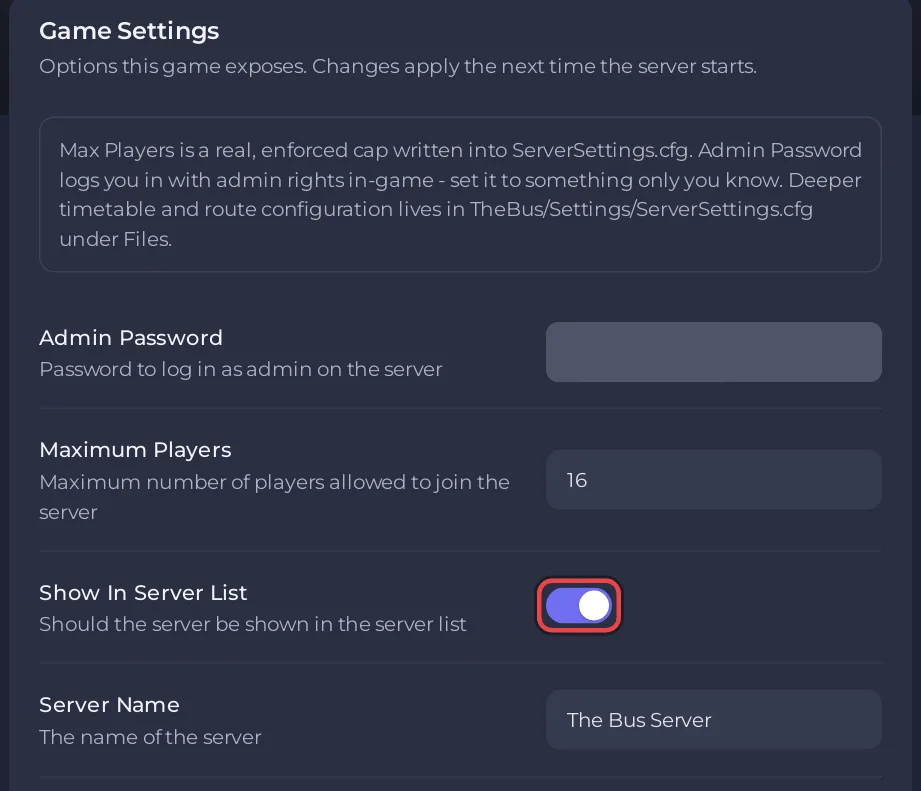
The panel writes this switch into TheBus/Settings/ServerSettings.cfg as listServerAsPublic before every start. The public server list arrived with the developer's Update 3.0 changelog: "Added public server list".
How do I make the server private?
Turn Show In Server List off and restart. The server leaves the public list, and only people you give the GUID to can find it: How to join your The Bus server.
For a server that is fully closed, also set a Server Password. Without one, anyone who gets the GUID can join: How to set a password on your The Bus server.
Which setup fits my group?
| You want | Show In Server List | Server Password |
|---|---|---|
| Only your friends | off | set |
| Friends, no password to type | off | empty |
| A listed server for your community only | on | set |
| Anyone can drop in | on | empty |
Questions people ask
Can I switch it in the game's Admin Menu? The panel writes its own Show In Server List value at every start and replaces a change made in the game. Use the panel.
My server is not in the list. Check that Show In Server List is on, that you restarted after turning it on and that the badge says Online. Players can always join with the GUID while you check: The Bus server problems and fixes.


