%7B.s%7Banimation%3Ab%201.5s%20ease-out%20both%7D.d%7Banimation-delay%3A.16s%7D%7D%40keyframes%20b%7B0%25%7Bfill%3A%23F4F6FA%7D18%25%7Bfill%3A%23FFE08A%7D34%25%2C70%25%7Bfill%3A%23FF8A1F%7D80%25%7Bfill%3A%23FFE08A%7D100%25%7Bfill%3A%23FF8A1F%7D%7D%3C%2Fstyle%3E%3Cg%20transform%3D%22translate(143%20428.93)%20scale(3.885906)%22%3E%3Cg%20transform%3D%22translate(0%202)%22%20fill%3D%22%23706EF0%22%3E%3Cpath%20d%3D%22M0%200%20H48%20A40%2040%200%200%201%2048%2080%20V100%20H0%20Z%22%2F%3E%3Cpath%20transform%3D%22translate(91.75%200)%22%20d%3D%22M0%200%20L48%200%20L48%2050%20L76%2050%20L76%20100%20L0%20100%20Z%22%2F%3E%3Cpath%20transform%3D%22translate(173%200)%22%20d%3D%22M0%20100%20L58%20-4%20L116%20100%20Z%22%2F%3E%3Cpath%20transform%3D%22translate(264.25%200)%22%20d%3D%22M0%200%20L104%200%20L76%2050%20L76%20100%20L28%20100%20L28%2050%20Z%22%2F%3E%3Cg%20transform%3D%22translate(375%200)%22%3E%3Cpath%20d%3D%22M0%200%20L50%2038%20L50%200%20L100%200%20L100%20100%20L0%20100%20Z%22%20fill%3D%22%23F4F6FA%22%2F%3E%3Crect%20class%3D%22s%22%20x%3D%2247%22%20y%3D%2263%22%20width%3D%2219%22%20height%3D%2230%22%2F%3E%3Crect%20class%3D%22s%20d%22%20x%3D%2274%22%20y%3D%2263%22%20width%3D%2219%22%20height%3D%2230%22%2F%3E%3C%2Fg%3E%3Cpath%20transform%3D%22translate(484.75%200)%22%20d%3D%22M0%200%20L48%200%20L48%2037%20L52%2037%20L52%200%20L100%200%20L100%20100%20L52%20100%20L52%2063%20L48%2063%20L48%20100%20L0%20100%20Z%22%2F%3E%3Cpath%20transform%3D%22translate(588.5%200)%22%20d%3D%22M0%2050%20A53%2053%200%201%200%20106%2050%20A53%2053%200%201%200%200%2050%20Z%22%2F%3E%3Cpath%20transform%3D%22translate(698.25%200)%22%20d%3D%22M25%200%20H102%20V50%20H77%20A25%2025%200%200%201%2077%20100%20H0%20V50%20H25%20A25%2025%200%200%201%2025%200%20Z%22%2F%3E%3Cpath%20transform%3D%22translate(804%200)%22%20d%3D%22M0%200%20L90%200%20L90%2050%20L69%2050%20L69%20100%20L21%20100%20L21%2050%20L0%2050%20Z%22%2F%3E%3C%2Fg%3E%3C%2Fg%3E%3C%2Fsvg%3E)


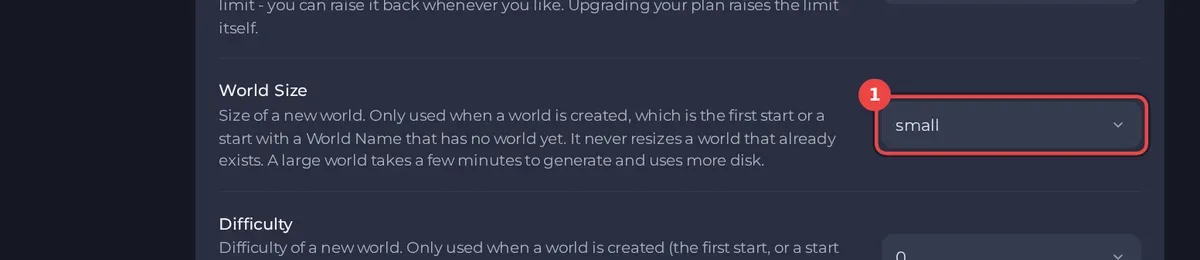
Set World Size, Difficulty and World Seed in Settings, Game Settings before the world is created. The server uses them only when it makes a new world: on the first start, or when World Name names a world that does not exist yet. They never change a world you already have.
Set the options
- Open your server in the panel and click the Settings tab, then Game Settings.
- Set the options below. Each one saves when you leave the field.
- If the server already has a world, also change World Name to a new name, so a new world is made. Your current world stays on disk. See How to start a new world on your Terraria server.
- Restart the server. The Console shows the world being generated, then the ready line.
The options
| Setting | Values | Server types |
|---|---|---|
| World Size | 1 small, 2 medium, 3 large | all three |
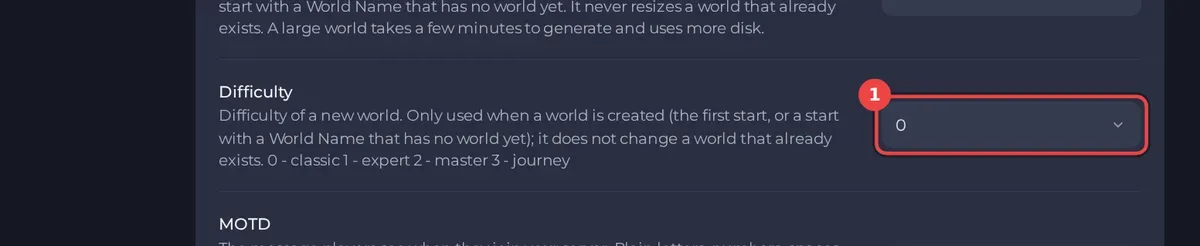
| Difficulty | 0 classic, 1 expert, 2 master, 3 journey | all three |
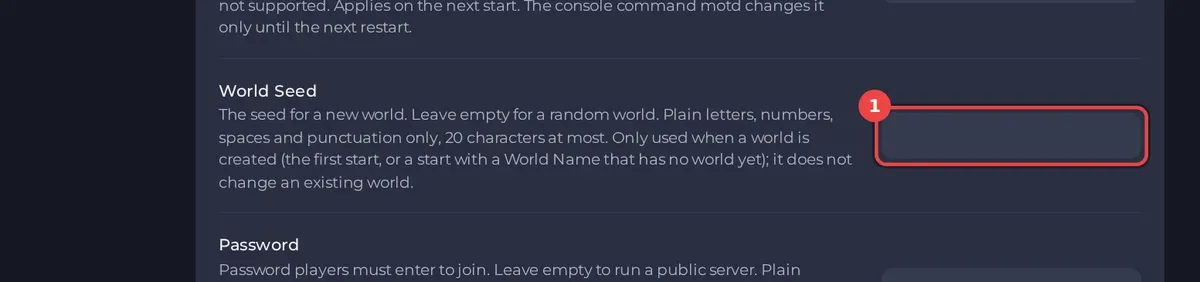
| World Seed | text, 20 characters at most, empty for a random world | Terraria Vanilla |
| World Evil | random, corrupt or crimson | TShock |
| Special seed switches | Skyblock, Zenith, Drunk World and more | Terraria Vanilla |
- A large world takes longer to generate and uses more disk. Big modded worlds on tModLoader take a few minutes.
- A seed gives the same world every time. Leave it empty for a new random one.
- On Terraria Vanilla the seed can use plain letters, numbers, spaces and punctuation, but no accented letters, emoji, double quotes or backslashes.
- Difficulty
3makes a Journey world, which only Journey characters can join: How to set up Journey mode on your Terraria server. - Special seeds: How to make a Skyblock or special seed world on your Terraria server.
Good to know
- On Terraria Vanilla and tModLoader there is no world evil setting: the game picks one.
- tModLoader has no seed setting in the panel.
- To read the seed of the world that is running, type
seedin the Console (Terraria Vanilla). - I changed a setting and nothing happened? The world already existed: Terraria server problems and fixes.





