

To change the player limit of a Space Station 14 server on PlayNHost, click the pencil next to Slots on the Overview page and pick a number up to your plan's cap. Before every start, the panel writes that number into two lines of server_config.toml: max_connections, the total number of connections, and soft_max_players, the number of players who are not admins. Once soft_max_players is reached, new players who are not admins see The server is full!.
How do I change Slots?
- Open your server in the panel.
- On the Overview page, find Slots on the server card and click its pencil icon.
- In Edit Player Slots, set the number. The dialog says how many your plan allows: "Your plan allows up to" your plan's number of players.
- Click Update. A running server restarts to apply it.
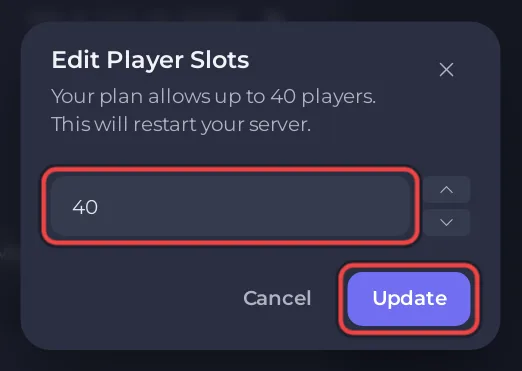
You can lower Slots to run a smaller server and raise it again whenever you like, up to your plan's cap. On the Settings page, the same number shows as Max players with a Read only badge. Its description says: "To run with fewer players, click the pencil beside Slots on your server's Overview and pick any number up to your plan limit."
Why does my soft_max_players edit disappear?
The panel rewrites the soft_max_players line under [game] from Slots before every start, so a number typed into the file by hand is replaced at the next start. The same happens to max_connections under [net]. Change Slots on the Overview page instead.
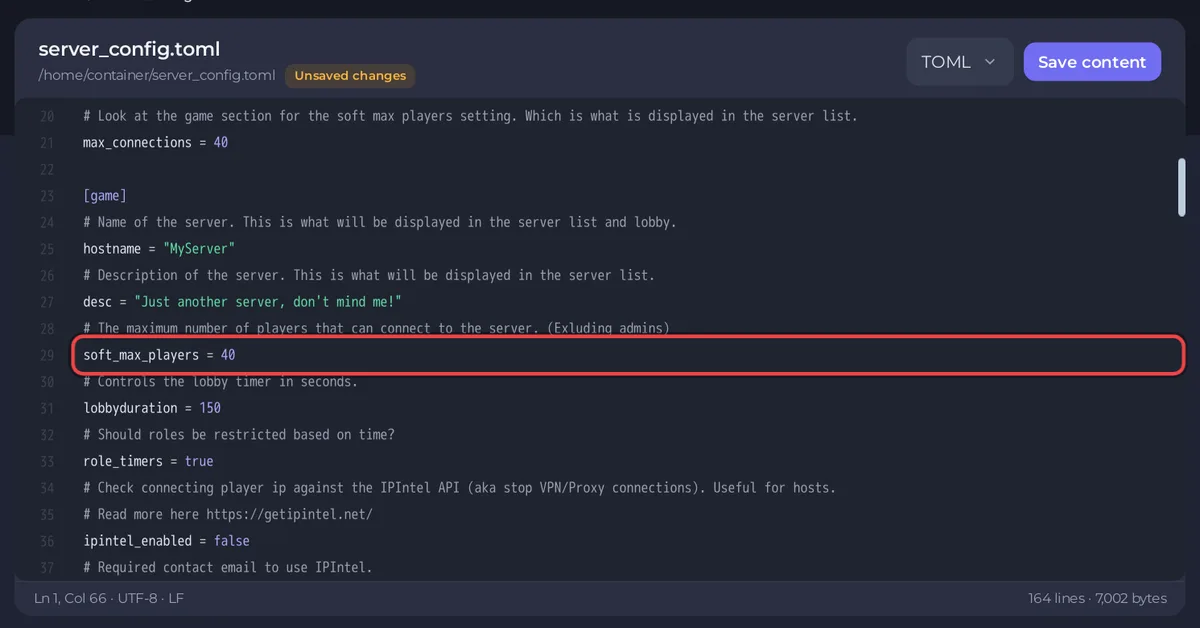
The official config file describes soft_max_players as "The maximum number of players that can connect to the server. (Exluding admins)" and says it is the number "displayed in the server list". The official file sets it to 30; on PlayNHost it always matches Slots.
What do the two lines do?
| Line | Set from | Counts admins? |
|---|---|---|
max_connections under [net] | Slots on Overview | Yes |
soft_max_players under [game] | Slots on Overview | No |
Admins with a saved rank can still join when soft_max_players is reached, and so can a player who had joined the round in progress and reconnects. They still count toward max_connections, so the server never holds more connections than Slots. A host from login_host_user alone is not a saved rank and is turned away like anyone else.
Do admins count in the player count?
Two lines under [admin] in server_config.toml decide that. admins_count_for_max_players = false keeps admins out of the soft cap, and admins_count_in_playercount = false keeps active admins out of the player count the server list shows. Both are false in the official file.
Can I set more players than my plan allows?
No. Edit Player Slots stops at your plan's cap, and the panel refuses a higher number with "Your plan allows between 1 and" the cap. To see what your plan includes, open My plan in the left menu. How busy rounds affect memory: How much RAM does a Space Station 14 server need?
Other server lines: Space Station 14 server settings reference. Slots on other games: How to rename your server and change player slots.


