

Endnight publishes no memory requirement for the Sons of the Forest dedicated server: its dedicated server guide gives none. What PlayNHost has measured: with 4 GB, the server ran out of memory while generating a new island and was stopped, so a Sons of the Forest server needs more than 4 GB. Your own server's use is on the Usage card of the Overview page.
See how much memory your server uses
- Open your server in the panel.
- On the Overview page, find the Usage card and choose RAM.
- Pick Live (30 minutes), Past 6 hours or Past day to see the curve and how close it comes to your limit.
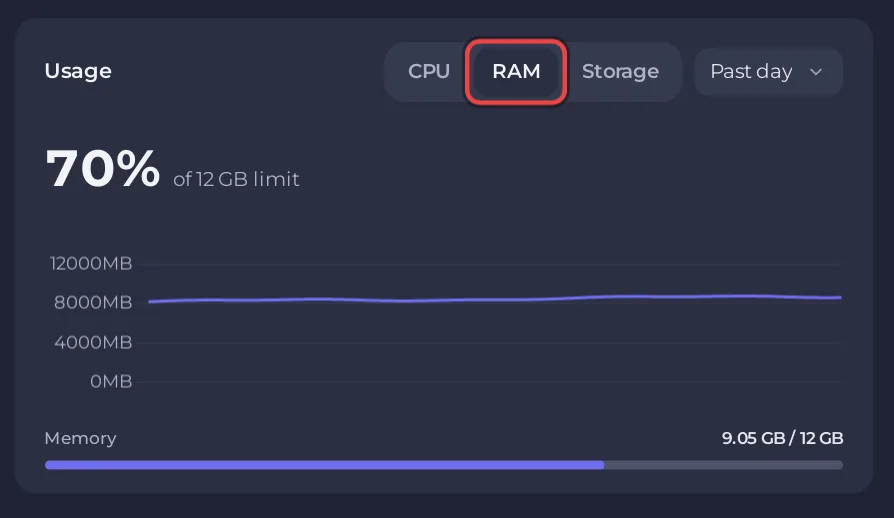
Memory use climbs while a new island is generated, which is when the 4 GB test ran out. Look at the Past day view after an evening of play to see your own peak. How to read the graphs: How to read your server's usage graphs.
What happens when it runs out?
The system stops the server, and the Overview page shows the card This server ran out of memory, with the date and how often it happened. That card is the clear sign the server needs more memory than its plan gives it, and it has an Add more memory button. Progress since the last automatic save is lost in that case: Does your Sons of the Forest server save when you stop it?
What else affects performance?
ActiveTargetFramerateinserverconfig/dedicatedserver.cfg: the frame rate the server aims for while players are connected. Endnight's default is 60 and the minimum 10. See How to set up your Sons of the Forest server.- Mods: every RedLoader mod runs inside the server. If memory went up after you added one, try without it: How to remove mods from your Sons of the Forest server.
- Players: Sons of the Forest takes up to 8 at once, so the load has a ceiling: How many players can join a Sons of the Forest server?
Is the game's PC requirement the same thing?
No. The Steam store page asks 12 GB of RAM (16 GB recommended) for playing the game on a PC, with graphics and sound. The dedicated server is a separate program, and Endnight gives no memory figure for it.


