

Most of what you want to change on a Sons of the Forest server is on one page of the panel.
Open Game Settings
- Open your server in the panel and click the Settings tab.
- Click Game Settings.
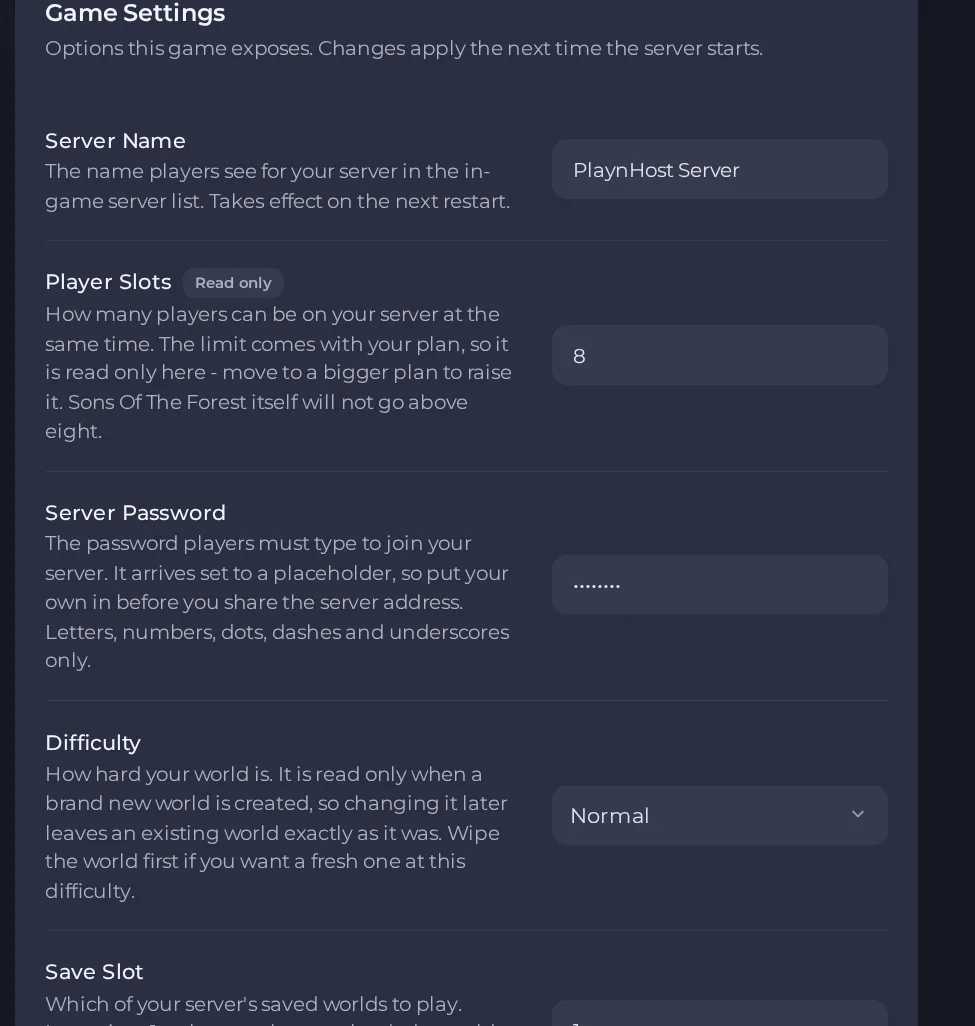
- Change a value and click outside the field, or press Enter. The panel saves it. Switches save as soon as you flip them.
- Restart the server so the change takes effect. See How to start, stop, restart and force-stop your server.
Options most owners change first
- Server Name. The name shown in the in-game server list, up to 60 characters.
- Server Password. Set your own before sharing the address. Use only letters, numbers, dots, dashes and underscores, up to 32 characters. Leave it empty for an open server.
- Difficulty. Choose Normal, Hard, Hard Survival, Peaceful or Custom. It is only read when a brand new world is created, so changing it on an existing world does nothing. To use a different difficulty on an existing world, start a new world. The old world is lost unless you back it up or use an unused Save Slot. The panel has no fields for Custom rules.
- Save Slot. Picks which saved world the server plays, from 1 to 30. Leave it at 1 unless you uploaded a world saved under another number.
- Player Slots. Set by your plan and read only. The game itself never allows more than 8 players.
- Auto Update. Keeps the server on the newest game build at every start so updated players can still join.
- RedLoader mod loader. Turn on only if you want to run mods. See the mods guide.
Server Name takes effect on the next restart. Difficulty only applies when a new world is created. Save Slot needs a restart to switch worlds. Restart the server after changing any of these.
Every option is listed in Sons of the Forest server settings: every option explained.





