

Not on a new PlayNHost server. A Sons of the Forest server is installed with the day speed for an empty server set to 0, so the in-game clock stops while nobody is connected and the island waits where your group left it. You can change it in serverconfig/dedicatedserver.cfg, from 0 (time stops) to 1 (normal speed).
Change the day speed when the server is empty
- Open your server in the panel, click Stop on the Overview page and wait for Offline.
- Click the Files tab, open
serverconfig, thendedicatedserver.cfg. - Find the setting whose name ends in
DayCycleSpeed. On a new server it is 0. - Change the number to a value from 0 to 1, for example
0.5for half speed. Keep the comma after the number if the line has one. - Click Save content, then start the server.
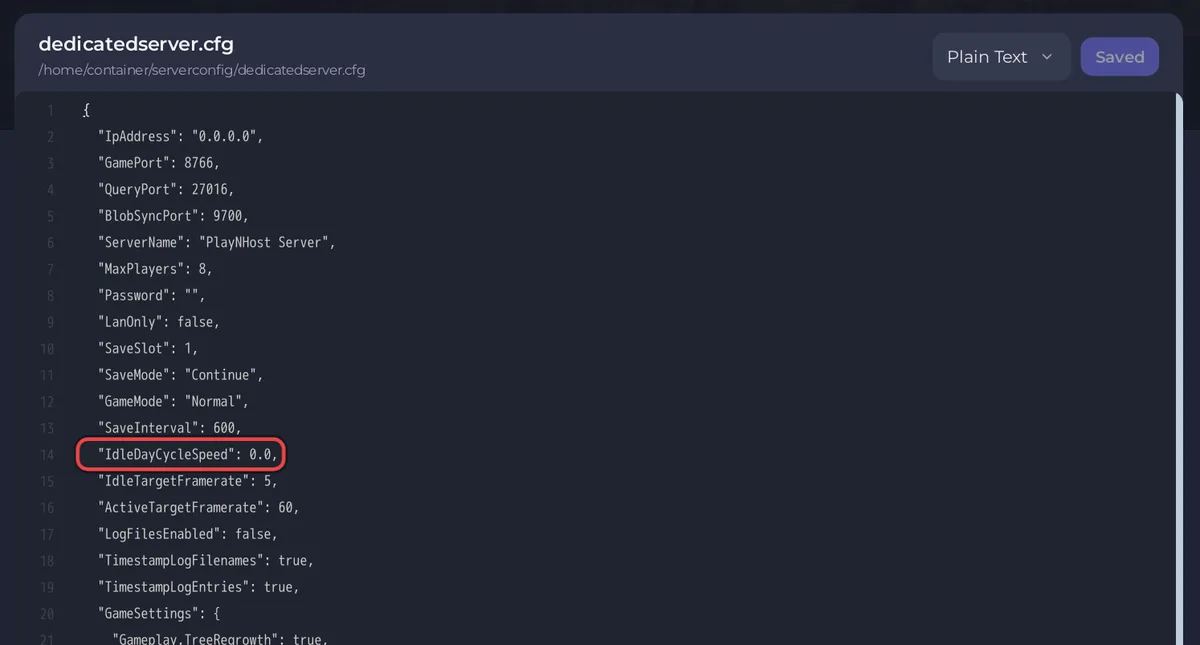
Endnight's dedicated server guide describes this setting as a multiplier on "how quickly the time passes compared to normal gameplay" while no player is connected, accepting a value between 0 and 1. Its own default is 0.
Which value should I pick?
- 0: the world is frozen between sessions. Seasons and days only move while someone plays. Good for a group that plays together.
- Between 0 and 1: time moves slowly while the server is empty.
- 1: time runs at normal speed, so days and seasons pass between sessions.
This is a choice about how your group likes to play. Friends with the address and password can join without you, whatever value you pick.


