

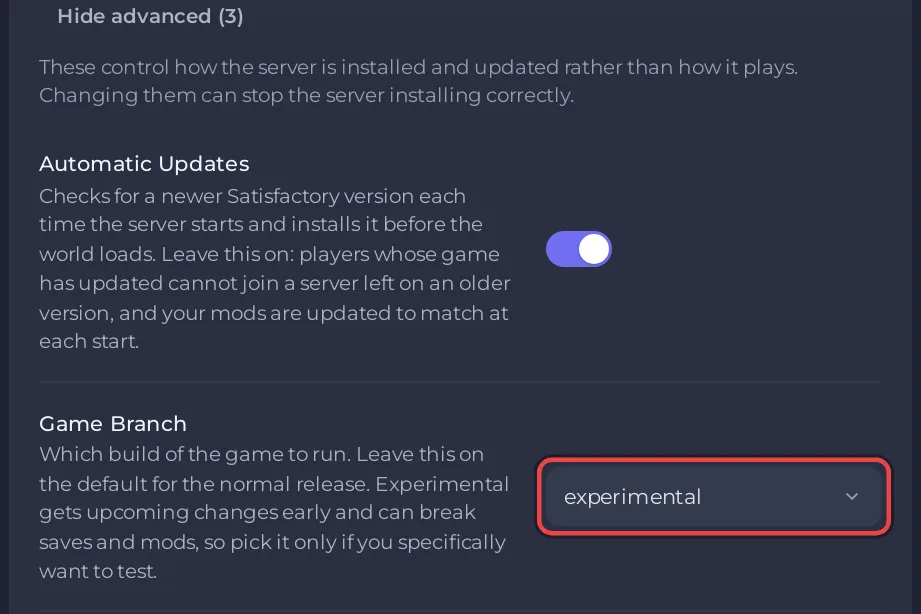
To run Satisfactory's Experimental version on your PlayNHost server, set Game Branch to experimental in Settings, Game Settings, keep Automatic Updates on, and restart. Every player then needs the Experimental version of the game too. Take a backup first: Experimental gets upcoming changes early and can break saves and mods.
Switch to Experimental
- Make a backup: How to back up and restore your Satisfactory world.
- Open your server in the panel and click the Settings tab, then Game Settings.
- Set Game Branch to
experimental. - Check that Automatic Updates is on. The branch is installed at the start through the same update.
- Restart the server and watch the Console while the Experimental build downloads.
- Wait for
[PlayNHost] Ready.
What players need
Players must switch their own game to the Experimental version, otherwise their game version does not match the server and they cannot join. The Can't connect? list on the Play with friends card names the same cause: Everyone needs the same game version or branch as the server.
Mods on Experimental
Mods are built for one game build, and many have no release for an Experimental build. When a mod on your list has none, the start keeps the mods you had and the Mods page says The last start could not apply the mods. On the Modding tab, the search shows Not updated for this game version for those mods.
Go back to the public release
- Take a backup, or download the saves you want to keep: How to download your Satisfactory save.
- Set Game Branch to
public. - Restart with Automatic Updates on.
A save made on Experimental may not load on an older public build. Keep the backup from before the switch until you are sure.


