

To download a Satisfactory save from your PlayNHost server, open Worlds in the left menu and click the download icon next to the save. It works with the server running or stopped. To play it alone, put the .sav file in %LOCALAPPDATA%\FactoryGame\Saved\SaveGames\ and your player ID folder on your PC.
Download a save
- Open your server in the panel and click Worlds in the left menu.
- If the server runs and you want the very latest progress, click Save now on the Running now card first.
- Find the save. With the server running, saves are grouped by session, newest first. With the server off, they are listed on the Save files card.
- Click the download icon on its row. Your browser downloads the .sav file.
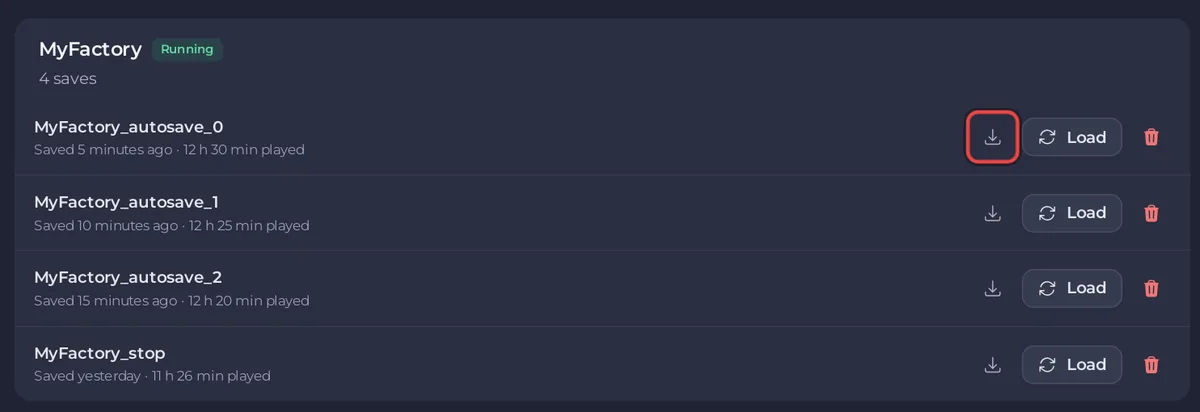
The page then says: Your download of <name>.sav has started. To play it alone, put it in %LOCALAPPDATA%\FactoryGame\Saved\SaveGames\<your id> on your PC.
Play it single player
- On your PC, paste
%LOCALAPPDATA%\FactoryGame\Saved\SaveGamesinto the File Explorer address bar. - Open the folder named with your player ID. The official wiki notes that a Steam ID is usually shorter than an Epic ID.
- Copy the .sav file in.
- Start Satisfactory and load it from the main menu like any other save.
If the server ran mods, install the same mods on your PC first, or what they built may be missing.
Other ways to take your world home
- A backup holds every save, the server settings file and your mods. Download it from Backups: How to back up and restore your Satisfactory world.
- The saves are in
.config/Epic/FactoryGame/Saved/SaveGames/serverin Files, and over SFTP: How to connect to your server files with SFTP.
Downloading needs the permission to read file contents. To bring a save the other way, see How to upload your own Satisfactory world.


