%7B.s%7Banimation%3Ab%201.5s%20ease-out%20both%7D.d%7Banimation-delay%3A.16s%7D%7D%40keyframes%20b%7B0%25%7Bfill%3A%23F4F6FA%7D18%25%7Bfill%3A%23FFE08A%7D34%25%2C70%25%7Bfill%3A%23FF8A1F%7D80%25%7Bfill%3A%23FFE08A%7D100%25%7Bfill%3A%23FF8A1F%7D%7D%3C%2Fstyle%3E%3Cg%20transform%3D%22translate(143%20428.93)%20scale(3.885906)%22%3E%3Cg%20transform%3D%22translate(0%202)%22%20fill%3D%22%23706EF0%22%3E%3Cpath%20d%3D%22M0%200%20H48%20A40%2040%200%200%201%2048%2080%20V100%20H0%20Z%22%2F%3E%3Cpath%20transform%3D%22translate(91.75%200)%22%20d%3D%22M0%200%20L48%200%20L48%2050%20L76%2050%20L76%20100%20L0%20100%20Z%22%2F%3E%3Cpath%20transform%3D%22translate(173%200)%22%20d%3D%22M0%20100%20L58%20-4%20L116%20100%20Z%22%2F%3E%3Cpath%20transform%3D%22translate(264.25%200)%22%20d%3D%22M0%200%20L104%200%20L76%2050%20L76%20100%20L28%20100%20L28%2050%20Z%22%2F%3E%3Cg%20transform%3D%22translate(375%200)%22%3E%3Cpath%20d%3D%22M0%200%20L50%2038%20L50%200%20L100%200%20L100%20100%20L0%20100%20Z%22%20fill%3D%22%23F4F6FA%22%2F%3E%3Crect%20class%3D%22s%22%20x%3D%2247%22%20y%3D%2263%22%20width%3D%2219%22%20height%3D%2230%22%2F%3E%3Crect%20class%3D%22s%20d%22%20x%3D%2274%22%20y%3D%2263%22%20width%3D%2219%22%20height%3D%2230%22%2F%3E%3C%2Fg%3E%3Cpath%20transform%3D%22translate(484.75%200)%22%20d%3D%22M0%200%20L48%200%20L48%2037%20L52%2037%20L52%200%20L100%200%20L100%20100%20L52%20100%20L52%2063%20L48%2063%20L48%20100%20L0%20100%20Z%22%2F%3E%3Cpath%20transform%3D%22translate(588.5%200)%22%20d%3D%22M0%2050%20A53%2053%200%201%200%20106%2050%20A53%2053%200%201%200%200%2050%20Z%22%2F%3E%3Cpath%20transform%3D%22translate(698.25%200)%22%20d%3D%22M25%200%20H102%20V50%20H77%20A25%2025%200%200%201%2077%20100%20H0%20V50%20H25%20A25%2025%200%200%201%2025%200%20Z%22%2F%3E%3Cpath%20transform%3D%22translate(804%200)%22%20d%3D%22M0%200%20L90%200%20L90%2050%20L69%2050%20L69%20100%20L21%20100%20L21%2050%20L0%2050%20Z%22%2F%3E%3C%2Fg%3E%3C%2Fg%3E%3C%2Fsvg%3E)


Type serverinfo in the Console tab and press Enter. Rust answers with a short list that includes EntityCount (everything that exists in the world, buildings included), Framerate (the server's frames per second) and Players.
Read the numbers
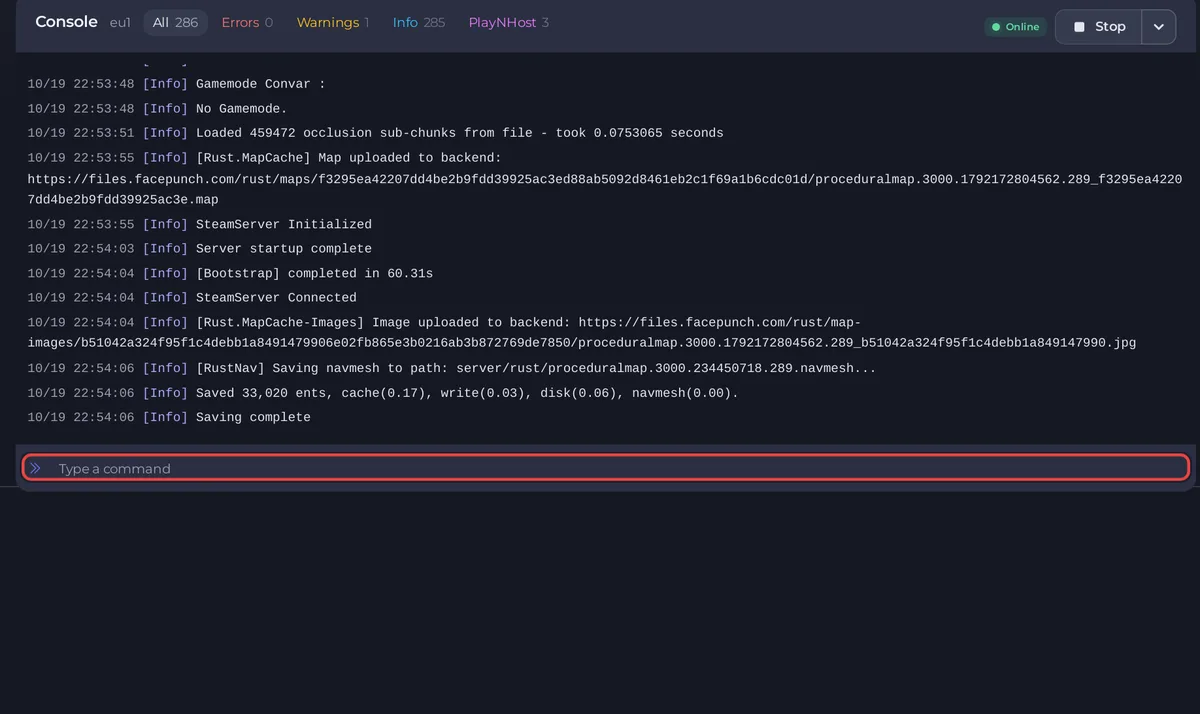
- Open your server in the panel and click the Console tab. The server must be running.
- Type
serverinfoin Type a command and press Enter.
The answer looks like this, with your own values:
| Line | What it is |
|---|---|
"Hostname" | Your server's name in the server list. |
"MaxPlayers", "Players", "Queued", "Joining" | Your slots, and how many players are on, waiting or connecting. |
"EntityCount" | How many entities the world holds: buildings, deployables, items on the ground, animals and more. |
"Framerate" | The server's frames per second right now. |
"Uptime" | Seconds since the server started. |
"Map" | The map, for example Procedural Map. |
"Version", "Protocol" | The Rust build the server runs. |
status shows the players who are on, with their ping and how long they have been connected. server.seed shows the seed of the current map.
Entity count
Every wall, box, door and item on the ground is an entity, and the count grows through a wipe cycle as players build. A higher count means more for the server to save and keep up to date.
- A wipe starts the count again: How to wipe your Rust server.
- Decay removes unprotected buildings over time. With Decay speed at 0 nothing decays: How to change decay and upkeep on your Rust server.
- A big World Size holds more of everything: How to choose your Rust world size and seed.
Server FPS
Framerate is capped by Server frame rate limit in Server Settings (server.cfg), 240 by default. The panel says Lower uses less CPU; below 60 players may notice. If the framerate stays well under the limit while players are on, the server is struggling: see How to make your Rust server run smoother.
Save the world now
server.save saves the world straight away. The Console shows Saving complete when it is done. Rust also saves by itself every Save Interval.
Good to know
- The Usage card on Overview shows CPU and RAM over time: How much RAM does a Rust server need?
- Plugins add work too. Remove the ones you do not use: How to remove a plugin from your Rust server.
- More commands: How to use the Console and commands on your Rust server.





