

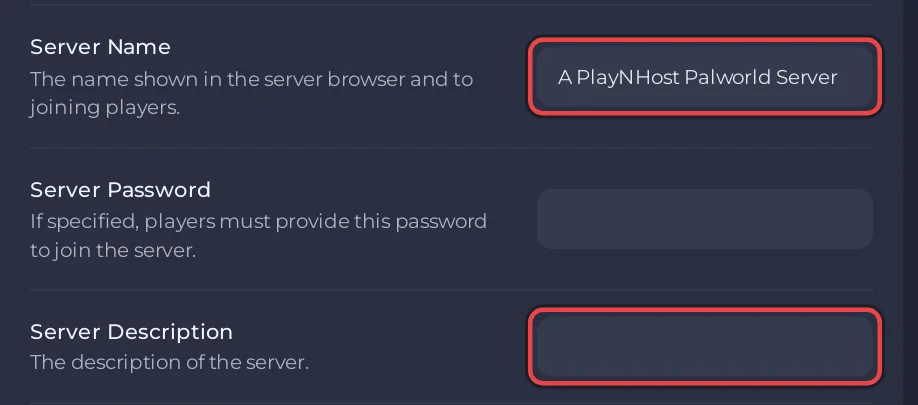
To change the name players see for your Palworld server, open Settings, Game Settings and type the new name in Server Name, up to 64 characters. The description goes in Server Description, up to 128 characters. Restart the server: the new name shows in the game's server list from that start.
Change the name
- Open your server in the panel and click the Settings tab.
- Click Game Settings.
- Type the new name in Server Name. The field saves by itself half a second after you stop typing.
- Type a description in Server Description if you want one.
- Click Restart now in the message
Saved. The server must restart before these take effect., or restart the server later.
Characters you can use
- Server Name: up to 64 characters. Double quotes
", backslashes\and line breaks are refused, because Palworld's settings file wraps the name in quotes. Symbols such as|and[ ]are fine. - Server Description: up to 128 characters, with the same three exceptions. If you type one, the panel says the description "can only use plain letters, numbers, spaces and punctuation" and keeps the old value.
Which name is which
- Server Name under Game Settings is the name in Palworld's Community server list and the one console players search for: Which platforms can join your Palworld server.
- The name next to the badge at the top of the panel is only for you, to tell your servers apart. Change it with the pencil next to Server Name on the Overview page: How to rename your server and change player slots.
The Play with friends card uses the address, so friends can join whatever the name is: How to invite friends to your Palworld server.


