

When a Necesse command does nothing in game, your permission level is usually too low: a new player is a User, and most commands need Moderator, Admin or Owner. Make yourself Owner by typing permissions set with your name and owner in the panel's Console, where every command works.
Work through the causes
- Your level is too low (in game). Type
/mypermissionsto see it. Raise it from the panel's Console: How to become admin on your Necesse server. - Typed for the wrong place. In the game's chat, commands start with
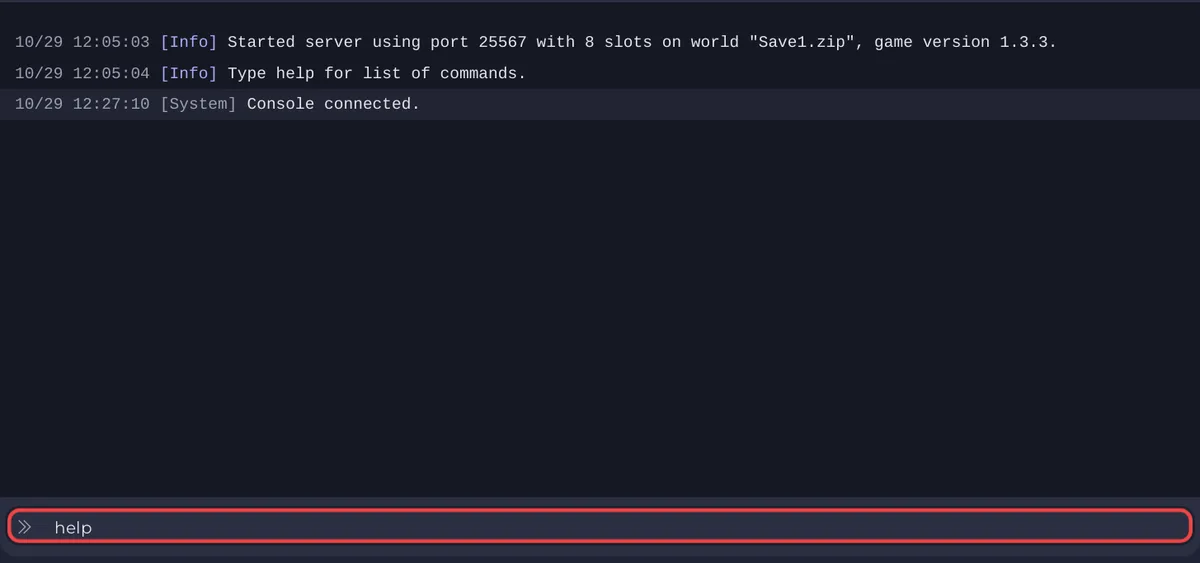
/, for example/players. In the panel's Console, type them without it,players, the way the panel's own tasks sendsaveandsay. - The server is not running. The Console only takes commands while the badge says Online and Necesse has printed
Type help for list of commands.. - The name or value is wrong. Names must match the player exactly;
playernameslists them. For settings, use the names thelistform prints, for exampledifficulty list. - The command needs cheats. Some commands need cheats on in the world. Necesse warns first. The wiki marks
allowcheats, which turns them on, "NOT REVERSIBLE", and using cheat commands disables achievements for that world. - The command does not exist in your version.
helplists every command your server knows.
The commands and levels come from the official Necesse wiki. The full table: How to use the Console and commands on your Necesse server.
Why can a friend not use the panel's Console?
Typing in the panel's Console needs the Use the console permission under Team & Roles. Without it, the box does not take commands for them: How to invite friends and give them access.
Other problems: Necesse server problems and fixes.


