

A Necesse server on PlayNHost holds as many players at once as the slots your plan includes. Necesse itself accepts from 1 to 250 player slots, according to the official Necesse wiki. You see the current number on the Slots row of the server's Overview page, and you can lower it there.
What limits does Necesse have?
The Multiplayer page of the Necesse wiki says a dedicated server asks for "a number between 1 and 250" slots, and the game's own settings file carries the same range, [1 - 250]. Fair Games' Steam page says you can "establish a dedicated server with hundreds of other players".
What is the limit on my PlayNHost server?
Your plan's slots. The panel writes that number into the server's settings file at every start, so it is the number Necesse uses. Player Slots under Settings, Game Settings shows it as Read only.
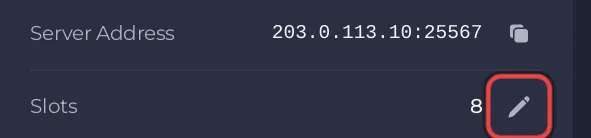
Can I run with fewer players?
Yes. Click the pencil on the Slots row, pick a lower number and click Update. The server restarts with the new limit, and you can raise it again up to your plan's number: How to change player slots on your Necesse server.
Does a bigger group need more memory?
PlayNHost's measured figure is for an empty server, and no official source gives memory per player. Read your own server's memory with players online before you decide anything: How much RAM does a Necesse server need?.


