

Quick Tasks, in the left menu of a Necesse server on PlayNHost, runs a task now, pins it to the Overview or puts it on a timer. Necesse has two tasks of its own, Save World and Announce to Players. With backup slots, the panel also adds a nightly Automatic backup schedule.
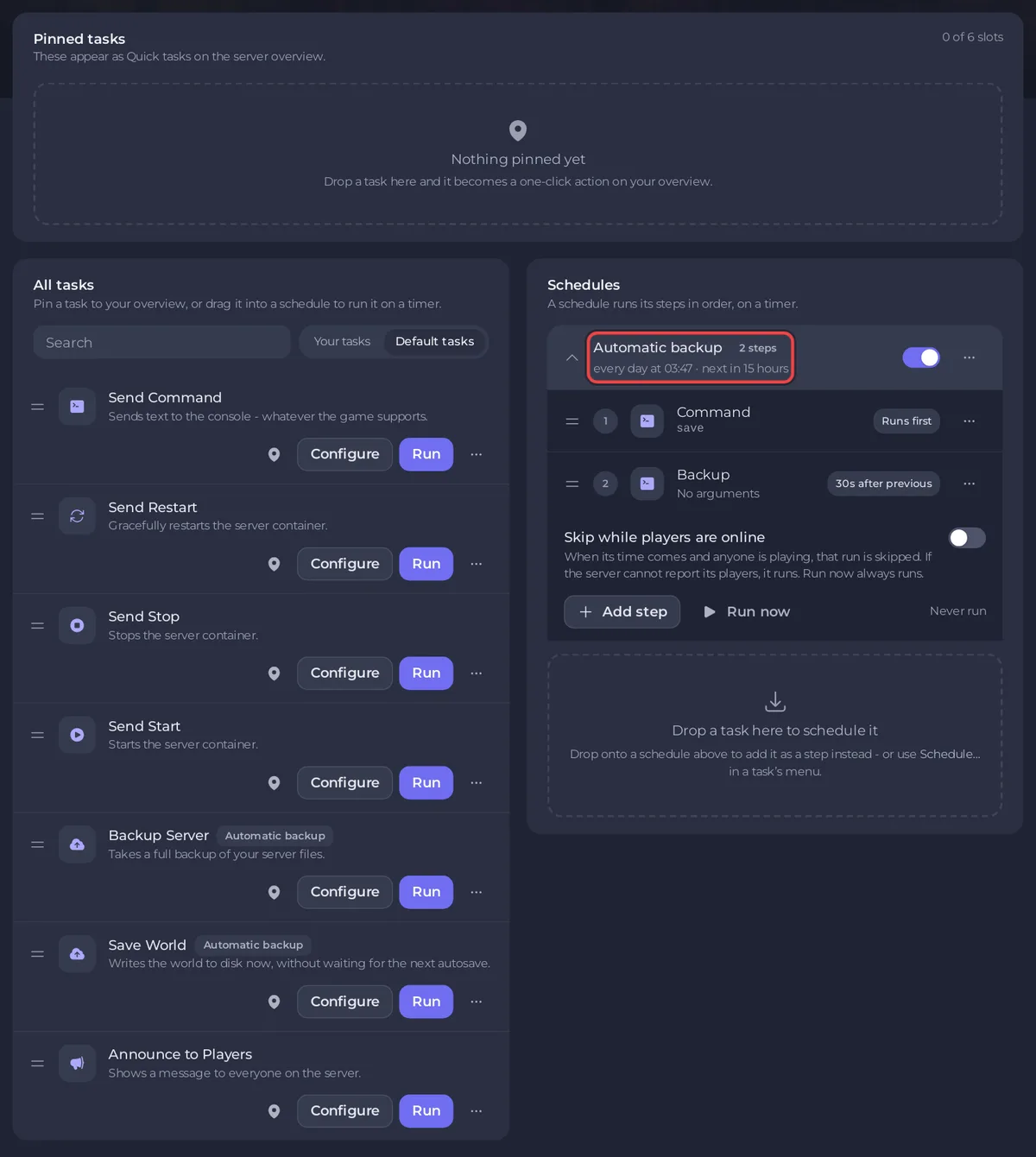
What is on the page?
- Pinned tasks: "These appear as Quick tasks on the server overview."
- All tasks: every task, with a Search box and the filters Your tasks and Default tasks.
- Schedules: the schedules on your server, such as Automatic backup. Necesse has no ready-made schedules to add, so this part lists only the schedules the server already has.
Which tasks does a Necesse server have?
| Task | What it does |
|---|---|
| Save World | "Writes the world to disk now, without waiting for the next autosave." It sends save. |
| Announce to Players | "Shows a message to everyone on the server." It sends say with your Message. |
| Send Command | Sends any text to the Console, for example players. |
| Send Restart, Send Stop, Send Start | Restarts, stops or starts the server. Stop and restart save the world first. |
| Backup Server | Takes a backup now. |
How do I run, pin or schedule a task?
- Run runs it now. A task that needs a value, such as Announce to Players or Send Command, opens Configure task first. Save task there keeps your version under the Your tasks filter and sends nothing. Click Your tasks, then Run on your version to send it. Run under Default tasks always runs a task as it ships, so it asks for the value again.
- Pin to overview adds a task to the Quick tasks card on the Overview.
- Schedule…, in the task's menu, puts it on a timer: the Schedule task window asks for Arguments, then the Time (Once or Repeats).
Examples: How to send a message to everyone on your Necesse server and How to restart your Necesse server on a schedule.
What does the Automatic backup schedule do?
Its two steps are save, then a backup 30 seconds later, once a night. The panel creates it by itself on a server with backup slots, so you do not add it. Its time can be changed on the Backups page, with Edit under Scheduled backups.
Necesse has no ready-made restart, wipe or reset schedule. Make your own restart: How to restart your Necesse server on a schedule.
How do I manage a schedule?
Each schedule has a switch to turn it on or off, and a menu with Edit schedule…, Run now and Delete schedule. Click a schedule to see its steps: the first says Runs first, each later one has a chip such as 30s after previous. To add a step, drag a task from All tasks onto the schedule.
The time of an existing schedule cannot be changed on this page. For another time, make a new schedule and switch the old one off. The general guide: How to schedule tasks and automatic backups.


