

A Minecraft Java server can run out of memory in two ways. Java can fill the part of memory it is allowed to use for the game, and stop with OutOfMemoryError. Or the whole server can reach your plan's memory, and the system stops it. The panel tells you which one happened. In both cases, start the server again, then make it use less.
Java filled its memory
What you see. The Console shows java.lang.OutOfMemoryError with Java heap space, GC overhead limit exceeded or Metaspace, or There is insufficient memory for the Java Runtime Environment to continue. The Why your server stopped box on Overview and above the console says The server ran out of memory. and Java filled all the memory it may use. Remove heavy mods or plugins or lower the view distance, then start it again. Its button is Open startup parameters.
What it means. The panel gives Java most of your plan's memory for the game and keeps the rest for what Java needs outside it. The game asked for more than Java had.
The system stopped the server
What you see. A yellow card on Overview: This server ran out of memory, It needed more memory than its plan gives it, and the system stopped it. It says when it last happened and how many times in the last 7 days. Its buttons are Add more memory and See the usage. The card only shows in a week when this really happened.
What it means. The whole server, Java and everything around it, reached your plan's memory.
Get the server back
- Click Start at the top of the page.
- Watch the Console until the server says it is done starting.
- The world is as it was at the last save. Minecraft saves on its own every few minutes, so a few minutes of play can be lost.
Make it use less
Work down this list, and change one thing at a time:
- Look at what changed. New mods or plugins, more players, a bigger explored world. The last thing you added is the first suspect.
- Lower the view distance and simulation distance in Settings, Server Properties (Java). They decide how much of the world stays loaded for each player. See How to change view distance and simulation distance on your Minecraft server.
- Remove mods or plugins you do not use, on Modding, Installed.
- Find the heavy part with Profile 60 s on the Server health card: How to check your Minecraft server health with TPS and the spark profile.
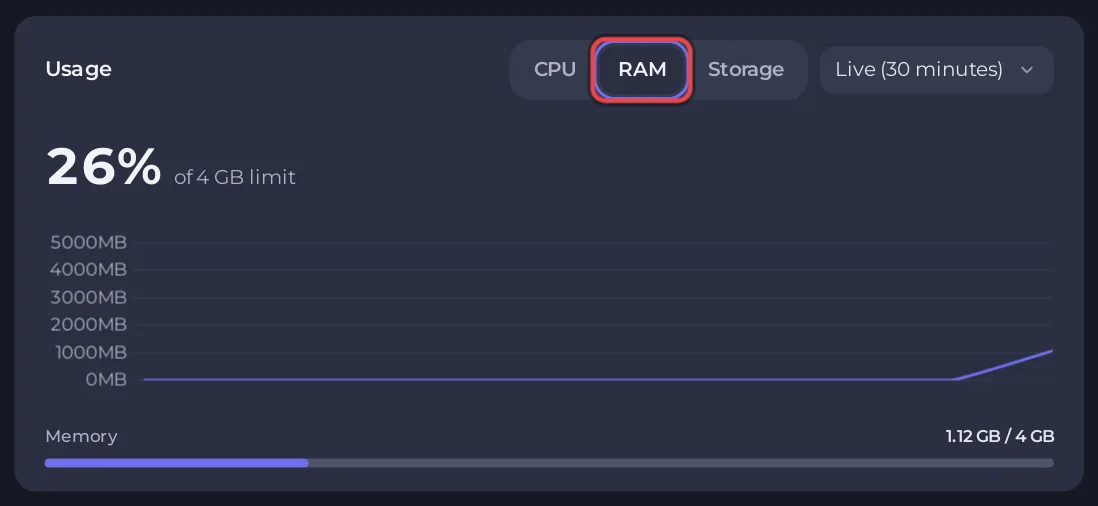
- Watch the RAM tab of the Usage card on Overview at your busiest time, with players on.
Java memory flags
The panel sizes Java's memory for your plan by itself, and Custom parameters under Settings, Startup Parameters does not accept the memory flags such as -Xmx. If an older flag there sets the memory, remove it and save, so the plan sets it again. See How to add Java startup flags to your Minecraft server.
If it keeps happening
When the This server ran out of memory card keeps coming back with nothing new added, your server needs more memory than its plan has. Add more memory opens My plan, where the owner can change the plan. See How to change your plan or billing cycle.
Good to know
- High memory on the graph on its own is not a problem. A graph that climbs and drops back is a server at work. Trouble is a server that stops, or freezes again and again.
- How much memory a server needs: How much RAM does a Minecraft server need.
- Other causes the panel names: How to see why your Minecraft server stopped.


