

Open the Settings tab, click Startup Parameters, then under Custom parameters click Add parameter, type the flag and click Save. It is used the next time the server starts. Your server already starts with PaperMC's recommended flags sized to your plan, so add a flag only to change one of them or to set something a plugin or mod asks for.
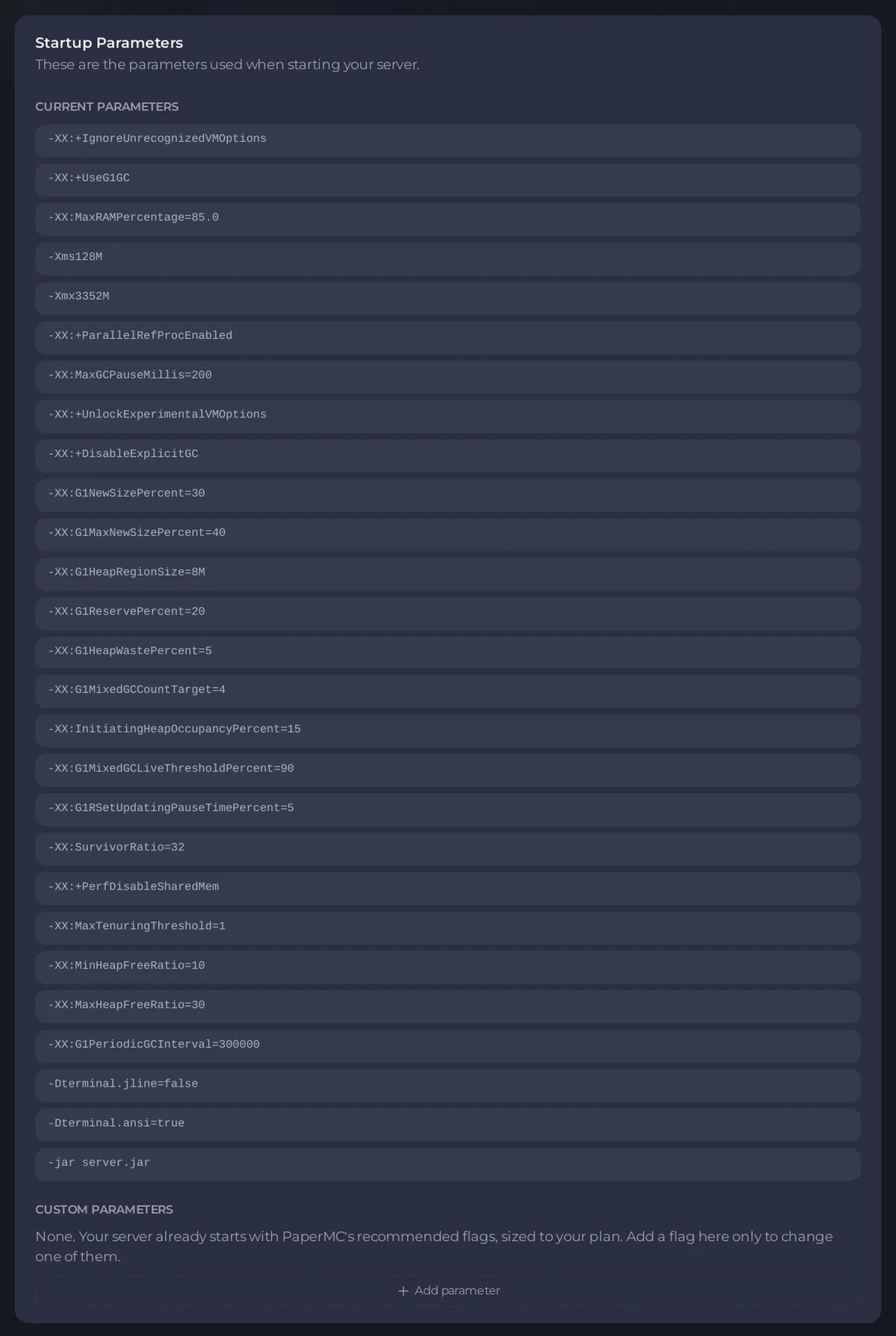
See what it starts with
- Open your server in the panel and click the Settings tab.
- Click Startup Parameters in the left card:
These are the parameters used when starting your server. - Current parameters lists the flags the server starts with, and the jar it runs. You cannot change these here: they are set by your server type and plan.
Add a flag
- Under Custom parameters, which says
None.while you have none, click Add parameter. - Type one flag per box, for example
-Dfile.encoding=UTF-8. A flag starts with-or--and has no spaces. - Add more with Add parameter, or remove one with the button next to it.
- Click Save. The page says
Saved. The new flags are used the next time the server starts. - Restart the server.
Revert throws away changes you have not saved. You need the Change startup permission.
What the panel refuses
The panel checks every flag and names the one it refuses:
- Memory flags such as
-Xmx,-Xms,-Xmn,-XX:MaxRAMPercentageor-XX:MaxHeapSize:is sized by the panel for your plan and cannot be overridden here. - Flags that change what is launched, such as
-jaror a class path:changes what the server launches and cannot be added here. - Garbage collector flags, such as one that turns on another collector: the server runs G1 with PaperMC's recommended tuning for your plan, and the collector cannot be changed here.
- Anything that is not a flag:
is not a JVM flag. Flags start with - or -- and contain no spaces or symbols. - More than 40 flags, or more characters than the server takes in total.
If the server will not start after a change
Remove the flag you added, click Save and start again. The Console usually names the flag Java did not accept. See How to see why your Minecraft server stopped.
Good to know
- The Java version is chosen under Launch Details: How to change the Java version of your Minecraft server.
- Memory comes from your plan. See How much RAM does a Minecraft server need?.


