

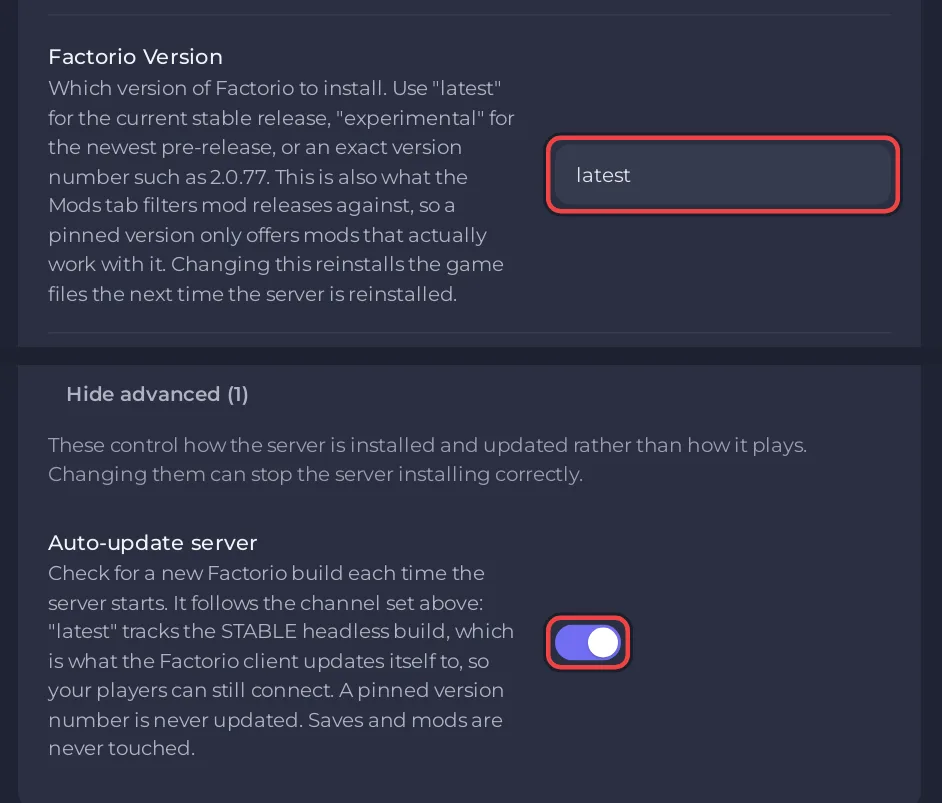
To run the experimental Factorio build on a PlayNHost server, set Factorio Version to experimental in Settings, Game Settings, keep Auto-update server on, and restart. The server downloads the newest experimental headless build before it starts. Every player must run the same experimental version to join.
Switch to experimental
- Take a snapshot on Saves: a save opened on a newer version may not load on an older one.
- Click the Settings tab. In Game Settings, set Factorio Version to
experimental. - Open Show advanced (1) and check Auto-update server is on.
- Restart the server.
- In the Console, look for
[pnh-update] Downloading Factorio ... (experimental headless)and thenUpdated to Factorio ....
On 2 November 2026, factorio.com listed 2.1.24 as both the stable and the experimental headless build, so the two are the same until Wube publishes a newer experimental release. The server then picks it up at its next start.
Go back to stable
- Set Factorio Version back to
latestand restart. The server installs the stable build and clears the experimental build's built-in files, so nothing is left behind. - If the world was opened on a newer experimental version, the stable build may refuse it. Wube says so for 2.1 and 2.0: once updated, saves cannot be downgraded (Friday Facts #449). Load the snapshot you took before the switch: How to roll back your Factorio world with a snapshot.
What about mods?
The Modding tab follows the version: on experimental it offers mod releases built for the experimental version. Mods that have no such release yet cannot be installed until their authors publish one. See How to add mods to your Factorio server.
More on versions: How to update your Factorio server.


