

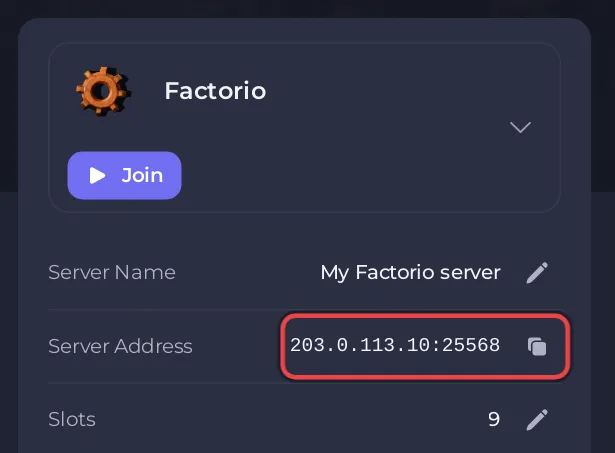
Factorio itself allows up to 65,535 players on one server, though in practice games run far fewer (Factorio wiki, Multiplayer). On a PlayNHost Factorio server, your plan sets Maximum Slots, the number of players who can be on at once. It is shown as Slots on Overview, and admins can join even when it is full.
Check your slots
- Open your server in the panel.
- Read Slots on the server card of Overview.
The same number is Maximum Slots in Settings, Game Settings. It comes with your plan and cannot be edited there. The panel writes it into Factorio's settings at every start.
What happens when the server is full?
A player who tries to join a full server is turned away. Admins are the exception: Wube's own settings file says "admins can join even a full server" (server-settings.example.json). Make yourself admin so you can always get in: How to become admin on your Factorio server.
The same file has an option to let players who already played on the map join a full server (ignore_player_limit_for_returning_players, off by default). It is not on the panel's server-settings.json card; to use it, stop the server and edit data/server-settings.json under Files.
Free a slot from an inactive player
AFK Kick in Game Settings kicks a player who has done nothing for that many minutes. 0 (the default) never kicks anyone. Or kick by hand with /kick: How to kick, ban and whitelist players on your Factorio server.
How do I get more slots?
Slots come with the plan. My plan in the panel shows yours and the plans you can change to. The plans and their slots are also on the Factorio server hosting page. To see whether your server has room in memory for the players you have, read How much RAM does a Factorio server need?


