

To start a new world on a PlayNHost Factorio server and keep the old one, set a new Save Name in Settings, Game Settings, choose Map Preset and Map Seed if you like, and restart: the server makes a new map under that name. To delete every save and start over, run World Reset on Quick Tasks.
New map, old one kept
- Open your server in the panel and click the Settings tab.
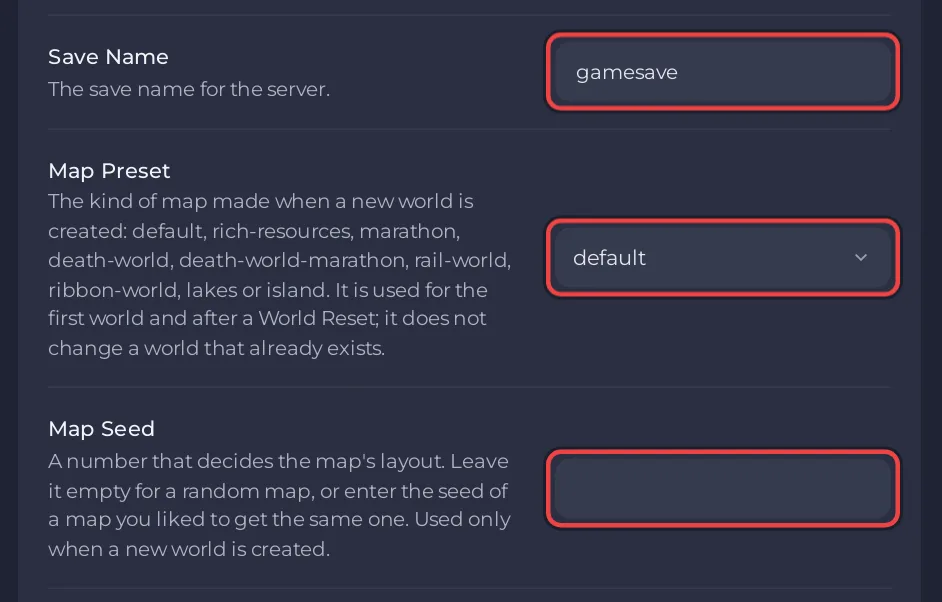
- In Game Settings, set Save Name to a new name, for example
newbase. English letters, numbers, dashes and underscores only. - Pick a Map Preset:
default,rich-resources,marathon,death-world,death-world-marathon,rail-world,ribbon-world,lakesorisland. These are Factorio's own presets (map-gen-presets.lua). - Leave Map Seed empty for a random layout, or type a seed to get a map you know.
- Restart the server. The Console shows Factorio creating the map, then
Hosting game at.
Before the restart, the Saves page shows newbase.zip does not exist yet; after it, newbase.zip is In use. The old save stays in the list: click Use this save on it to go back. See How to use the Saves page of your Factorio server.
Map Preset and Map Seed are only read when a new map is made. Changing them does nothing to a world that already exists.
How do I get the same map as another world?
Type /seed in the Console while that world runs. It prints the map seed. Put it in Map Seed with the same Map Preset before you make the new map.
Delete every save and start fresh
World Reset deletes every .zip directly in the saves folder, then starts the server, which makes a new map under the current Save Name with the current Map Preset and Map Seed. Settings and installed mods are kept, and so are snapshots: they sit in the saves/snapshots folder, which the reset does not touch.
- Download any save you might want later: How to download your Factorio save.
- Click Quick Tasks in the left menu.
- Under Default tasks, find World Reset and click Run.
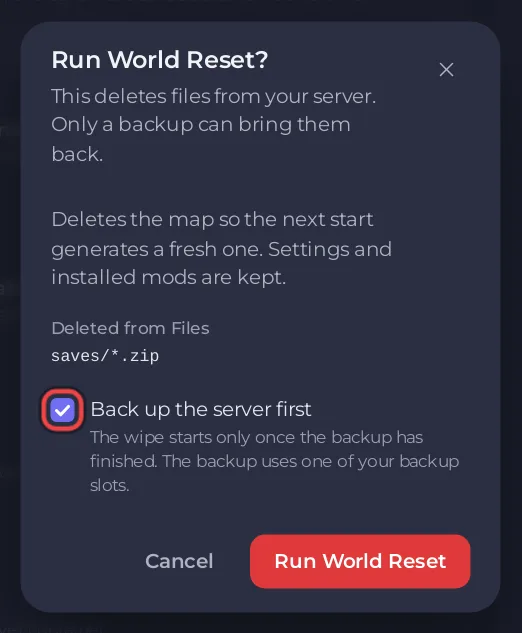
- Read the window Run World Reset?. It lists what is Deleted from Files. Keep Back up the server first ticked if your plan has backup slots.
- Click Run World Reset. The panel stops the server, deletes the saves and starts it again. The Console shows each step.
A reset cannot be undone except from a backup: How to back up and restore your Factorio world. With Space Age on, the new map is a Space Age map; switch it first if you want a base game world: How to turn Space Age on or off on your Factorio server.
Reset on a schedule
A ready-made World reset schedule waits under Ready-made for Factorio on Quick Tasks. Click Add and it becomes one of your Schedules: at 04:00 on the 1st of each month it stops the server, deletes the saves and starts a new map. It arrives switched off; switch it on only if your group wants a fresh map every month. The time cannot be changed afterwards on Quick Tasks; for another time, build a new schedule. See How to schedule tasks and automatic backups.
Finer map options
The game also reads data/map-gen-settings.json under Files when it makes a new map. Wube's example of that file documents options such as peaceful_mode, map width and height, and the starting area (map-gen-settings.example.json). Leave Map Preset on default when you edit the file, so only your file decides, and take a backup first.


