

To download the world of a PlayNHost Factorio server, open Saves in the left menu and click the download icon on the save you want. You get the save's .zip, the same file Factorio uses on your own computer, which you can keep as a copy or open in single player.
Download it
- If the server is running, open the Console and type
/server-save, so the file holds the latest progress. Or stop the server first. - Click Saves in the left menu.
- Click the download icon on the save, for example
gamesave.zipwith the badge In use. Its label reads Download gamesave.zip. - Your browser saves the .zip.
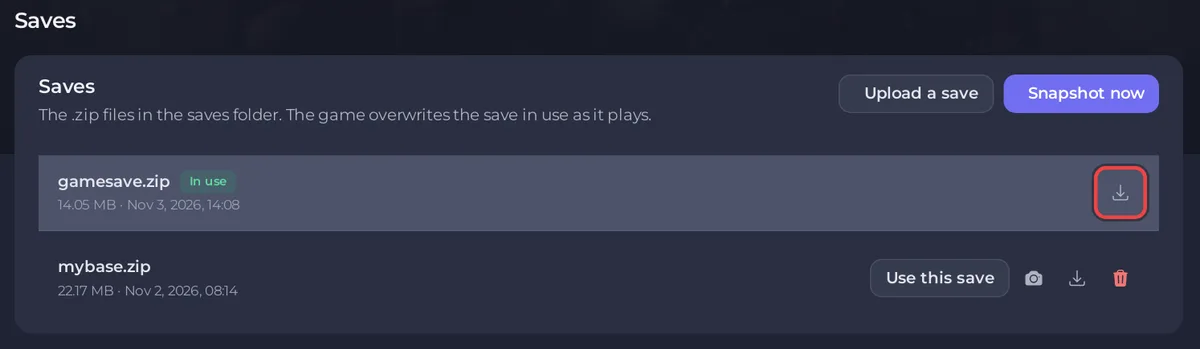
Snapshots have the same download icon on the Snapshots card. Downloading needs the permission to read file contents on Team & Roles.
Play it on your computer
- Copy the .zip into Factorio's
savesfolder:%appdata%\Factorio\saveson Windows,~/Library/Application Support/factorio/saveson macOS,~/.factorio/saveson Linux (Factorio wiki). - In Factorio, open the Load game menu and pick the save.
- If the save uses mods, Factorio offers to sync the mods with the save (Factorio wiki, Modding).
A save from a Space Age server needs the Space Age expansion on your computer, and your game must be on the same Factorio version as the server or newer.
Keep copies outside the server
A download is the simplest copy that lives outside PlayNHost. For copies on the server, use snapshots and backups: How to back up and restore your Factorio world.
Related: How to use the Saves page of your Factorio server, How to upload your own Factorio world.


