

The Saves page of a PlayNHost Factorio server lists every save in the saves folder, marks the one the server loads with In use, and lets you switch saves with Use this save, upload or download a save, and take Snapshots: dated copies you can bring back after a bad autosave or a griefer.
Open the page
- Open your server in the panel.
- Click Saves in the left menu, under Backups.
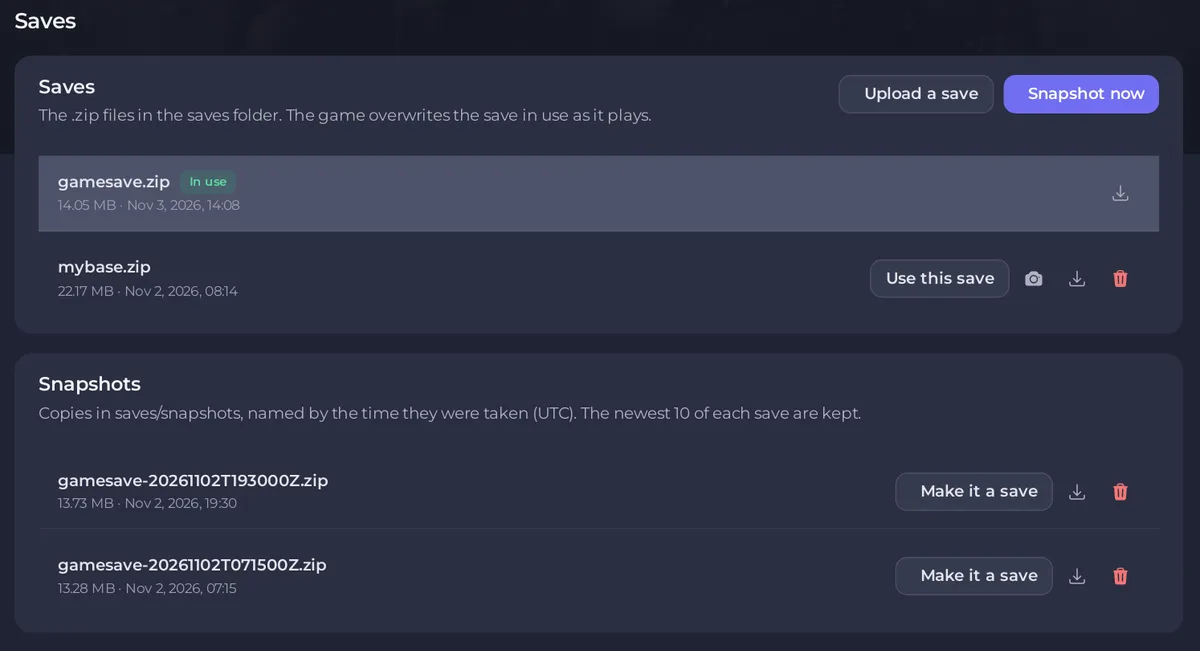
The Saves card says The .zip files in the saves folder. The game overwrites the save in use as it plays. That is why snapshots matter: a snapshot is a dated copy that the game never writes over.
What can I do on each save?
- Use this save: the server loads this save from its next start. A window such as Load mybase.zip? confirms it and says the current save stays in the folder as it is. If a scenario was running, choosing a save turns it off.
- Snapshot (camera icon, on saves other than the one in use): copies this save into the Snapshots card. For the save in use, click Snapshot now at the top of the card.
- Download (arrow icon): saves the .zip to your computer. See How to download your Factorio save.
- Delete (bin icon): deletes the file for good. The save in use cannot be deleted; choose another one first.
Badges: In use for the loaded save, Autosave for Factorio's autosave files named like _autosave1.zip, Scenario progress for the save named after the scenario that is set.
Switch to another save
- Click Use this save on the save you want.
- Confirm with Use this save in the window that opens (titled Load mybase.zip? for a save called mybase.zip).
- If the server is running, a notice such as Restart to load mybase.zip appears. Click Restart now. Restarting saves the current game first.
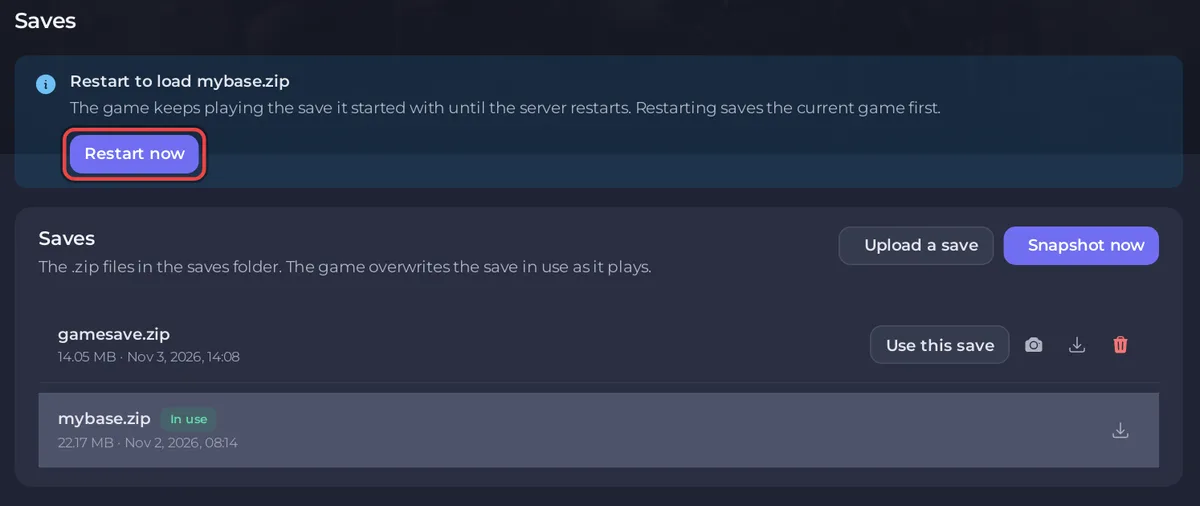
The game keeps playing the old save until the restart.
Upload a save
Click Upload a save and pick a .zip. The panel renames it to English letters, numbers, dashes and underscores if needed, for example My Factory (2).zip becomes My-Factory-2.zip. An upload never replaces a save: if the name is taken, the panel refuses it. Full steps: How to upload your own Factorio world.
Take and use snapshots
Snapshot now copies the save in use into saves/snapshots, named with the time in UTC, for example gamesave-20261102T193000Z.zip. The newest 10 of each save are kept; taking an 11th deletes the oldest. Make it a save puts a snapshot back in the saves list under its own name, ready for Use this save. Snapshots are taken only when you click. Full steps: How to roll back your Factorio world with a snapshot.
Who can use the page?
Anyone with file access on Team & Roles sees the page. Use this save also needs the permission to change startup settings, and Restart now needs restart permission.
What does "does not exist yet" mean?
The notice gamesave.zip does not exist yet (or your save's name) means the server is set to a save that is not in the folder. The server creates it with a new map at the next start. See How to start a new world on your Factorio server.


