

To run a scenario on a PlayNHost Factorio server, put the scenario folder in scenarios under Files, or install the mod that contains it, then type its name in Settings, Game Settings, Scenario and restart. While Scenario is filled in, the server starts that scenario instead of the save named in Save Name.
Start a scenario
- Put the scenario's folder inside a folder named
scenariosin the main folder of the server. Createscenarioswith Create Directory under Files if it is not there, then upload the folder with SFTP: How to connect to your server files with SFTP. For a scenario inside a mod, install the mod instead: How to add mods to your Factorio server. - Click the Settings tab and find Scenario in Game Settings.
- Type the scenario's name exactly as its folder is spelled, for example
wave-defense. For a scenario inside a mod, typemod-name/scenario-name. - Restart the server.
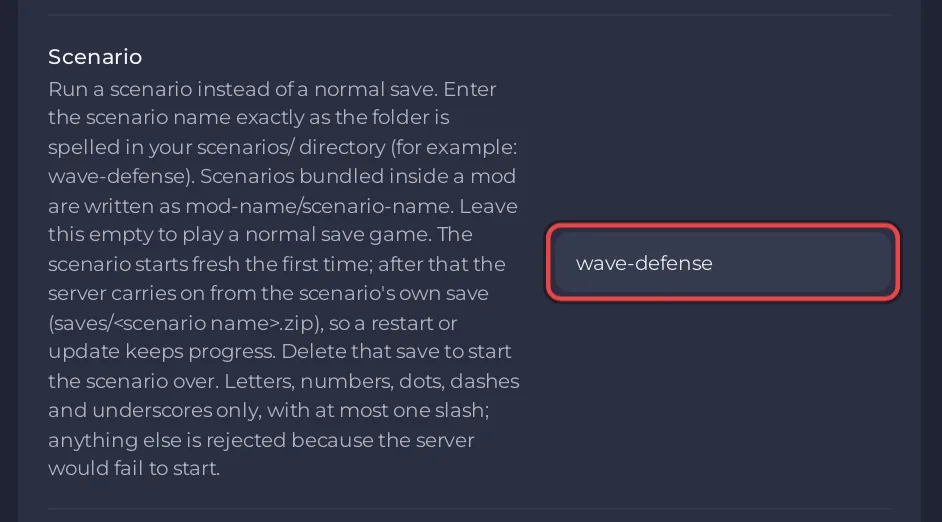
The field takes letters, numbers, dots, dashes and underscores, with at most one slash. Anything else is refused, because the server could not start with it.
While Scenario is filled in, Save Name is not used. The Saves page shows the notice This server starts the wave-defense scenario (with your scenario's name).
Is scenario progress kept?
The server is set up to carry on from a save named after the scenario: at every start, if saves/<scenario name>.zip exists (for example saves/wave-defense.zip), it loads that save; if not, it starts the scenario fresh. On the Saves page that file has the badge Scenario progress. Check that the badge appears after the first restart before you rely on it, and take a snapshot of that save on Saves before big changes.
Start the scenario over
- Stop the server.
- On Saves, delete the save with the badge Scenario progress. Download it first if you may want it.
- Start the server. With that save gone, the server starts the scenario fresh.
Go back to a normal save
On Saves, click Use this save on the save you want and restart. Choosing a save turns the scenario off by itself, and no file is deleted. Or empty the Scenario field in Game Settings and restart: the server loads the save named in Save Name again. See How to use the Saves page of your Factorio server.
All players need the scenario's mods, if it has any; Factorio syncs them when they join. If the server does not start after you set Scenario, check the spelling against the folder name and see Factorio server problems and fixes.


