%7B.s%7Banimation%3Ab%201.5s%20ease-out%20both%7D.d%7Banimation-delay%3A.16s%7D%7D%40keyframes%20b%7B0%25%7Bfill%3A%23F4F6FA%7D18%25%7Bfill%3A%23FFE08A%7D34%25%2C70%25%7Bfill%3A%23FF8A1F%7D80%25%7Bfill%3A%23FFE08A%7D100%25%7Bfill%3A%23FF8A1F%7D%7D%3C%2Fstyle%3E%3Cg%20transform%3D%22translate(143%20428.93)%20scale(3.885906)%22%3E%3Cg%20transform%3D%22translate(0%202)%22%20fill%3D%22%23706EF0%22%3E%3Cpath%20d%3D%22M0%200%20H48%20A40%2040%200%200%201%2048%2080%20V100%20H0%20Z%22%2F%3E%3Cpath%20transform%3D%22translate(91.75%200)%22%20d%3D%22M0%200%20L48%200%20L48%2050%20L76%2050%20L76%20100%20L0%20100%20Z%22%2F%3E%3Cpath%20transform%3D%22translate(173%200)%22%20d%3D%22M0%20100%20L58%20-4%20L116%20100%20Z%22%2F%3E%3Cpath%20transform%3D%22translate(264.25%200)%22%20d%3D%22M0%200%20L104%200%20L76%2050%20L76%20100%20L28%20100%20L28%2050%20Z%22%2F%3E%3Cg%20transform%3D%22translate(375%200)%22%3E%3Cpath%20d%3D%22M0%200%20L50%2038%20L50%200%20L100%200%20L100%20100%20L0%20100%20Z%22%20fill%3D%22%23F4F6FA%22%2F%3E%3Crect%20class%3D%22s%22%20x%3D%2247%22%20y%3D%2263%22%20width%3D%2219%22%20height%3D%2230%22%2F%3E%3Crect%20class%3D%22s%20d%22%20x%3D%2274%22%20y%3D%2263%22%20width%3D%2219%22%20height%3D%2230%22%2F%3E%3C%2Fg%3E%3Cpath%20transform%3D%22translate(484.75%200)%22%20d%3D%22M0%200%20L48%200%20L48%2037%20L52%2037%20L52%200%20L100%200%20L100%20100%20L52%20100%20L52%2063%20L48%2063%20L48%20100%20L0%20100%20Z%22%2F%3E%3Cpath%20transform%3D%22translate(588.5%200)%22%20d%3D%22M0%2050%20A53%2053%200%201%200%20106%2050%20A53%2053%200%201%200%200%2050%20Z%22%2F%3E%3Cpath%20transform%3D%22translate(698.25%200)%22%20d%3D%22M25%200%20H102%20V50%20H77%20A25%2025%200%200%201%2077%20100%20H0%20V50%20H25%20A25%2025%200%200%201%2025%200%20Z%22%2F%3E%3Cpath%20transform%3D%22translate(804%200)%22%20d%3D%22M0%200%20L90%200%20L90%2050%20L69%2050%20L69%20100%20L21%20100%20L21%2050%20L0%2050%20Z%22%2F%3E%3C%2Fg%3E%3C%2Fg%3E%3C%2Fsvg%3E)


Run the Fresh World task on the Quick Tasks page. It stops the server, deletes the world and its saves, and starts the server again, which makes a brand new world. Your settings and passwords stay.
This deletes your world for good, with every base and everything stored in it. Only a backup can bring it back. Tick Back up the server first in the window that opens.
Option 1: the Fresh World task
- Open your server in the panel and click Quick Tasks in the left menu.
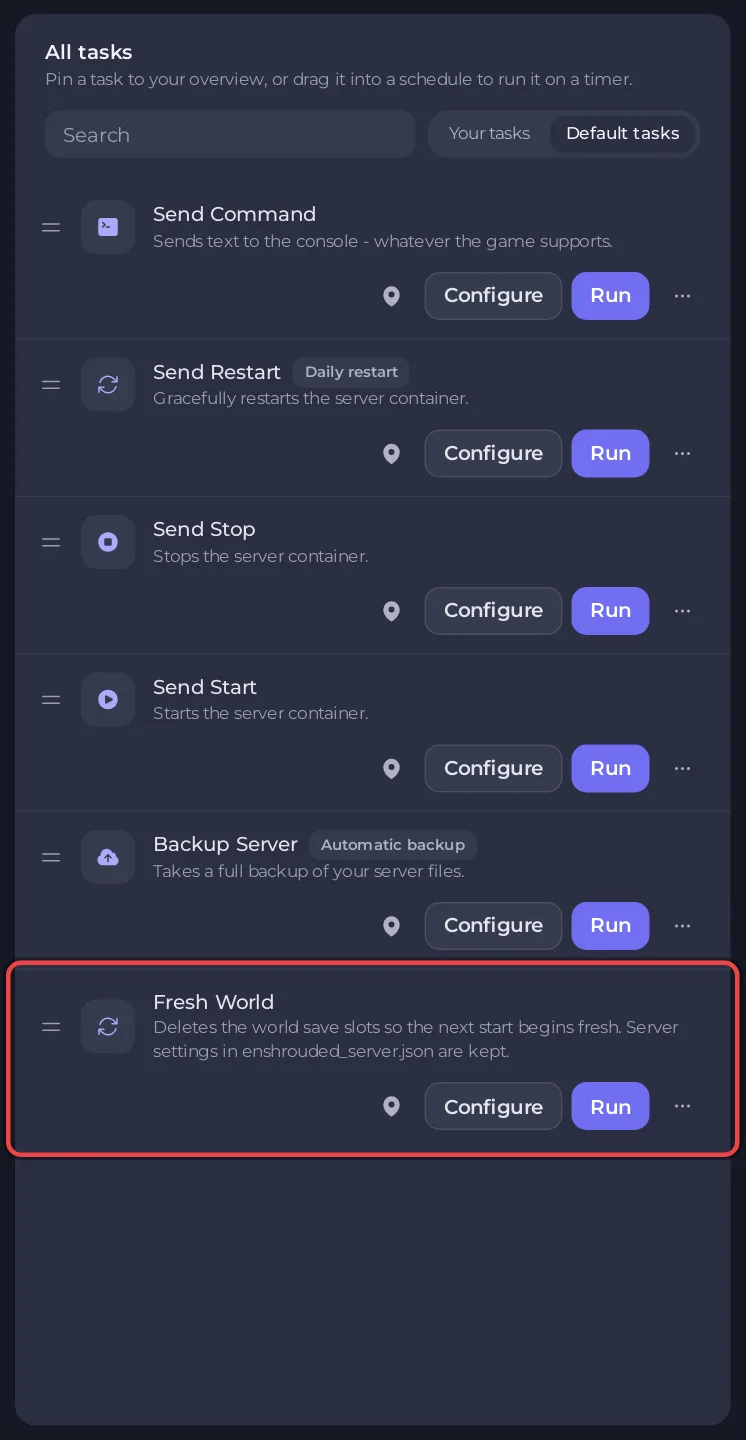
- Under All tasks, open Default tasks and find Fresh World. Its description says: "Deletes the world save slots so the next start begins fresh. Server settings in enshrouded_server.json are kept."
- Click Run.
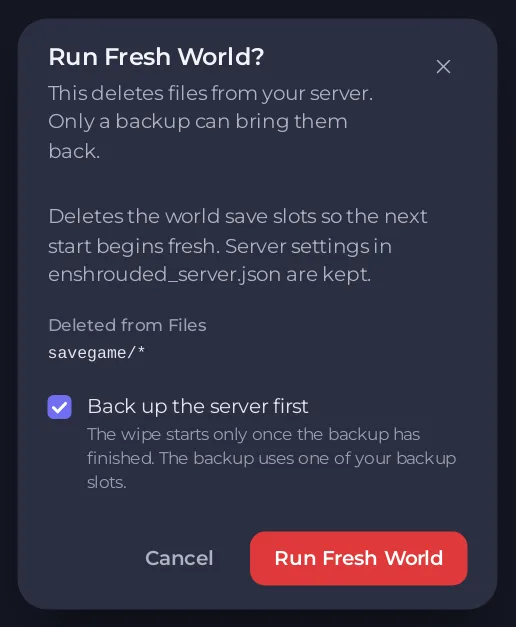
- The window Run Fresh World? lists what is deleted under Deleted from Files. Tick Back up the server first and click Run Fresh World.
- The panel starts the wipe as a schedule and the Console shows each step. The server stops, which saves the world one last time. After a short wait the world is deleted, and the server starts again with a new world.
A schedule called Fresh world now appears under Schedules, switched off. It stays as the record of the run. Leave it switched off unless you want a fresh world on a timer.
Option 2: delete the files yourself
- Stop the server and wait until it says Offline.
- Make a backup with Files selected on the Backups page.
- Click the Files tab and open the
savegamefolder. - Tick the box in the header to select everything in the folder, and delete it. That removes
world0.ksdand thebackupfolder with the game's ten earlier copies. - Start the server.
After the wipe
- Watch the Console until it shows
[Session] 'HostOnline' (up)!. - The Worlds page shows There is no world yet until the game has saved for the first time. Then Your world appears. See How to check which world your Enshrouded server loaded.
- Players keep their characters, which are on their own computers. A new world means they start at the beginning of the story with those characters.
Good to know
- Settings in
enshrouded_server.json, including the name, passwords, difficulty and permissions, are kept. - To keep the old world and play another one later, do not delete it: see How to swap, keep or delete a world on your Enshrouded server.
- If you wiped by mistake, restore the backup you made: see How to back up and restore your Enshrouded world.
- To bring your own world instead, see How to upload your own Enshrouded world.





