

A bot plan runs more than Discord bots. For Telegram, choose Telegram when the order asks What is your bot for?: the Bot page then has a Telegram pane for the token from @BotFather. For Twitch, Slack or Matrix, choose Another platform and put your keys under Environment. Either way, use your library's polling or socket mode, because a bot server has no public web address to receive webhooks. Telegram step by step: How to host a Telegram bot.
Only want to relay messages between Discord and Telegram, Matrix or Slack, without writing code? Use the ready-made matterbridge type: How to link Discord with Telegram, Matrix or Slack with matterbridge.
Which mode to use
| Platform | Use | Not |
|---|---|---|
| Telegram | Long polling (for example run_polling() in python-telegram-bot, bot.start() in grammY) | Webhooks |
| Slack | Socket Mode, with an app-level token | Request URLs (HTTP events) |
| Twitch chat | A chat library that connects out to Twitch (IRC or EventSub over WebSocket) | EventSub webhooks |
| Matrix | A client library that syncs with your homeserver | An application service that needs an inbound URL |
All of these connect out from your server, so nothing has to reach in.
Set it up
- Open your server in the panel. Check the type on the bot's card on Overview is the language of your code, for example Node.js Bot or Python Bot; change it if needed: How to switch your bot to another language.
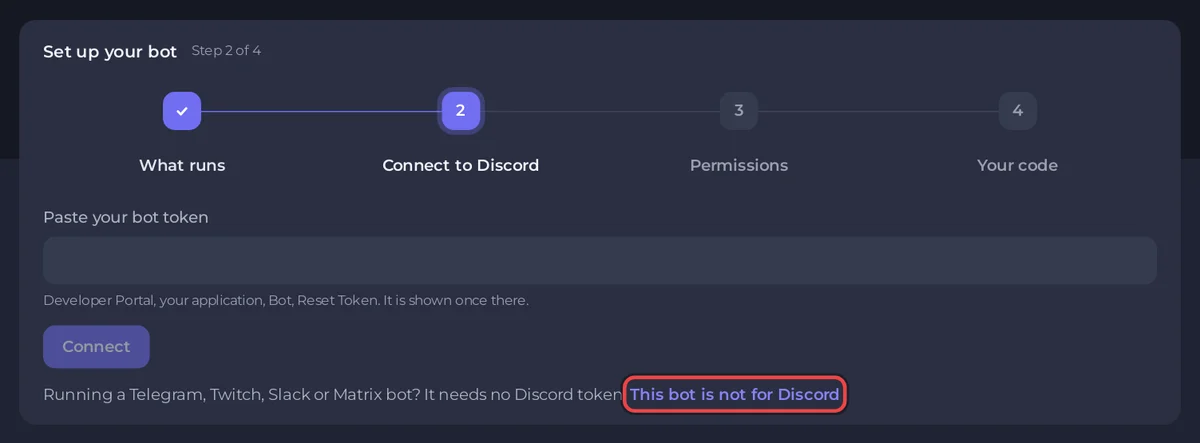
- Ordered for Telegram or another platform? This is already done. If your bot is set up for Discord, in the Set up your bot card on Overview, after Set it up for:, click Telegram or Another platform and confirm with Switch. The same choice is on the Bot page, pane Discord, card What is this bot for?.
- Upload your code in Files, with
package.jsonorrequirements.txt. See How to upload your Discord bot code. - On the Bot page, pane Code, set Entry file.
- Telegram: on the pane Telegram, paste the token from @BotFather and click Connect. Your code reads it as
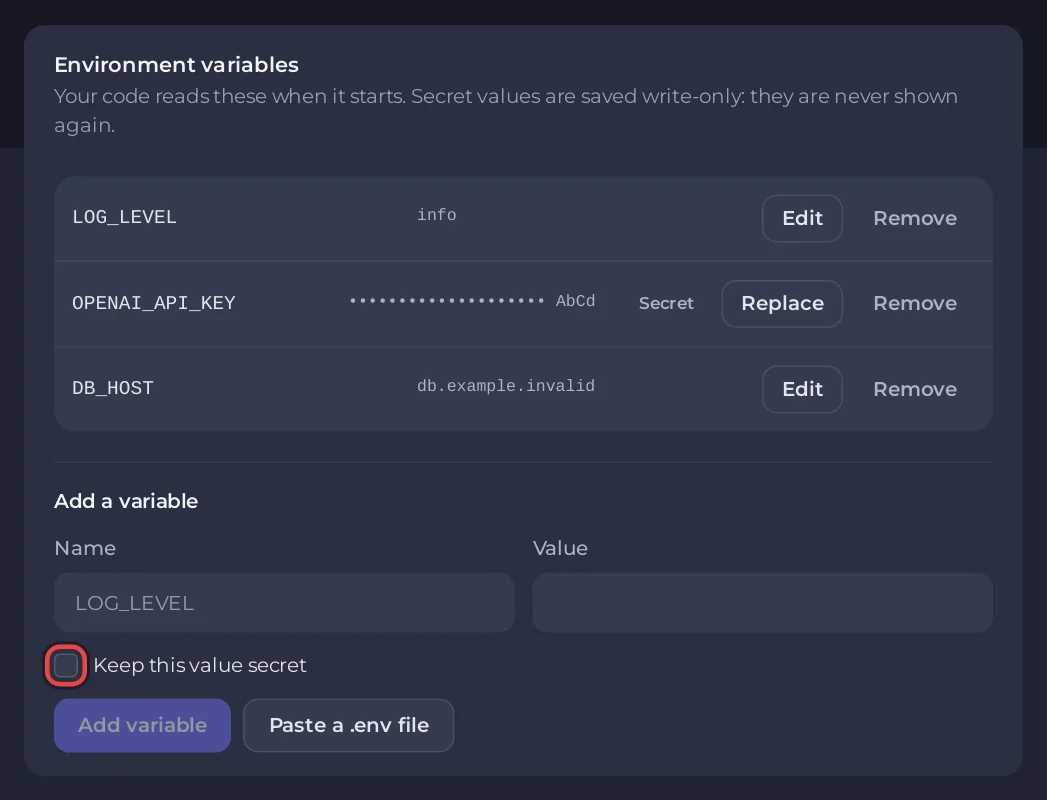
TELEGRAM_BOT_TOKEN,BOT_TOKEN,TOKEN,TELEGRAM_TOKENorTELOXIDE_TOKEN. Twitch, Slack or Matrix: on the pane Environment, add your tokens as variables, for exampleSLACK_APP_TOKENandSLACK_BOT_TOKEN. Names ending inTOKENare kept secret automatically. On a bot set up for another platform,TOKENandBOT_TOKENare yours to use; onlyDISCORD_TOKENis reserved. On a bot still set up for Discord,TOKEN,BOT_TOKENandDISCORD_BOT_TOKENare reserved for the Discord token. - Press Start (top right on a computer, at the bottom of the screen on a phone) and read Console.
A minimal Telegram bot (Python)
requirements.txt
python-telegram-botbot.py
import os

from telegram import Update
from telegram.ext import Application, CommandHandler, ContextTypes


async def start(update: Update, context: ContextTypes.DEFAULT_TYPE):
    await update.message.reply_text("Hello! I am running on PlayNHost.")


app = Application.builder().token(os.environ["TELEGRAM_BOT_TOKEN"]).build()
app.add_handler(CommandHandler("start", start))
print("Bot started, polling for updates")
app.run_polling()
The Discord parts of the panel
A bot is set up for one platform at a time, and the panel follows that choice:
- On a bot set up for Discord, the Set up your bot card on Overview opens on Connect to Discord. Under the token field it says Running a Telegram, Twitch, Slack or Matrix bot? It needs no Discord token. Set it up for: with Telegram and Another platform. The choice is saved on the server, so it holds in every browser. Switching deletes nothing: a token saved for the other platform stays saved and comes back if you switch back.
- Set up for Telegram, the Bot page has the panes Telegram, Code, Environment and Restarts: no intents and no invite link. Set up for another platform, it has Code, Environment and Restarts.
- The chip on Overview reads Running while your bot runs. When the console shows a ready line such as
Logged in as @your_bot, it turns to Online in Telegram on a Telegram bot and Online on another platform. Online in Discord is only for Discord logins.
Everything else works the same: packages install when you change them, a crashed bot is started again, and you can schedule restarts in Quick Tasks. See How to use the Bot page of your Discord bot.


