

A Core Keeper server keeps its Game ID only when the code is saved in Game ID under Game Settings. The PlayNHost panel saves it for you within about 5 minutes of the first start. If the server restarted before that, or someone emptied the field, the server made a new code.
How do I fix a changed Game ID?
- Open your server in the panel and wait for Online.
- Copy the code from the Steam Game ID row on Overview. The panel saves this code within about 5 minutes and keeps it from then on.
- Send it to your friends: How to invite friends to your Core Keeper server.
Can I put the old Game ID back?
Yes, if you still have it and it fits the panel's rules (15 to 28 letters and numbers, without O, Y, y or x):
- Click the Settings tab, then Game Settings, then Show advanced (2).
- Type the old code in Game ID and press Enter.
- Restart the server.
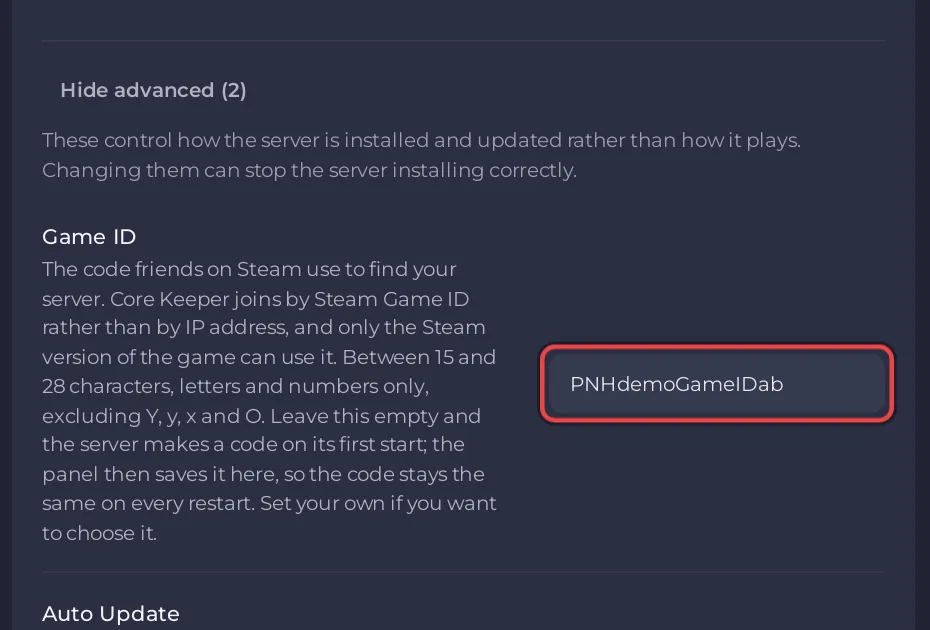
Friends can then join with the code they saved. If the panel refuses the old code, send the new one instead.
Why did the Game ID change?
- The server restarted in its first minutes. On a new server the field is empty. The server makes a code at its first start, and the panel saves it within about 5 minutes. A restart before that makes another code; that one is then saved and kept. Nobody has to open Overview for the panel to save it.
- Someone emptied the Game ID field. With an empty field the server makes a new code at the next start.
- Someone typed a new code in Game ID.
You can check who changed what under Activity: How to see what happened on your server.
How do I make sure it stays the same?
Open Settings, Game Settings, Show advanced (2): if Game ID holds a code, every start uses it. See How to change the Game ID of your Core Keeper server and How to find your Core Keeper Game ID.


