

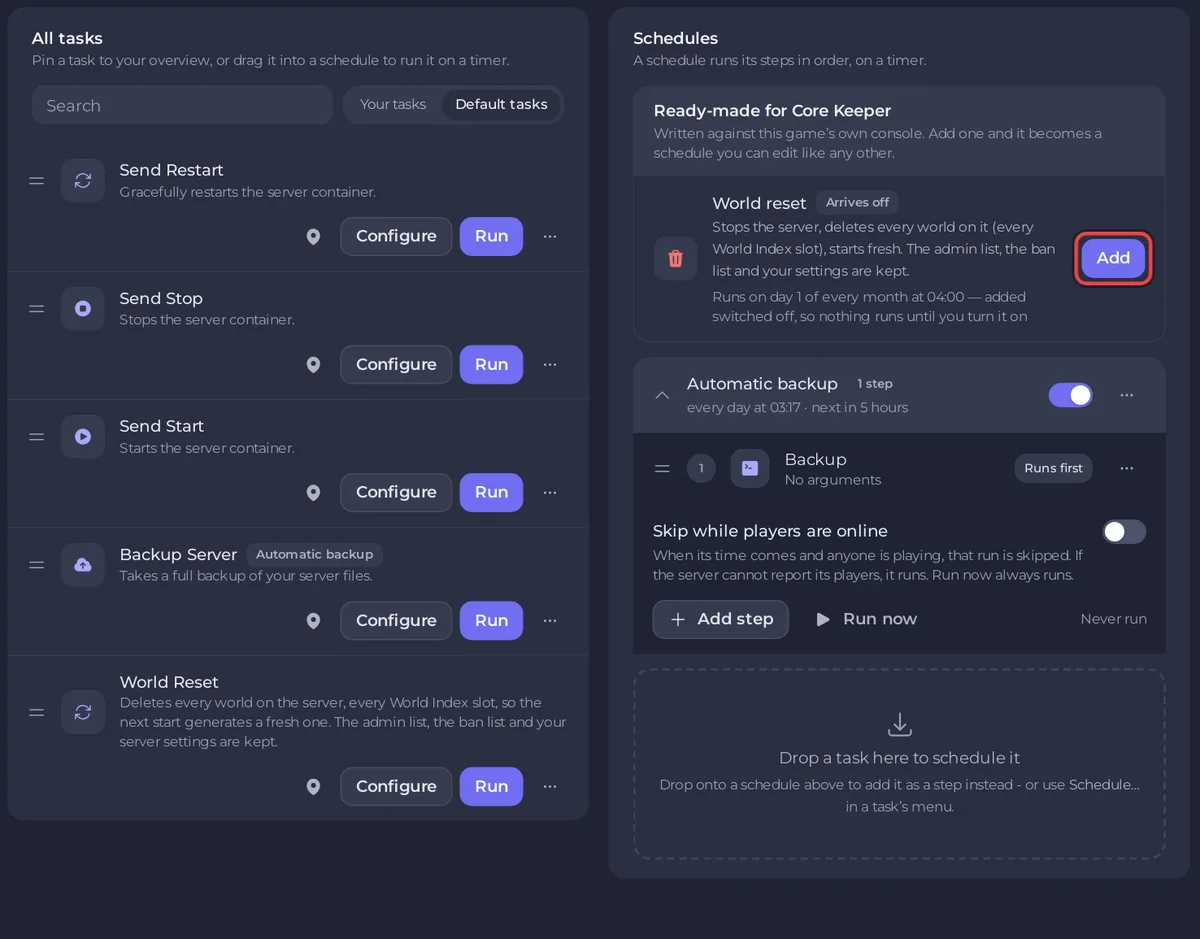
Quick Tasks in the left menu of a PlayNHost Core Keeper server holds one-click tasks and the schedules that run them on a timer. Use it to restart or back up the server, reset the worlds, and build a daily restart. Each task has Run, Configure and a menu with Schedule….
How do I run a task?
- Open your server in the panel and click Quick Tasks in the left menu.
- Under All tasks, keep Default tasks selected to see the tasks that come with the server.
- Find the task, for example Send Restart.
- Click Run. A task that deletes files asks you to confirm first.
Run on a task that needs a value opens Configure task first. There, Save task saves your version under Your tasks; it does not run it.
Which tasks does a Core Keeper server have?
| Task | What it does |
|---|---|
| Send Restart | Restarts the server. |
| Send Stop | Stops the server. The world is written as it stops. |
| Send Start | Starts the server. |
| Backup Server | Takes a full backup of your server files. |
| World Reset | Deletes every world on the server, every World Index slot, so the next start builds a fresh one. The admin list, the ban list and your settings are kept. |
Core Keeper has no Send Command task here: its server reads no console input, so the panel does not offer it. World Reset deletes files, so Run asks first. The Run World Reset? window lists what is Deleted from Files and offers Back up the server first. The first run also leaves a switched-off World reset schedule under Schedules as its record. Full steps: How to start a new world on your Core Keeper server.
How do I pin a task to Overview?
Open the task's menu and choose Pin to overview. It then shows under Pinned tasks on Quick Tasks and on the Quick tasks card on Overview.
What is Ready-made for Core Keeper?
This box offers one schedule, World reset: it stops the server, waits for Offline, deletes every world on the server, every World Index slot, and starts it again. Click Add to put it on your server. It arrives switched off (Arrives off), and its row says when it runs. Switch it on only if you want regular wipes.
Is there a nightly backup schedule?
Servers whose plan includes backups already have an Automatic backup schedule under Schedules: a backup every night, while the server runs or not. Its time can be changed on Backups, under Scheduled backups, with Edit. See How to back up and restore your Core Keeper world.
How do I make my own schedules?
- A daily restart: How to restart your Core Keeper server on a schedule.
- A wipe on your own day and hour: open the menu of World Reset, choose Schedule… and pick the time. The panel adds the ready-made reset (stop, wipe, start) with the name, time and switch you chose, and the wipe deletes only once the server is Offline.
- A schedule's time cannot be edited on Quick Tasks. Make a new schedule and delete the old one.
- Open a schedule to see its steps, Add step and Skip while players are online. Run now, Edit schedule… and Delete schedule are in the menu on its row.


