

To see who is on your Core Keeper server, look at the Active players card on the server's Overview page in the PlayNHost panel. If the card cannot tell, the Console keeps the game's lines about players, and the pause menu in the game shows the players who are on.
How do I check the Active players card?
- Open your server in the panel. You land on Overview.
- Find the Active players card.
- Read the count, or Nobody is online when the server is empty.
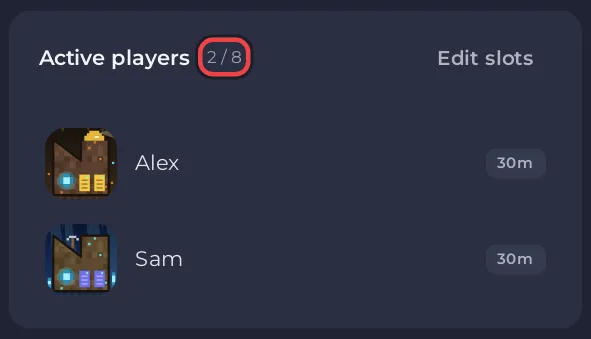
If the card says No answer from the server, the panel could not get a player count from the game. That is normal while the server is starting or stopped. If it says this while the server is Online, the panel cannot see your players: use the Console or the game instead.
The card has Edit slots to change how many can join, for people with the Rename server permission: How to change player slots on your Core Keeper server. There are no kick or ban buttons for Core Keeper.
How do I find player lines in the Console?
The Console keeps the game's lines about players, which start with [userid: followed by a number. Type userid in Search output... to find them. See How to use the Console on your Core Keeper server.
How do I see players in the game?
Open the pause menu on the server. Admins manage the players there, for example to make them admin or to ban them: How to kick and ban players on your Core Keeper server.
Why does the player count matter for schedules?
A schedule set to wait for an empty server needs the panel to see the players. If the Active players card says No answer from the server while people play, such a schedule runs at its time anyway. See How to restart your Core Keeper server on a schedule.


