

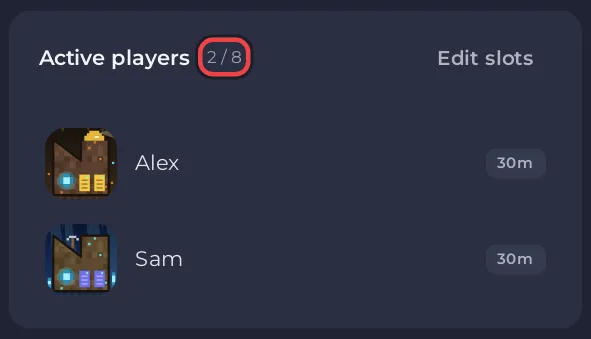
Core Keeper is made for 1 to 8 players in online co-op, according to Pugstorm's Steam store page. A PlayNHost Core Keeper server takes as many players as its player slots, which you see on the Slots row of the Overview page and can lower at any time with Edit slots.
How many players can join at once?
As many as your server's player slots. The panel passes that number to the game at every start, as the server's player limit. When the server is full, the next player cannot join until someone leaves.
Where do I see my player slots?
- Open your server in the panel. You land on Overview.
- Read the Slots row on the server card.
- Look at the Active players card to see how many are on now.
The same number shows as Max Players under Settings, Game Settings, marked Read only.
Can I lower the limit for a smaller group?
Yes. Click Edit slots on the Active players card, pick a lower number and click Update. The server restarts. You can raise it again later, up to what your plan allows: How to change player slots on your Core Keeper server.
Do players need anything else to join?
- Their own copy of Core Keeper on Steam, and the Game ID: Can friends on other platforms join your Core Keeper server?
- The same game version and mods as the server: Friends cannot join your Core Keeper server.
Do more players need more memory?
An empty Core Keeper server used about 1.3 GB in PlayNHost's own measurements, and it can use more with players on. Check the Usage card while your group plays: How much RAM does a Core Keeper server need?


