%7B.s%7Banimation%3Ab%201.5s%20ease-out%20both%7D.d%7Banimation-delay%3A.16s%7D%7D%40keyframes%20b%7B0%25%7Bfill%3A%23F4F6FA%7D18%25%7Bfill%3A%23FFE08A%7D34%25%2C70%25%7Bfill%3A%23FF8A1F%7D80%25%7Bfill%3A%23FFE08A%7D100%25%7Bfill%3A%23FF8A1F%7D%7D%3C%2Fstyle%3E%3Cg%20transform%3D%22translate(143%20428.93)%20scale(3.885906)%22%3E%3Cg%20transform%3D%22translate(0%202)%22%20fill%3D%22%23706EF0%22%3E%3Cpath%20d%3D%22M0%200%20H48%20A40%2040%200%200%201%2048%2080%20V100%20H0%20Z%22%2F%3E%3Cpath%20transform%3D%22translate(91.75%200)%22%20d%3D%22M0%200%20L48%200%20L48%2050%20L76%2050%20L76%20100%20L0%20100%20Z%22%2F%3E%3Cpath%20transform%3D%22translate(173%200)%22%20d%3D%22M0%20100%20L58%20-4%20L116%20100%20Z%22%2F%3E%3Cpath%20transform%3D%22translate(264.25%200)%22%20d%3D%22M0%200%20L104%200%20L76%2050%20L76%20100%20L28%20100%20L28%2050%20Z%22%2F%3E%3Cg%20transform%3D%22translate(375%200)%22%3E%3Cpath%20d%3D%22M0%200%20L50%2038%20L50%200%20L100%200%20L100%20100%20L0%20100%20Z%22%20fill%3D%22%23F4F6FA%22%2F%3E%3Crect%20class%3D%22s%22%20x%3D%2247%22%20y%3D%2263%22%20width%3D%2219%22%20height%3D%2230%22%2F%3E%3Crect%20class%3D%22s%20d%22%20x%3D%2274%22%20y%3D%2263%22%20width%3D%2219%22%20height%3D%2230%22%2F%3E%3C%2Fg%3E%3Cpath%20transform%3D%22translate(484.75%200)%22%20d%3D%22M0%200%20L48%200%20L48%2037%20L52%2037%20L52%200%20L100%200%20L100%20100%20L52%20100%20L52%2063%20L48%2063%20L48%20100%20L0%20100%20Z%22%2F%3E%3Cpath%20transform%3D%22translate(588.5%200)%22%20d%3D%22M0%2050%20A53%2053%200%201%200%20106%2050%20A53%2053%200%201%200%200%2050%20Z%22%2F%3E%3Cpath%20transform%3D%22translate(698.25%200)%22%20d%3D%22M25%200%20H102%20V50%20H77%20A25%2025%200%200%201%2077%20100%20H0%20V50%20H25%20A25%2025%200%200%201%2025%200%20Z%22%2F%3E%3Cpath%20transform%3D%22translate(804%200)%22%20d%3D%22M0%200%20L90%200%20L90%2050%20L69%2050%20L69%20100%20L21%20100%20L21%2050%20L0%2050%20Z%22%2F%3E%3C%2Fg%3E%3C%2Fg%3E%3C%2Fsvg%3E)


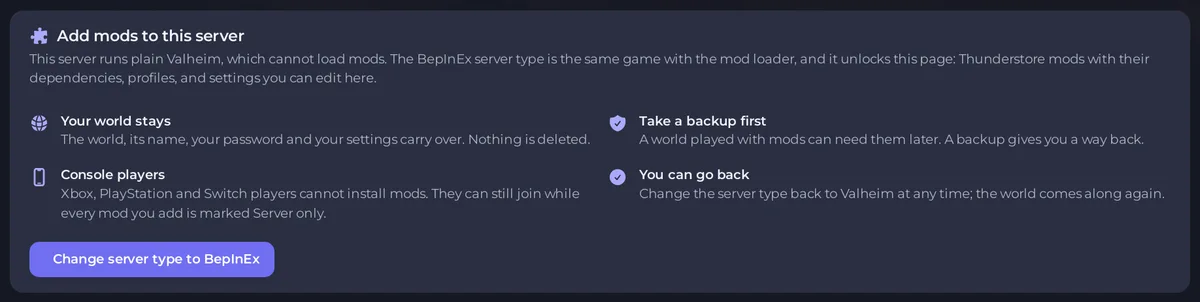
Your Valheim plan can run three server types. Valheim is the plain game. Valheim BepINex is the same game with the BepInEx mod loader, and unlocks the Mods page with Thunderstore mods. Valheim Plus Mod is BepInEx with the Valheim Plus mod already installed. You can switch between them with Edit Server Type on the Overview page, and your world comes along.
The three types
| Valheim | Valheim BepINex | Valheim Plus Mod | |
|---|---|---|---|
| Loads mods | No | Yes, BepInEx | Yes, BepInEx and Valheim Plus |
| The Mods page | Add mods to this server card | Thunderstore manager | Thunderstore manager, with the Valheim Plus settings |
| Crossplay when new | On | On | On |
| Who can join | Players on any platform | Everyone, while every mod is Server only; otherwise PC players with the same mods | The same as BepInEx |
| PlayNHost Tools | Yes | Yes, next to your mods | Yes, next to your mods |
| Worlds page, Access, join code | Yes | Yes | Yes |
The name Valheim BepINex is how the type is spelled in the panel's list. It is the same BepInEx mod loader.
Which one should I pick?
- Valheim, the plain type, if you want the normal game with Xbox, PlayStation, Game Pass and Steam friends.
- Valheim BepINex if you want Thunderstore mods. Mods that run only on the server keep the server open to console players; mods every player installs make it a PC server. See How to add mods to your Valheim server.
- Valheim Plus Mod if you want the Valheim Plus tweaks. Its settings are on the Mods page: How to change Valheim Plus settings.
Your world works in all three
All three read the same worlds, so a world made on one can be loaded on the others. A world that was played with mods can behave oddly without them. Back up before you switch.
Switch type
On the Overview page, click Edit Server Type. On a plain Valheim server, the Mods page also has a button Change server type to BepInEx. The window ticks Delete my existing files and start clean by default: untick it to keep your world. Full steps: How to switch your Valheim server to BepInEx or Valheim Plus. To go back: How to remove mods or go back to plain Valheim.