

A Sons of the Forest server on PlayNHost can keep up to 30 islands, one per save slot. To switch worlds, change Save Slot in Settings, Game Settings to the slot you want and restart the server. A slot that holds an island loads it; an empty slot gets a new island.
Switch to another island
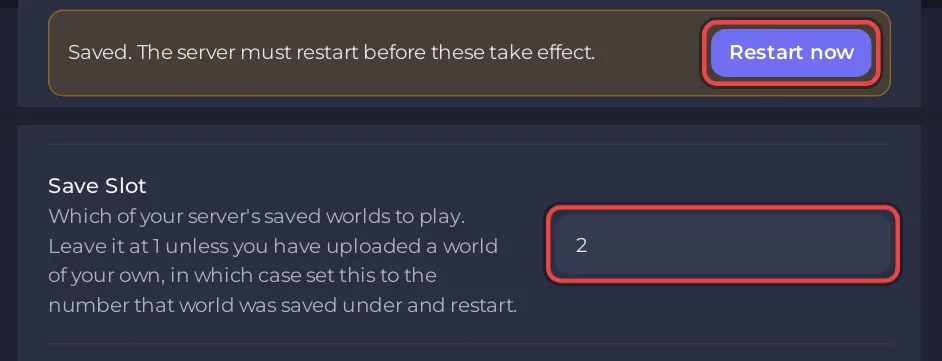
- Open your server in the panel, click the Settings tab, then Game Settings.
- Change Save Slot to the slot you want, from 1 to 30, and click outside the field.
- Click Restart now.
- Wait for
#DSL Dedicated server loaded.in the Console. Everyone who joins now plays that island.
Before you switch, wait 10 minutes after the last change in the game, so the automatic save holds the island you leave: Does your Sons of the Forest server save when you stop it?
How do I see which slots hold an island?
Open Files, then serverconfig/Saves/DedicatedServer/Multiplayer. Each slot the server has used has its own folder there. The .zip files beside them are the game's own backup archives, not islands you can pick.
What happens with a slot that is empty?
The server generates a new island in it, at the Difficulty set in Settings. Endnight's dedicated server guide says that in its "continue" save mode the server creates a new save on the save slot if there is none, and loads the save if there is one. So a typo in Save Slot does not delete anything: set it back and restart.
Good to know
- Each island keeps its own difficulty, built structures and progress.
- World Reset deletes every slot at once, not only the one you play: How to start a new world on your Sons of the Forest server.
- Every island counts toward your disk space, and backups hold all of them.


