

A Sons of the Forest server on PlayNHost has no restart schedule until you add one. To restart it every day, open Quick Tasks, choose Schedule… on the Send Restart task, and set it to repeat every day at an hour when nobody plays. Each restart installs the newest game build while Auto Update is on.
Create a daily restart
- Open your server in the panel and click Quick Tasks in the left menu.
- Open Default tasks and find Send Restart.
- Open its menu and choose Schedule….
- Give the schedule a Name, for example "Daily restart", then click Next step.
- Choose Repeats, set How often to Every day, and pick the time under At. The window shows when it runs in your own time zone too.
- Keep Enabled on and click Schedule.
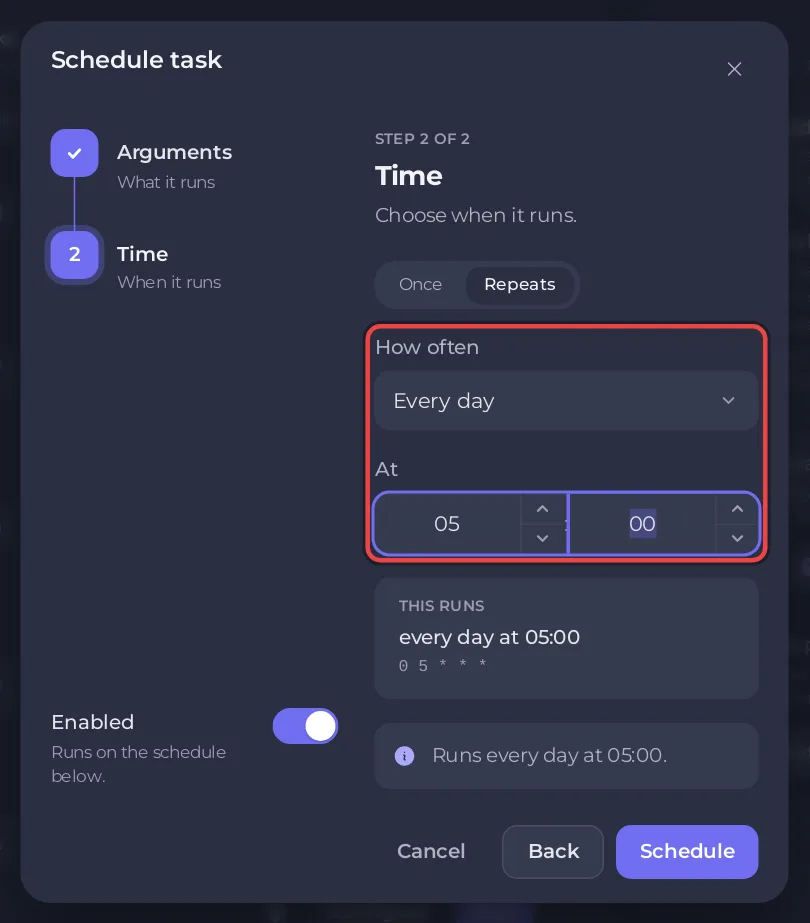
The new schedule appears under Schedules on the same page.
Which time should I pick?
An hour when your group is offline. The server saves by itself every 10 minutes, and in PlayNHost's tests a restart from the panel did not save first, so a restart in the middle of a session can cost the last few minutes: Does your Sons of the Forest server save when you stop it?
The schedule card also has Skip while players are online. The panel's own note: "When its time comes and anyone is playing, that run is skipped. If the server cannot report its players, it runs."
Change, pause or remove it
Quick Tasks cannot change the time of a schedule that already exists. For another time, create a new schedule and delete the old one with Delete schedule in its options. To pause it, switch the schedule off. Run now restarts the server at once.
Why restart on a schedule at all?
The server installs Sons of the Forest updates only when it starts, while players' games update through Steam by themselves. A daily restart keeps the server on the newest build: How to update your Sons of the Forest server.
Related
- How to start a new world on your Sons of the Forest server (the monthly World reset schedule)
- How to schedule tasks and automatic backups
- Sons of the Forest server hosting


