

To change the name or password of a Sons of the Forest server on PlayNHost, open Settings, Game Settings, edit Server Name or Server Password, then restart the server. Both are applied when the server starts. Leave Server Password empty to let anyone with the address join.
Change the name or the password
- Open your server in the panel, click the Settings tab, then Game Settings.
- Edit Server Name. Up to 60 characters.
- Edit Server Password. Use letters, numbers, dots (
.), dashes (-) and underscores (_), up to 32 characters. - Click outside the field or press Enter. The panel saves it.
- Click Restart now in the message "Saved. The server must restart before these take effect."
- Send the new password to your players. Players already in the game stay until the restart, then need the new password.
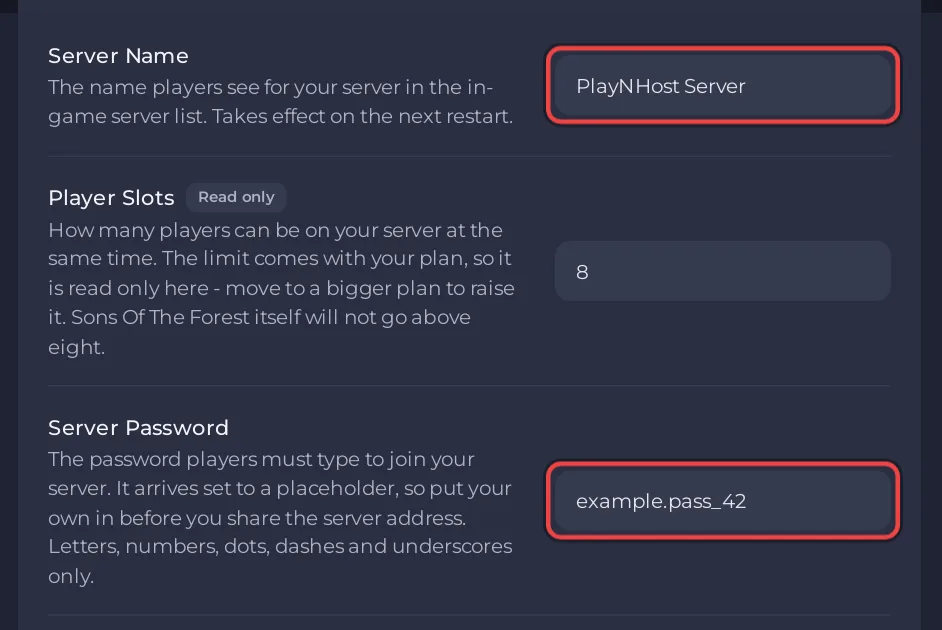
If the panel refuses a password, it contains a character outside the allowed set, such as a space, ! or @. Pick one with letters, numbers, ., - and _ only.
What password does a new server have?
Every new PlayNHost Sons of the Forest server gets a password made for it alone, already filled in under Server Password. Nobody else has it, so your server is private from the first start. Change it to something easier to share if you like.
How do I remove the password?
Clear the Server Password field, click outside it, and restart. Your server is then open to anyone who finds it in the game's server browser or has its address. Endnight's dedicated server guide describes the password as what makes a server "private".
Where does the name show?
Players see the Server Name in the game's dedicated server browser. It is separate from the name of the server in the panel, which you change on the Overview page and only you see.


