

 MINECRAFT HOSTING
 GAME SERVERS
 Game Panel
Your players join your Rust server with its Server Address, shown on the server's Overview page in the panel. Rust is a multiplayer survival game where players gather resources, build bases and fight or ally with each other; a hosted server gives your group or community a persistent world that stays online around the clock.
Join in a few steps
- Open your server in the panel. If the status badge says Offline, click Start and wait until it says Online. See How to start, stop, restart and force-stop your server.
- On the Overview page, click the copy icon next to Server Address. It looks like
address:port.
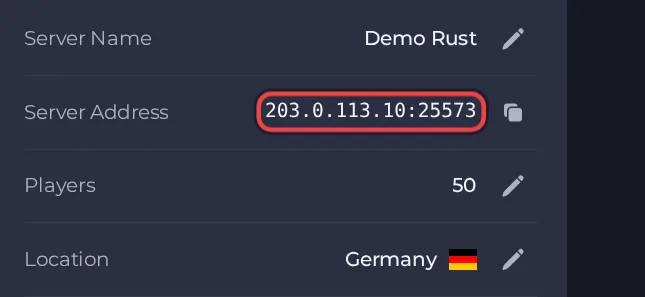
- Launch Rust on Steam and wait for the main menu to load.
- Press F1 to open the in-game console.
- Type client.connect followed by the Server Address from the Overview page (for example client.connect address:port) and press Enter.
- If the server is running a custom map, the first connection downloads the map from its host before you spawn, so allow a little extra time.
- If you cannot connect straight after a Rust update, restart the Rust client from Steam so it finishes updating, then try again.
Ports
Players only use the game port, which is the port in the Server Address on the Overview page. The query port, the remote-admin port and the Rust+ app port are separate internal ports that cannot be edited and are not what players type into the console.





