

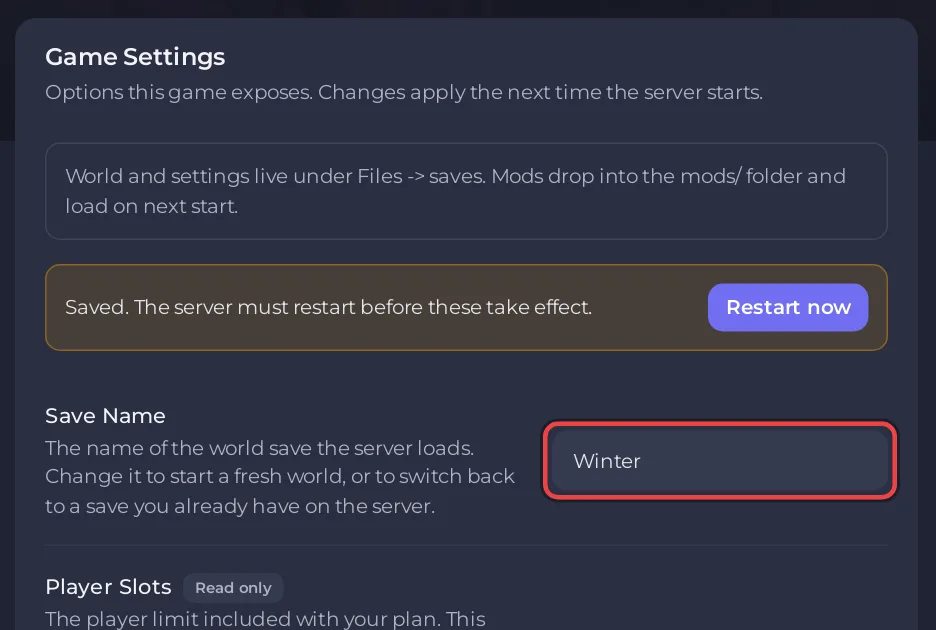
When a Necesse server starts a brand-new world instead of yours, Save Name does not match your world's zip in the saves folder. Necesse loads the zip with exactly that name and makes a new world when there is none. Your world is still there: set Save Name to its exact name and restart.
Get your world back
- Open your server in the panel, click the Files tab and open
saves. Note the exact name of your world's zip, for exampleMyWorld.zip. - Click the Settings tab. In Save Name, type the name without
.zip, with the same capitals:MyWorld. Press Enter. - Click Restart now.
- Check the Console line
Started server using port ... on world "MyWorld.zip".
The new world the server made has its own zip in saves, named after what Save Name said before. Delete it once you have your world back, if you do not want it: How to start a new Necesse world on your server.
Why did the names not match?
- Capitals: the server's files are case sensitive, so
myworldandMyWorldare different worlds. - The zip was renamed by your browser when you downloaded it, for example
MyWorld (1).zip. A name with spaces cannot be a Save Name, so rename the zip under Files to a name without spaces and type that name. - The world is in a subfolder, such as
saves/MyWorld/MyWorld.zipafter an upload of a folder. Move the zip straight intosaves. - The world was unzipped. Necesse's world is the
.zipitself. Upload it again as a zip.
What if Save Name will not save?
Save Name accepts 1 to 20 characters. Spaces, slashes, quotes, * and ? are not allowed, and .. is refused. If the panel refuses your name, rename the zip to fit and type that.
The whole upload: How to upload your own Necesse world.


