

When players cannot join a Necesse server right after a Necesse patch, the server is still on the old version. Players' games update through Steam by themselves; the server updates only when Steam Auto Update is on and it restarts. A new PlayNHost server has the switch on, so a restart is the fix; if someone switched it off, turn it on first.
Fix it
- Open your server in the panel and click the Settings tab.
- On Game Settings, click Show advanced (2).
- Check that Steam Auto Update is on. If it is off, turn it on. The panel then says "Saved. The server must restart before these take effect."
- Click Restart now in that message, or Restart at the top of the page.
- Wait for
Type help for list of commands.in the Console, then ask players to join again.
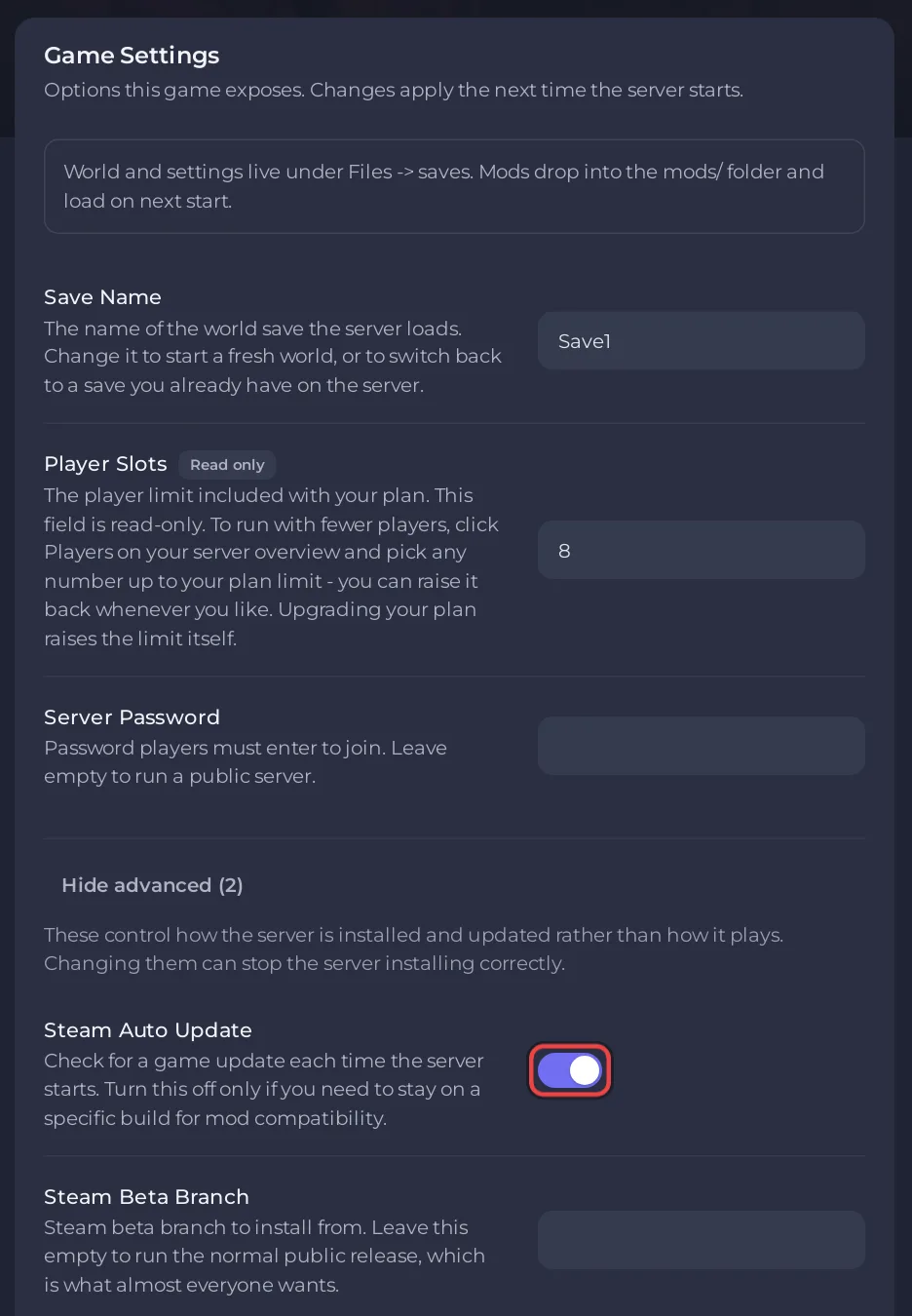
Keep the switch on, so the next patch is picked up at the next restart: How to update your Necesse server.
How do I know it was the version?
- Fair Games' patch notes on Steam say when a patch needs the server to update. Versions 1.3.1, 1.3.2 and 1.3.3 (July and August 2026) all did; 1.3.3: "This patch (version 1.3.3) requires servers/hosts to update."
- Compare versions: the Console line
Started server using port ... game versionshows the server's version. Compare it with the newest patch notes on the Necesse Steam news page.
What if I must stay on an older version?
Leave Steam Auto Update off, and ask players to pick the same older version in Steam: Fair Games say older versions are under the game's properties, "Game Versions & Betas". Everyone must be on the same one.
Other reasons players cannot join: Players cannot join your Necesse server.


