

To update a Necesse server on PlayNHost, restart it with Steam Auto Update on. The switch is on by default on a new server and checks Steam for a new Necesse version at every start. You find it under Settings, Game Settings, Show advanced (2).
Check updates are on and update now
- Open your server in the panel and click the Settings tab.
- On Game Settings, click Show advanced (2). The note says these settings "control how the server is installed and updated rather than how it plays".
- Check that Steam Auto Update is on ("Check for a game update each time the server starts."). It is on by default; if someone switched it off, turn it on.
- Click Restart now. Before Necesse starts, the Console shows Steam's update check and, when there is a new version, the download.
- Check the version in the Console line
Started server using port ... game versionand the number.
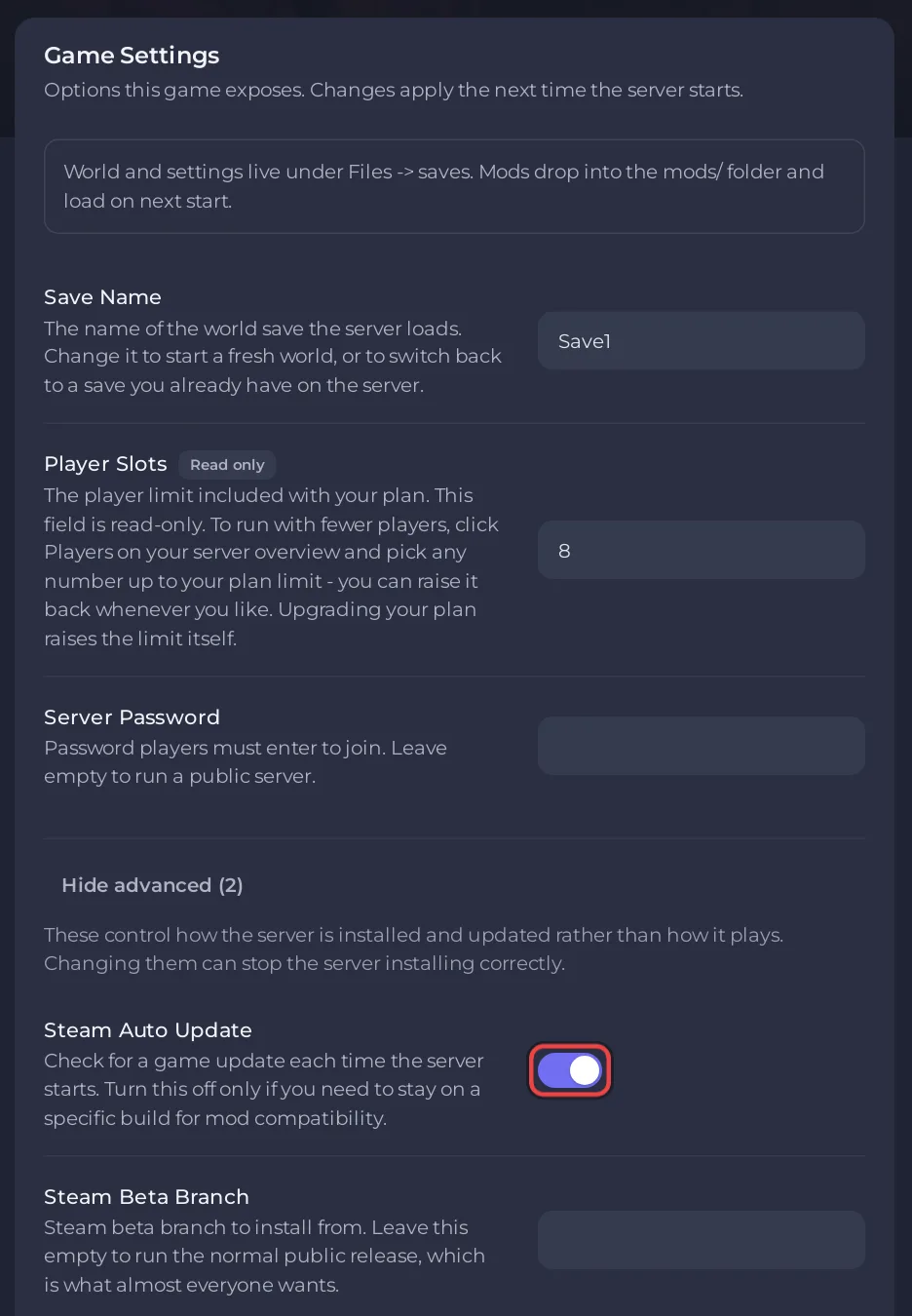
Keep the switch on. Its description says: "Keep this on: Necesse updates often require servers to update before players can join again." Every start and every restart picks up a waiting update. A daily restart keeps the server current: How to restart your Necesse server on a schedule.
Why does the version matter?
Fair Games mark many patches as needing the server to update too. The 1.3.3 patch notes on Steam (25 August 2026) say: "This patch (version 1.3.3) requires servers/hosts to update." Players' games update through Steam by themselves, so after such a patch they cannot join a server that is still on the old version. Some smaller patches do not need it: the 1.3.2 hotfix said "You can still join servers that have not been updated".
When would I turn it off?
The field's own advice: "Turn it off only if you need to stay on a specific build for mod compatibility." If your mods are not ready for a new Necesse version, turn it off until they are, and tell your players.
What is Steam Beta Branch?
It installs another Steam branch of the Necesse Dedicated Server instead of the normal release: "Leave this empty to run the normal public release, which is what almost everyone wants." Type a branch name only if you know it exists and every player is on the same branch; with Steam Auto Update on, the next restart installs it. Fair Games say players find older versions in Steam under the game's properties, "Game Versions & Betas".
If players cannot join after an update: Players cannot join your Necesse server after a game update.


