

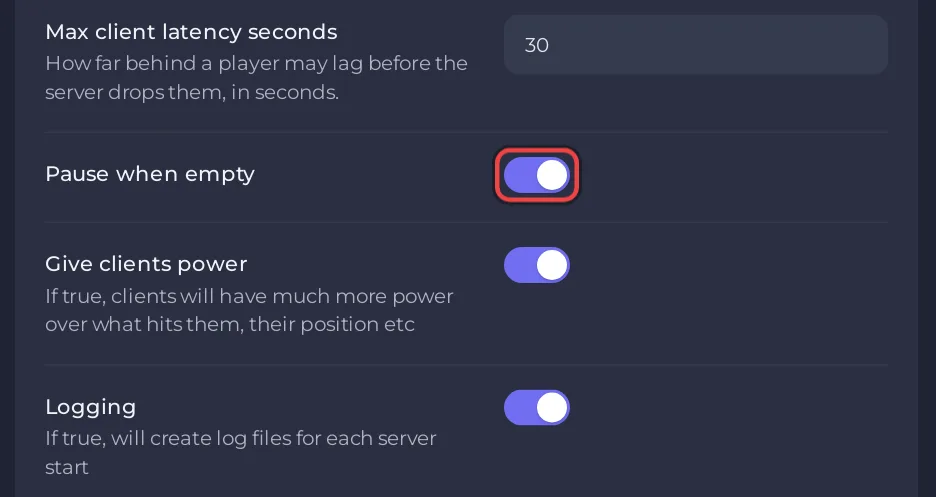
A Necesse server on PlayNHost starts with Pause when empty switched on, so the world stops while nobody is online and carries on when someone joins. To keep the world running when everyone is gone, switch the row off in cfg/server.cfg, or type pausewhenempty 0 in the Console.
Switch it in the settings file
- Open your server in the panel and click Stop. Wait for Offline.
- Click the Settings tab, then
cfg/server.cfgunder Config files. - Flip the Pause when empty switch: on pauses the world while the server is empty, off keeps it running.
- Click Save only, then Start.
Switch it from the Console
The official Necesse wiki lists pausewhenempty as an Admin command that turns pausing on or off. In the panel's Console, type it without a slash:
pausewhenempty 1
pausewhenempty 0
1 pauses the world while nobody is online, 0 keeps it running. The server reads the Pause when empty row when it starts, so for a change that lasts after a restart, set the row as well.
Which should I choose?
- On (paused): the world waits for you. Nothing in the world moves on while the server is empty, and the server has less to do.
- Off (running): time goes on while everyone is away, so your settlement keeps working without you.
Either way the server itself stays Online and players can join at any time. When the world is empty Necesse may print Suggesting garbage collection due to empty server in the Console, which is normal.
Other options of the same file: How to change the server.cfg settings of your Necesse server. For a lighter server: How to make your Necesse server run smoother.


