

To make a Necesse server on PlayNHost run smoother, give it less to keep loaded: let empty areas and settlements unload, keep the settler job range modest and let dropped items disappear. All four are rows in the cfg/server.cfg editor. Necesse's performance command records a report you can compare before and after.
Measure first
Necesse's performance command "Records server performance over some seconds and creates a file with the results", according to the official Necesse wiki. Type /performance in the game's chat while players are on (the wiki lists two optional values, whether to include the server and how many seconds to record), then compare with a second run after your changes. It is a User command, so any player can run it.
Also watch memory and CPU on the Usage card of the Overview page: How much RAM does a Necesse server need?.
Change the settings
- Open your server in the panel and click Stop. Wait for Offline.
- Click the Settings tab, then
cfg/server.cfgunder Config files. - Change the rows below, one or two at a time.
- Click Save only, then Start, and play for a while before you change more.
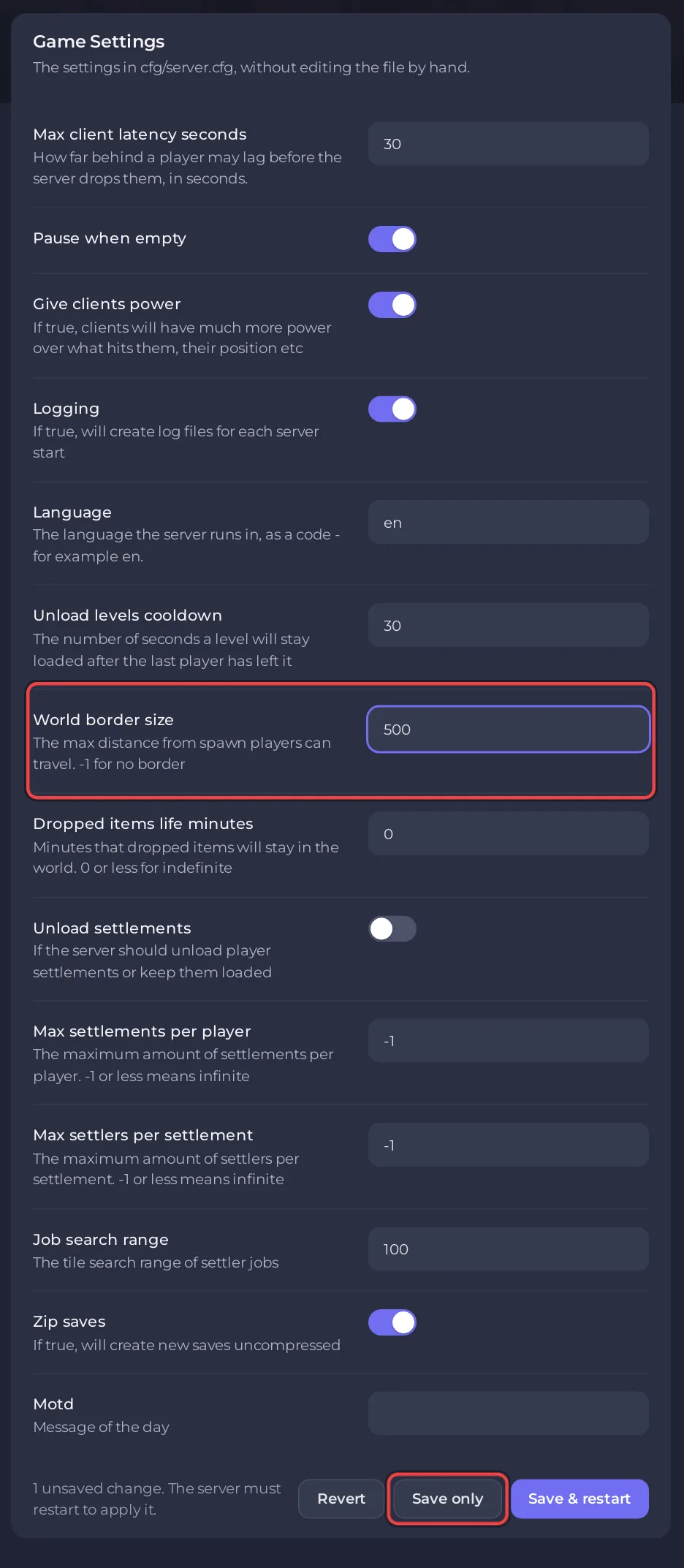
| Row | New server | Lighter setting | What changes in the game |
|---|---|---|---|
| Unload levels cooldown | 30 | lower, for example 10 | Areas unload sooner after the last player leaves |
| Unload settlements | off | on | The server unloads player settlements instead of keeping them loaded |
| Job search range | 100 | lower | Settlers look for jobs over fewer tiles |
| Dropped items life minutes | 0 (forever) | for example 10 | Items on the ground disappear after that many minutes |
| Pause when empty | on | keep on | Nothing runs while the server is empty |
The lighter settings follow from what each row does, as the game's own comments describe it; PlayNHost has not measured how much each one helps. Each has a cost for players, shown in the last column, so pick what your group can live with. More on each row: Necesse server settings reference.
What else helps?
- Fewer mods: every jar in
modsloads with the server. - Max settlements per player and Max settlers per settlement cap how many settlements and settlers the world can hold.
If the server stops or will not start: Necesse server problems and fixes.


