

To change the difficulty of a Necesse world on PlayNHost, open the Console while the server is running, type difficulty list to see the choices, then difficulty followed by the one you want. Death penalty and raid frequency work the same way, with deathpenalty and raids.
Change the difficulty
- Open your server in the panel. The badge must say Online.
- Click the Console tab.
- Type
difficulty listin the box at the bottom and press Enter. Necesse lists the difficulties. - Type
difficultyfollowed by a name from that list, for exampledifficulty hardif the list shows it, and press Enter.
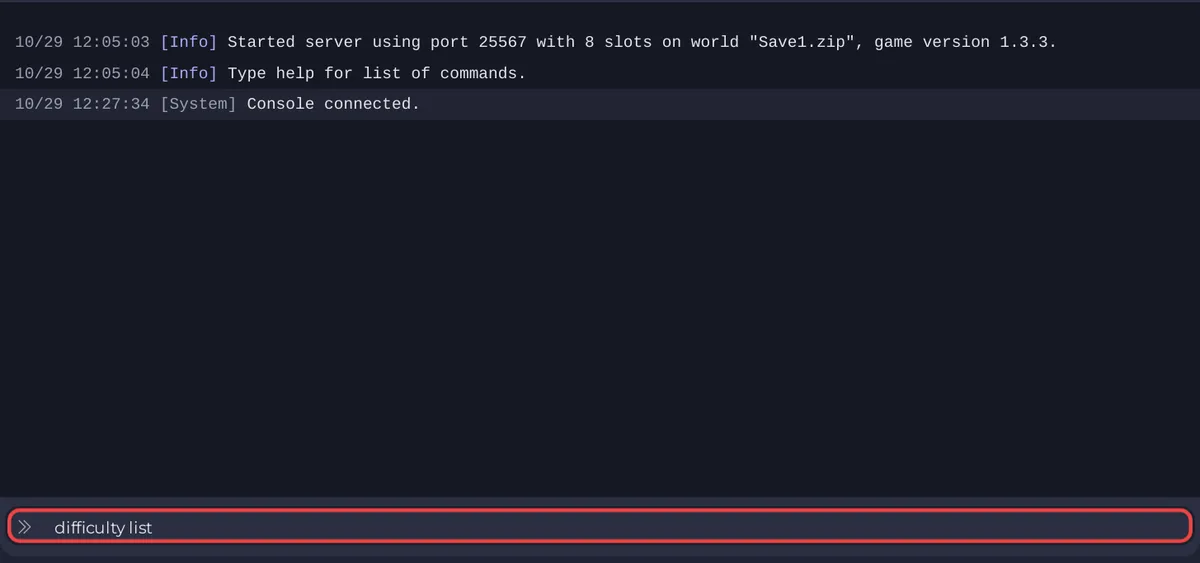
The panel's Console is Necesse's own server console, which has every permission, so you need no admin rights there. In the game, the same commands start with a slash and need the Admin level: How to become admin on your Necesse server.
How do I change the death penalty or raids?
| What | List the choices | Change it |
|---|---|---|
| Difficulty | difficulty list | difficulty <name> |
| Death penalty | deathpenalty list | deathpenalty <name> |
| Raid frequency | raids list | raids <name> |
| All world settings | settings list | settings <setting> <value> |
The commands come from the official Necesse wiki, which lists them for the Admin level. Use the names exactly as the list command prints them.
Do these settings belong to the world?
Yes. The wiki calls them "server world settings", and it places the world's settings file, worldSettings.cfg, inside the world's .zip in saves. So they belong to the world you are playing, not to the panel. If you switch to another world with Save Name, that world has its own: How to switch between Necesse worlds on your server.
What about cheats?
allowcheats turns cheats on for the world, and the wiki marks it "NOT REVERSIBLE". Using commands that need cheats also disables achievements for that world. Back up first if you are unsure: How to back up and restore your Necesse world.
More commands: How to use the Console and commands on your Necesse server.


